One host runs LiteSpeed with NVMe and starts at $2.99/mo. The other is recommended by WordPress.org, offers 24/7 phone support, and has been around since 2003. In this Hostinger vs Bluehost comparison, both are among the most popular hosting brands on the planet, but they target very different buyers. Hostinger built its reputation on aggressive pricing and modern server technology. Bluehost leans on its WordPress.org endorsement, beginner-friendly onboarding, and phone support. By the end of this guide, you will know which one actually deserves your money, which renewal price will hurt more, and why the WordPress.org badge alone should not close the deal.


Related comparison: torn between the two budget leaders? Our Namecheap vs Hostinger comparison breaks down pricing, performance, and renewal traps head to head.
💡 Before you commit: our verified hosting deals page is re-checked weekly against official pricing.
What we actually compared
Hostinger and Bluehost are both massive names in web hosting, but they come from very different backgrounds. Hostinger, founded in Lithuania in 2004 (originally as Hosting Media, rebranded in 2011), grew by offering aggressive pricing and modern server technology. Bluehost, founded in 2003 in the United States, became one of the first three hosts officially recommended by WordPress.org and has served over 5 million customers since.
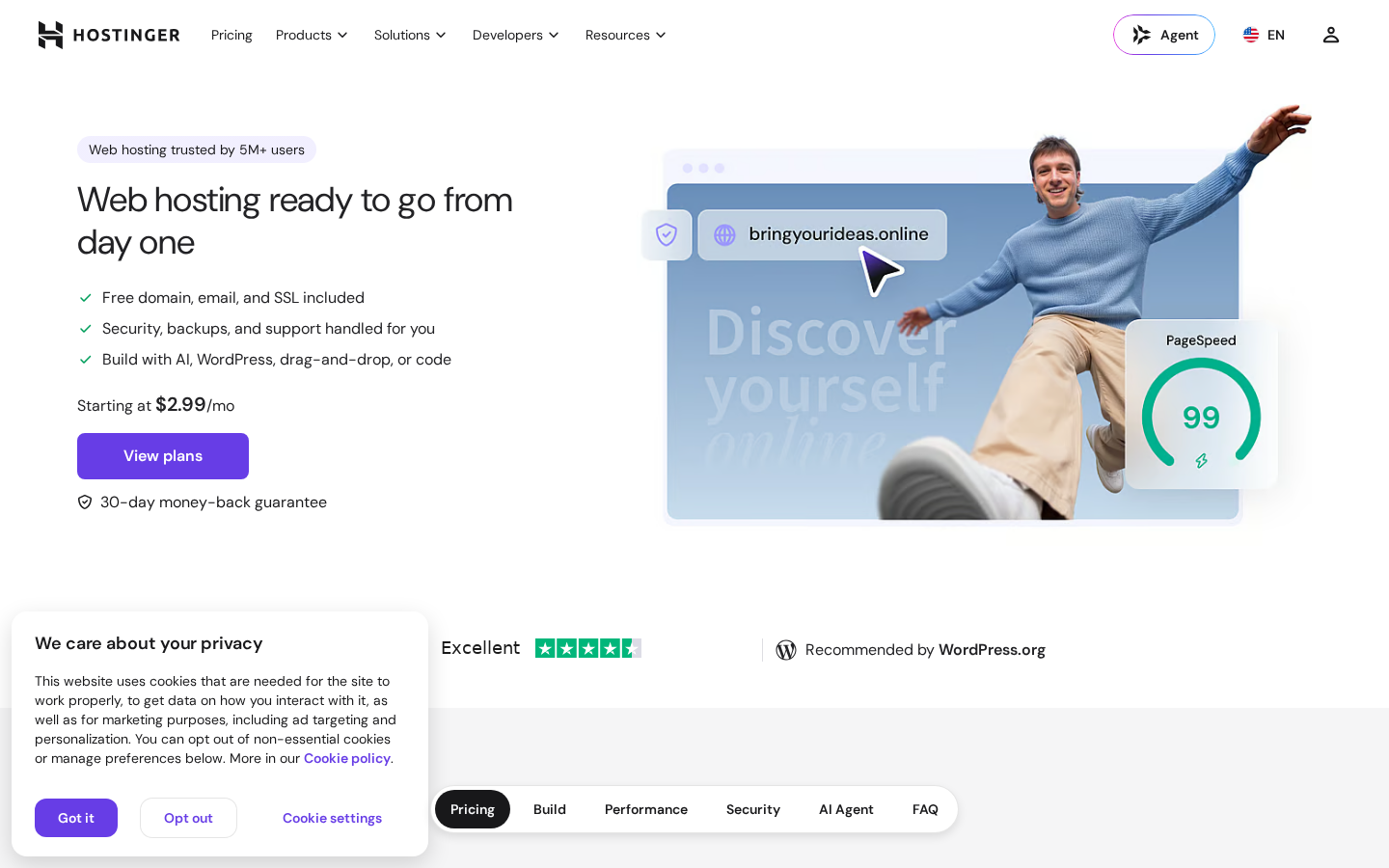
This comparison focuses on shared web hosting, the product most readers are deciding between. We checked both providers’ official pricing pages and documentation, reviewed the top five organic search results for “Hostinger vs Bluehost,” and applied what we learned from our full-length Hostinger Review 2026 and Bluehost Review 2026. Prices can change by country, currency, tax, billing term, promotion, and account status, so treat the figures below as a transparent September 2026 snapshot, not a permanent quote.
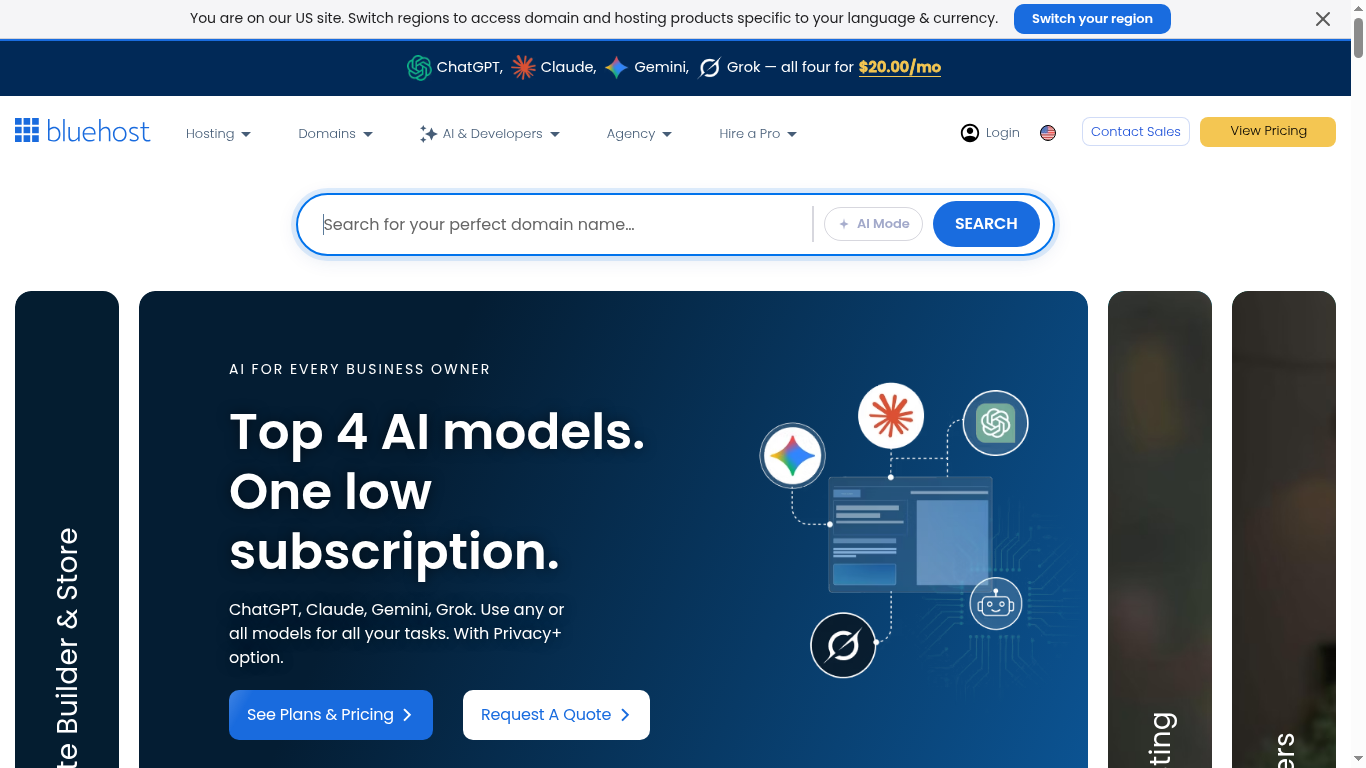
We also reviewed the top competitor comparison pages. They generally agree that Hostinger is cheaper and faster, but many repeat introductory prices without explaining the full renewal structure, backup policies, or control panel differences. We fill those gaps below.
Pricing: the first payment is not the whole story
On Hostinger’s official web hosting page at the time of research, three shared hosting plans were displayed. The Premium plan started at $2.99 per month on a 48-month term, renewing at $10.99 per month. It includes 3 websites, 20 GB SSD storage, free domain for 1 year, weekly backups, CDN, and AI tools. The Unlimited plan started at $3.99 per month on a 48-month term, renewing at $16.99 per month, with unlimited websites, 50 GB NVMe storage, and daily backups. The Cloud Startup plan started at $7.99 per month on a 48-month term, renewing at $25.99 per month, with 100 GB NVMe storage and on-demand backups.
On Bluehost’s official hosting page at the time of research, the Starter plan displayed $3.99 per month on a 36-month term, renewing at $9.99 per month. It includes 10 websites, 10 GB NVMe SSD storage, AI site creation tools, free domain for 1 year, free CDN, and managed WordPress updates. The Business plan showed $6.99 per month on a 36-month term, renewing at $13.99 per month, with 50 websites, 50 GB NVMe storage, phone support, WAF, and DDoS protection. The eCommerce Essentials plan showed $14.99 per month on a 36-month term, renewing at $21.99 per month, with 100 websites, 100 GB NVMe storage, and WooCommerce tools.
| Pricing and value | Hostinger Premium | Bluehost Starter |
|---|---|---|
| Displayed introductory price | $2.99/mo (48-month term) | $3.99/mo (36-month term) |
| Displayed renewal price | $10.99/mo | $9.99/mo |
| Renewal price increase | ~3.7x increase | ~2.5x increase |
| Websites included | 3 | 10 |
| Storage | 20 GB SSD | 10 GB NVMe SSD |
| Free domain (1st year) | Yes | Yes |
| Free SSL | Yes (all plans) | Yes (all plans) |
| Backups | Weekly (free) | Weekly (free) |
| CDN | Yes (included) | Yes (included) |
| Money-back guarantee | 30 days | 30 days |
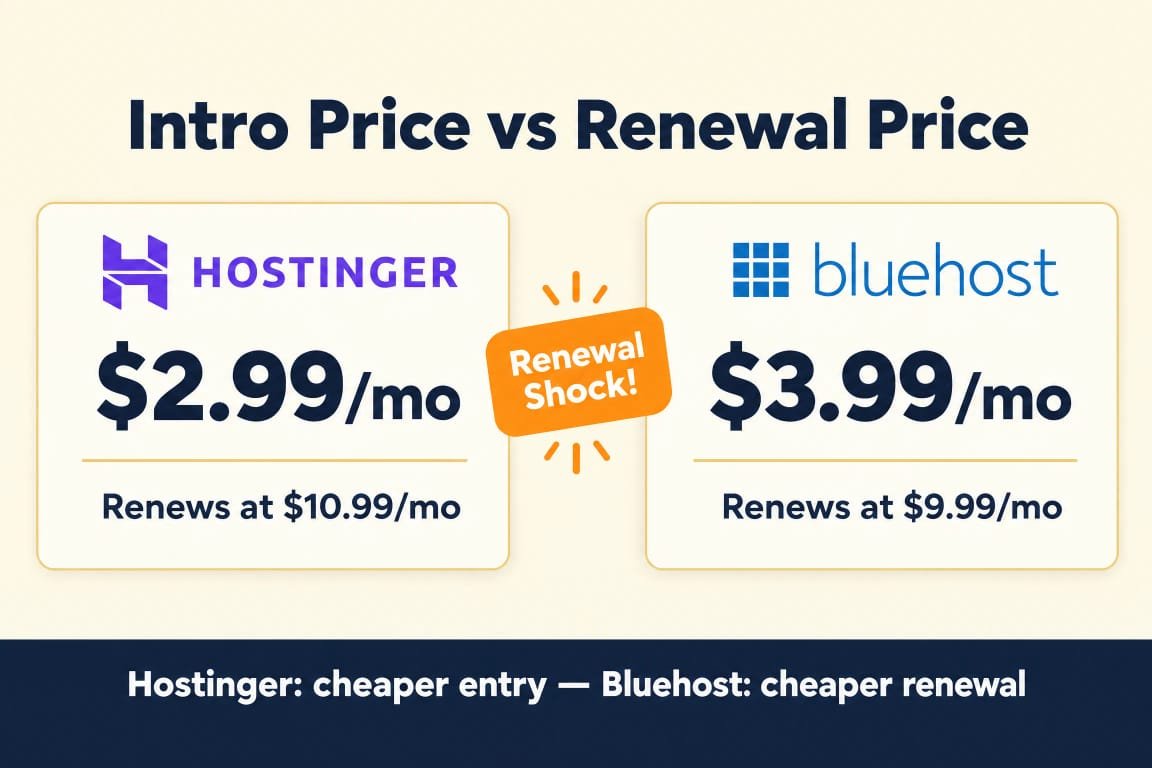
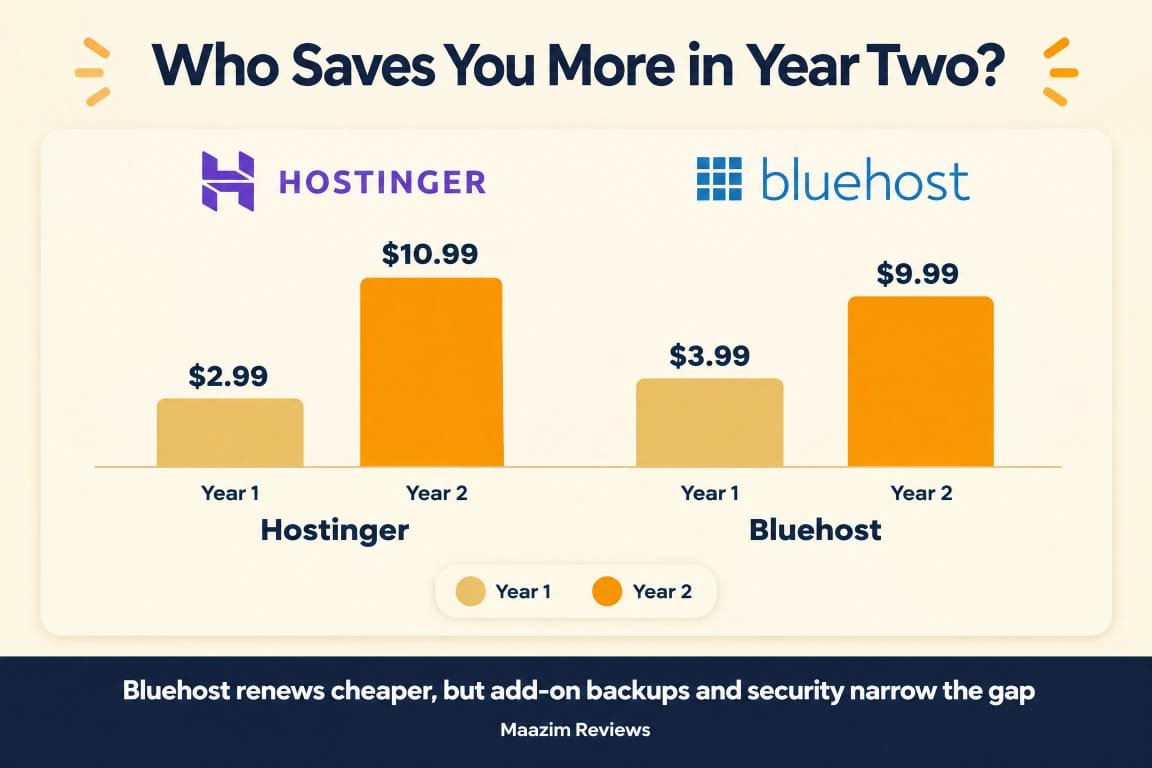
At the introductory level, Hostinger wins on price: $2.99/mo vs $3.99/mo. But the renewal story flips. Hostinger Premium renews at $10.99/mo, while Bluehost Starter renews at $9.99/mo. Hostinger’s renewal jump is also steeper in percentage terms (about 3.7x), compared to Bluehost’s 2.5x. If you plan to stay long-term and care about renewal costs, Bluehost’s gentler increase is worth noting.
However, Hostinger gives you more for less at the entry level: LiteSpeed server technology (vs Bluehost’s Apache), more storage (20 GB vs 10 GB), and more data center locations. Bluehost gives you more websites (10 vs 3) and WordPress.org’s official recommendation. The value calculation depends on what you prioritize: server performance or hosting quantity.
Pricing winner: Hostinger for introductory value and server technology; Bluehost for gentler renewal pricing and more websites. Hostinger starts cheaper and gives you a faster server stack. Bluehost renews cheaper and includes more websites on its entry plan. If you lock in Hostinger’s 48-month term, the total cost over 4 years ($143.52) is still less than Bluehost’s 3-year cost ($143.64), and you get LiteSpeed, more storage, and more data centers.
Performance and server technology
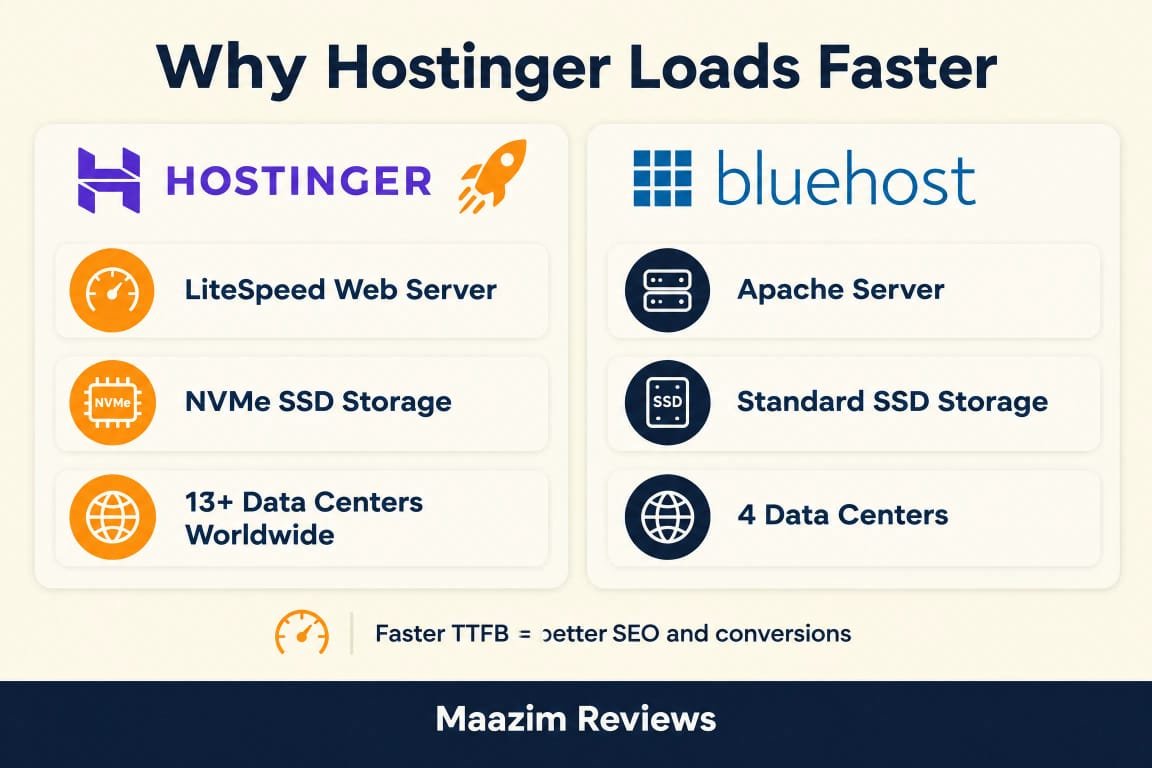
This is where the two hosts diverge most sharply. Hostinger runs LiteSpeed Web Server with NVMe SSD storage and HTTP/3 support. LiteSpeed includes built-in server-level caching (LiteSpeed Cache, or LSCache) that can dramatically reduce TTFB and improve WordPress page load times without requiring a caching plugin. NVMe storage delivers faster read-write speeds than traditional SSDs, and HTTP/3 improves connection speed for modern browsers.
Bluehost uses Apache web server with NVMe SSD storage and relies on CDN and object caching for performance. Apache is the industry standard and works well, but it does not include built-in server-level caching the way LiteSpeed does. Bluehost compensates with static content caching and object caching on higher plans, but the underlying server technology is fundamentally different.
Independent tests consistently show Hostinger with faster response times. Hostinger’s average TTFB (Time to First Byte) typically measures under 277ms, while Bluehost’s TTFB ranges from 345ms to 786ms depending on server load and plan. Hostinger’s LCP (Largest Contentful Paint) scores around 1.28 seconds, compared to Bluehost’s 2.09 seconds in similar tests. These are not abstract benchmarks: faster TTFB means visitors see your content sooner, and Google’s Core Web Vitals directly factor LCP into search rankings.
| Performance factor | Hostinger | Bluehost |
|---|---|---|
| Web server | LiteSpeed + HTTP/3 | Apache |
| Storage type | SSD (Premium) / NVMe (Unlimited+) | NVMe SSD (all plans) |
| Server-level caching | Yes (LiteSpeed Cache) | No (plugin-based) |
| CDN | Yes (included) | Yes (included) |
| Average TTFB | ~277ms | ~345-786ms |
| Uptime claim | 99.9% | 99.99% SLA |
| Data centers | 13+ globally | 4 regions (Americas, Europe, Asia) |
Bluehost does have one performance advantage worth noting: it advertises a 99.99% uptime SLA, which is a formal commitment. Hostinger claims 99.9% uptime but does not offer a formal SLA on shared hosting plans. In practice, both providers deliver reliable uptime, but if you need a contractual guarantee, Bluehost’s SLA is stronger on paper.
Performance winner: Hostinger. LiteSpeed with built-in caching, HTTP/3, and more data center locations give Hostinger a clear edge in raw server performance. Bluehost’s NVMe storage and 99.99% uptime SLA are real advantages, but Apache without server-level caching cannot match LiteSpeed’s speed out of the box.
Features and everyday usability
Hostinger’s feature set is built around its custom hPanel control panel, which is modern, clean, and designed for beginners. It includes 1-click WordPress installation, free SSL, free domain on Premium and higher plans, AI website builder with AI credits, Node.js support on higher plans, and a built-in AI assistant called Kodee that helps with setup and troubleshooting. Hostinger also offers Hostinger Horizons, an AI-powered vibe coding tool, and Hostinger Reach for AI email marketing.
Bluehost uses the industry-standard cPanel, which is familiar to anyone who has used web hosting before. It includes 1-click WordPress installation, free SSL, free domain on all plans, AI site creation tools (WonderSuite), managed WordPress updates, WordPress staging on higher plans, and SSH/WP-CLI access. Bluehost’s onboarding wizard is more guided than Hostinger’s, walking beginners through site creation step by step.
Key feature differences to note:
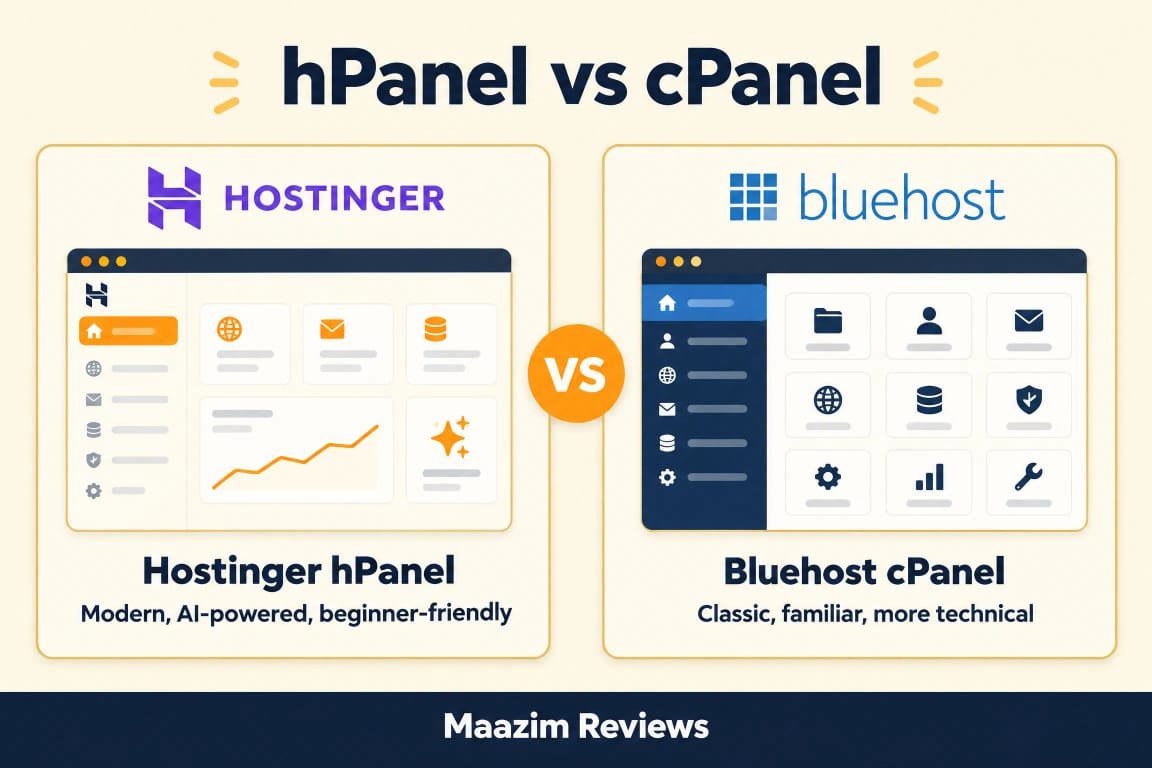
- Control panel: Hostinger uses hPanel (custom, modern, simpler). Bluehost uses cPanel (industry standard, more familiar to experienced users).
- WordPress.org recommendation: Bluehost is officially recommended by WordPress.org. Hostinger is not, though it is a popular WordPress host with 5M+ users.
- AI tools: Hostinger offers AI Builder credits, Kodee AI assistant, Hostinger Horizons (AI vibe coding), and AI email marketing via Hostinger Reach. Bluehost offers AI site creation tools and WonderSuite for guided WordPress setup.
- Staging: Bluehost includes WordPress staging on higher plans. Hostinger does not offer staging on shared hosting (available on cloud hosting plans).
- Email: Both include free email mailboxes. Hostinger offers 2 mailboxes per website on Premium (free for 1 year) and unlimited on Unlimited+. Bluehost includes email on all plans.
- Node.js: Hostinger supports Node.js on Business and higher plans. Bluehost does not natively support Node.js on shared hosting.
Features winner: Draw, with different strengths. Hostinger wins on AI tools, modern control panel, and developer features like Node.js. Bluehost wins on WordPress.org recommendation, staging environments, and guided onboarding for absolute beginners. If you want cutting-edge AI features, Hostinger leads. If you want the WordPress.org seal and a familiar cPanel experience, Bluehost delivers.
Backups, email, domain, and security details
Both providers include free SSL certificates, free domain registration for the first year, and basic security features. But the details matter.
Backups: Hostinger includes weekly backups on its Premium plan and daily backups on the Unlimited plan and higher. On-demand backups are available on the Cloud Startup plan. Bluehost includes weekly backups on all shared hosting plans. Daily backups require the CodeGuard add-on (approximately $2.99/mo extra) or are included on the Business plan and higher. If daily backups are important to you, Hostinger includes them on the Unlimited plan ($3.99/mo), while Bluehost requires either a higher plan or a paid add-on.
Security: Hostinger includes free SSL, malware scanning, DDoS protection, domain privacy, and IP/country blocking on all plans. It is also ISO 27001 certified. Bluehost includes free SSL, malware scanning, and weekly backups on all plans. The Business plan adds a Web Application Firewall (WAF), DDoS protection, and domain privacy. On the Starter plan, domain privacy is not included (available on Business+). Hostinger is more generous with included security features at the entry level.
Email: Hostinger offers 2 mailboxes per website on Premium (free for 1 year) and unlimited mailboxes on Unlimited+. Bluehost includes email on all plans, with the number of mailboxes varying by plan. Both providers offer free business email for the first year.
Domain: Both include a free domain for the first year on eligible plans. Hostinger includes it on Premium and higher. Bluehost includes it on all main plans. Neither provider charges extra for domain registration during the first year.
Security and backups winner: Hostinger. Hostinger includes more security features (malware scanning, DDoS protection, domain privacy, IP blocking) on its entry-level plan, while Bluehost gates some of these behind the Business plan. Hostinger also includes daily backups on its Unlimited plan, while Bluehost requires a paid add-on or higher-tier plan for daily backups.
Data centers and visitor geography
Data center location directly affects latency: the closer your server is to your visitors, the faster your pages load. Hostinger operates 13 data centers globally across Asia, Europe, North America, and South America. This gives Hostinger a significant advantage for websites with international audiences, particularly in Asia and Europe where Bluehost’s presence is more limited.
Bluehost operates data centers across 4 regions: North America, South America, Europe, and Asia. You can select your preferred location during checkout. Bluehost’s infrastructure is powered by Oracle Cloud on some plans, which provides solid global coverage, but the number of locations is smaller than Hostinger’s.
If your audience is primarily in North America, both providers will serve your visitors well. If your audience is in Asia, the Middle East, or Africa, Hostinger’s broader data center network will likely deliver lower latency. Hostinger also lets you change data center locations on some plans, which is useful if you expand into new markets.
Data centers winner: Hostinger. With 13+ locations versus Bluehost’s 4 regions, Hostinger provides better global coverage, especially for audiences outside North America.
Support, control panels, and ease of use
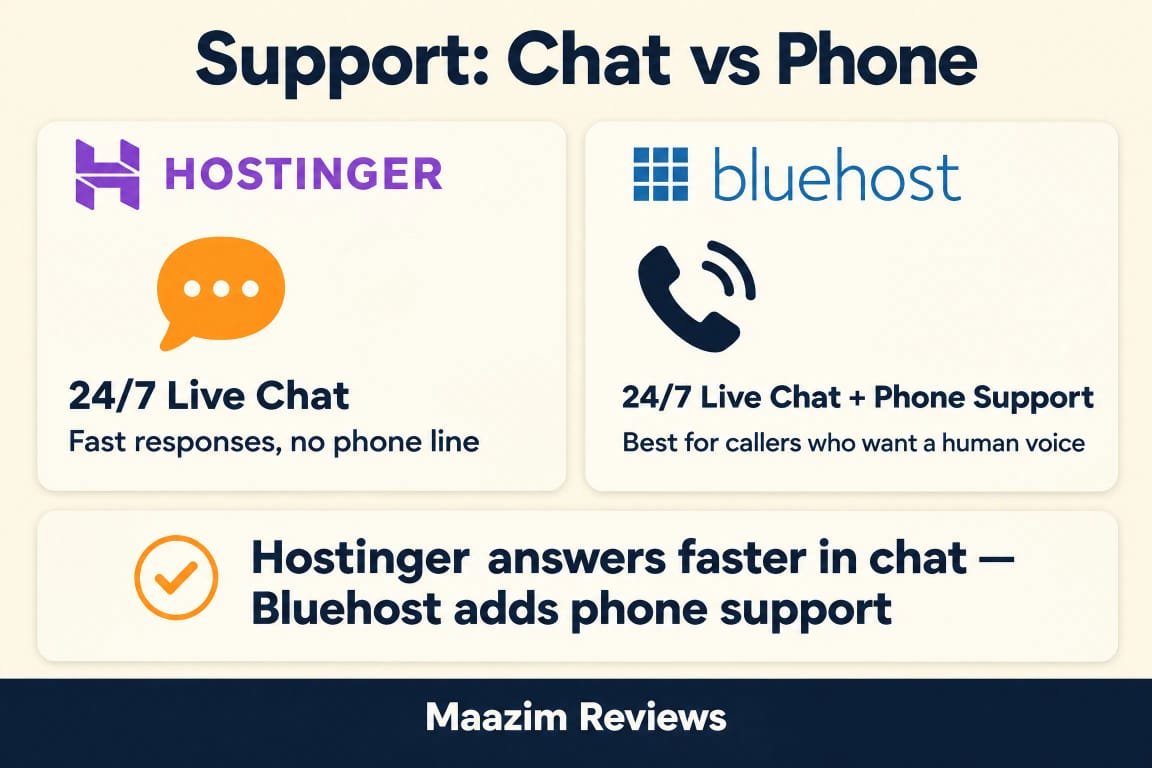
Support is where Bluehost has a genuine advantage. Bluehost offers 24/7 phone support on the Business plan and higher, plus 24/7 live chat and email support on all plans. Phone support is a rarity among budget hosting providers, and for users who prefer speaking to a human, Bluehost is one of the few options in this price range that offers it.
Hostinger offers 24/7 live chat and ticket support on all plans, plus an AI assistant called Kodee. Hostinger does not offer phone support on any shared hosting plan. For technical users comfortable with chat-based support, Hostinger’s support is responsive and helpful. But if you want the option to call someone when something goes wrong, Bluehost is the clear choice.
On control panels, Hostinger’s hPanel is custom-built, modern, and designed to be simpler than cPanel. It organizes features logically and includes AI-powered assistance. Bluehost uses cPanel, the industry standard that most web hosts and developers are familiar with. If you have used hosting before, cPanel will feel comfortable. If you are brand new to hosting, hPanel’s cleaner interface may be easier to navigate.
Bluehost also offers a guided onboarding wizard that walks you through WordPress installation, theme selection, and initial site setup. Hostinger’s onboarding is good but less hand-holding. For absolute beginners who have never set up a website, Bluehost’s guided experience is more approachable.
Support and ease of use winner: Bluehost. Phone support, a familiar cPanel, and a guided onboarding wizard make Bluehost more accessible for beginners. Hostinger wins on control panel design and AI assistance, but the lack of phone support is a real limitation for some users.
What the top comparison pages get right, and what they miss
We reviewed the top five organic search results for “Hostinger vs Bluehost.” Here is what they get right and where they fall short:
- GoogieHost correctly identifies Hostinger as cheaper and faster, and provides a useful feature-by-feature table. However, their starting price for Hostinger ($2.69/mo) is outdated; the current official price is $2.99/mo. They also do not explain the control panel difference (hPanel vs cPanel) in depth.
- Skyninza offers a strong speed and uptime comparison with real TTFB and LCP data, and correctly notes Hostinger’s LiteSpeed advantage. However, they understate Bluehost’s phone support advantage and do not fully compare the AI tool sets.
- HostYourDreams provides a 12-month speed test with real data, which is valuable. Their renewal price for Hostinger ($7.99/mo) is outdated; the current renewal is $10.99/mo for Premium. They also do not compare data center locations in detail.
- HostingExplorers gives Hostinger a 5.0 rating but does not adequately address Bluehost’s WordPress.org recommendation or its guided onboarding for beginners. Their verdict is one-sided.
- LinkedIn posts and Reddit threads generally agree Hostinger is better value but often lack structured pricing comparisons or renewal cost analysis.
The common gaps across competitor pages: outdated pricing, incomplete renewal cost analysis, shallow AI tools comparison, and under-explained control panel differences. This guide addresses all of those with current September 2026 pricing and a feature-by-feature breakdown.
Pros and cons: final comparison
Where Hostinger is stronger
- Lower introductory pricing: Premium from $2.99/mo (48-month term).
- Faster server technology: LiteSpeed with built-in caching and HTTP/3.
- More data center locations: 13+ globally vs Bluehost’s 4 regions.
- Modern custom control panel (hPanel) designed for beginners.
- More AI tools: AI Builder, Kodee AI assistant, Hostinger Horizons, AI email marketing.
- Daily backups included on the Unlimited plan ($3.99/mo).
- Node.js support on Business and higher plans.
- ISO 27001 certified security with malware scanning and DDoS protection on all plans.
Where Bluehost is stronger
- Officially recommended by WordPress.org since 2005.
- 24/7 phone support on Business plan and higher.
- Gentler renewal price increase (~2.5x vs Hostinger’s ~3.7x).
- More websites on entry plan: 10 vs Hostinger’s 3.
- WordPress staging on higher plans (not available on Hostinger shared).
- Familiar cPanel experience for users who have used hosting before.
- Guided AI onboarding wizard for absolute beginners.
- 99.99% uptime SLA (formal guarantee).
Both providers offer solid shared hosting, but they serve different buyer profiles. Hostinger wins on speed, value, and modern features. Bluehost wins on support, WordPress endorsement, and beginner onboarding. The decision comes down to whether you prioritize server performance or support accessibility.
Which one should you choose?
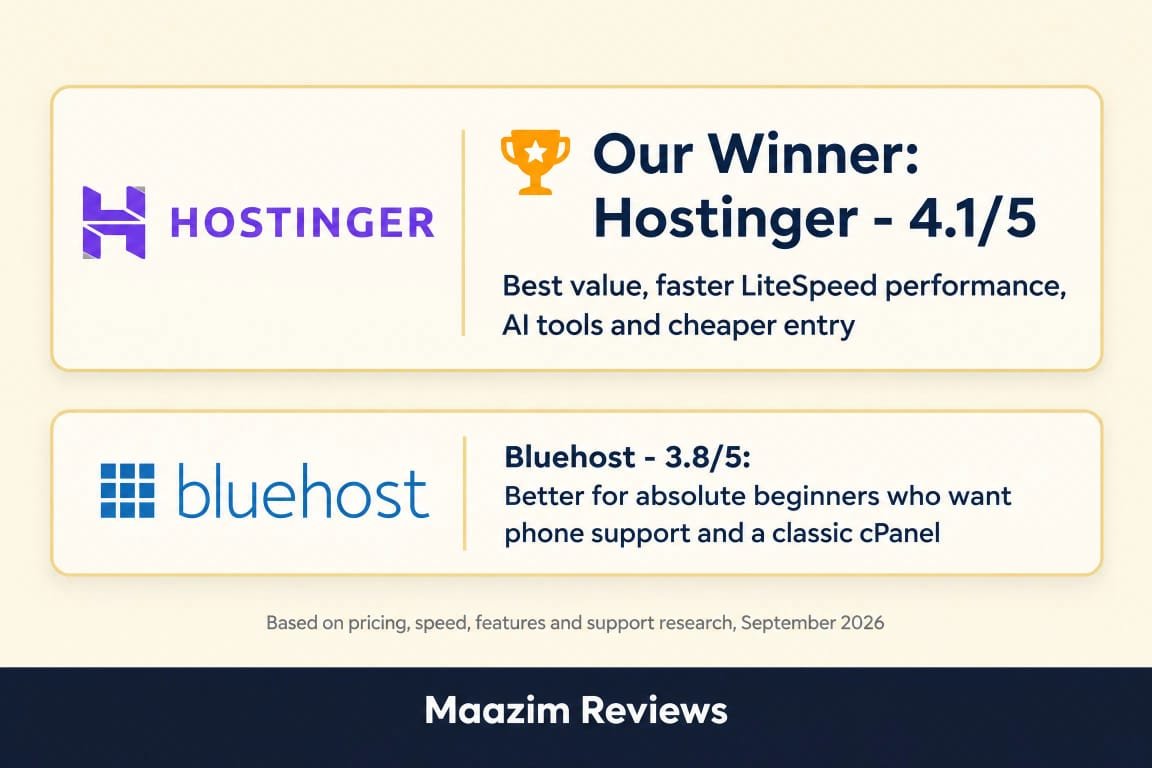
Choose Hostinger if: you want the best value for your money, you prioritize server speed and performance, you have an international audience that benefits from more data center locations, you want AI-powered website building tools, or you are comfortable with chat-based support. Hostinger is the clear winner for users who want modern technology at the lowest price. Start with our full Hostinger Review 2026 for a deeper look.
Choose Bluehost if: you are an absolute beginner who wants guided WordPress setup, you value the WordPress.org recommendation, you want 24/7 phone support, you prefer the familiarity of cPanel, or you need WordPress staging environments on shared hosting. Bluehost is the better choice for users who want a supported, guided hosting experience. See our full Bluehost Review 2026 for more detail.
Choose neither if: you want premium managed WordPress hosting with white-glove support. Both Hostinger and Bluehost are budget shared hosting providers. If you need higher-end managed hosting, consider Cloudways or Kinsta for performance, or SiteGround for a balance of performance and support. See our comparison of Hostinger vs GoDaddy or SiteGround vs Bluehost for more alternatives.
Frequently asked questions
Is Hostinger better than Bluehost?
Which is cheaper, Hostinger or Bluehost?
Is Bluehost recommended by WordPress.org?
Does Hostinger or Bluehost offer phone support?
Which host is faster, Hostinger or Bluehost?
Do both Hostinger and Bluehost include a free domain?
Can I switch from Bluehost to Hostinger later?
Which provider has more data center locations?
Migration, growth, and total cost after year one
The total cost of ownership after the first promotional period is where the two providers diverge. A buyer on Hostinger’s Premium plan pays $143.52 for 48 months ($2.99 x 48), then $10.99/mo on renewal ($131.88/year). A buyer on Bluehost’s Starter plan pays $143.64 for 36 months ($3.99 x 36), then $9.99/mo on renewal ($119.88/year). Over a 4-year horizon, Hostinger costs approximately $144 total, while Bluehost costs approximately $144 for 3 years plus renewal, making the 4-year totals nearly identical despite different billing terms.
For migration, both providers offer free site migration assistance. Hostinger includes migration on shared hosting plans. Bluehost offers a free WordPress migration plugin and guided migration assistance. Neither charges extra for basic migration.
For growth, both providers offer upgrade paths. Hostinger’s Cloud Startup plan ($7.99/mo, renews $25.99/mo) provides dedicated resources for high-traffic sites, and Hostinger also offers VPS hosting and cloud hosting for further scaling. Bluehost offers VPS and dedicated server options, with tighter integration into its ecosystem. If you expect to scale quickly, compare both providers’ cloud and VPS offerings before committing.
The honest summary: Hostinger is the better hosting value with superior server technology. Bluehost is the better beginner platform with phone support and WordPress.org’s endorsement. Choose based on which problem you are solving.
Sources and research notes
Official pricing and feature pages reviewed: Hostinger web hosting, Hostinger technology, Bluehost web hosting, and Bluehost pricing. Competitor comparison pages reviewed include GoogieHost, Skyninza, HostYourDreams, HostingExplorers, and Reddit discussions. Prices and included features are a September 2026 snapshot and should be rechecked at checkout.