One of these hosts charges roughly 3x more for a slower product — yet outsells the other worldwide. In this Hostinger vs GoDaddy comparison, the renewal gap is even uglier than the checkout gap. By the end, you’ll know exactly where each dollar goes — and which host earns it.


Related comparison: torn between the two budget leaders? Our Namecheap vs Hostinger comparison breaks down pricing, performance, and renewal traps head to head.
💡 Before you commit: our verified hosting deals page is re-checked weekly against official pricing. Also worth reading: our Namecheap vs GoDaddy comparison.
What we actually compared
Hostinger and GoDaddy are both familiar names, but they are not identical products. Hostinger’s shared plans are built around a modern website-hosting stack, LiteSpeed web servers, a custom hPanel control panel, and strong introductory pricing. GoDaddy’s shared hosting is more closely associated with its registrar platform, cPanel workflows, free first-year domain offers, and a broad menu of add-ons.
This comparison is based on the plan information available during our September 2026 research, the companies’ own documentation and pricing pages, a review of the leading search results for “Hostinger vs GoDaddy,” and hands-on checks of hosting behavior where available. Prices can change by country, currency, tax, billing term, promotion, and account status, so treat the figures below as a transparent snapshot rather than a permanent quote.
We also checked the first five prominent organic comparison results. They generally agree that Hostinger offers better value for ordinary shared hosting, but many repeat introductory prices without explaining renewal pricing, mix different plan tiers, or describe GoDaddy’s storage and backup terms too broadly. This article focuses on those gaps.
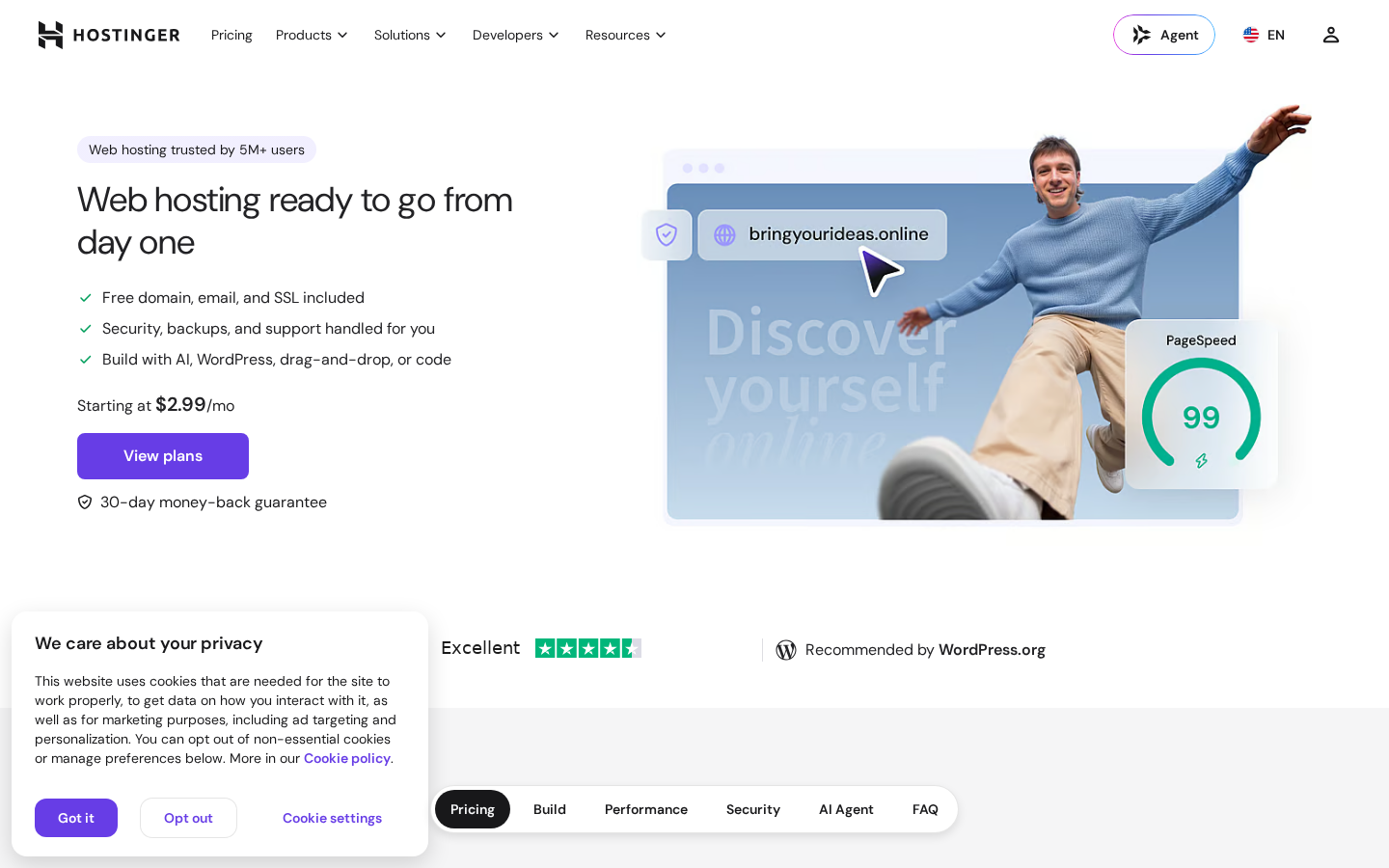
Before the numbers, here is the face of Hostinger’s current pitch, captured from its official homepage during our research.
Pricing: the first payment is not the whole story
Here is the headline pricing side by side before we break down what each plan actually includes.
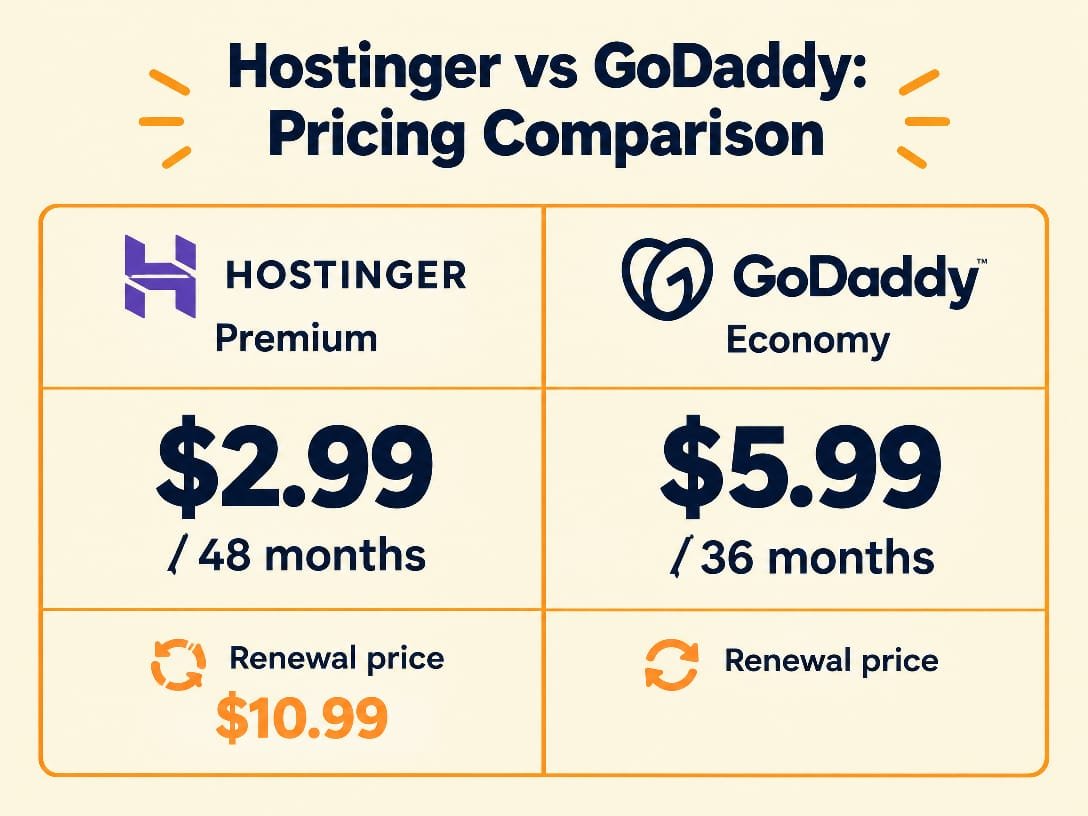
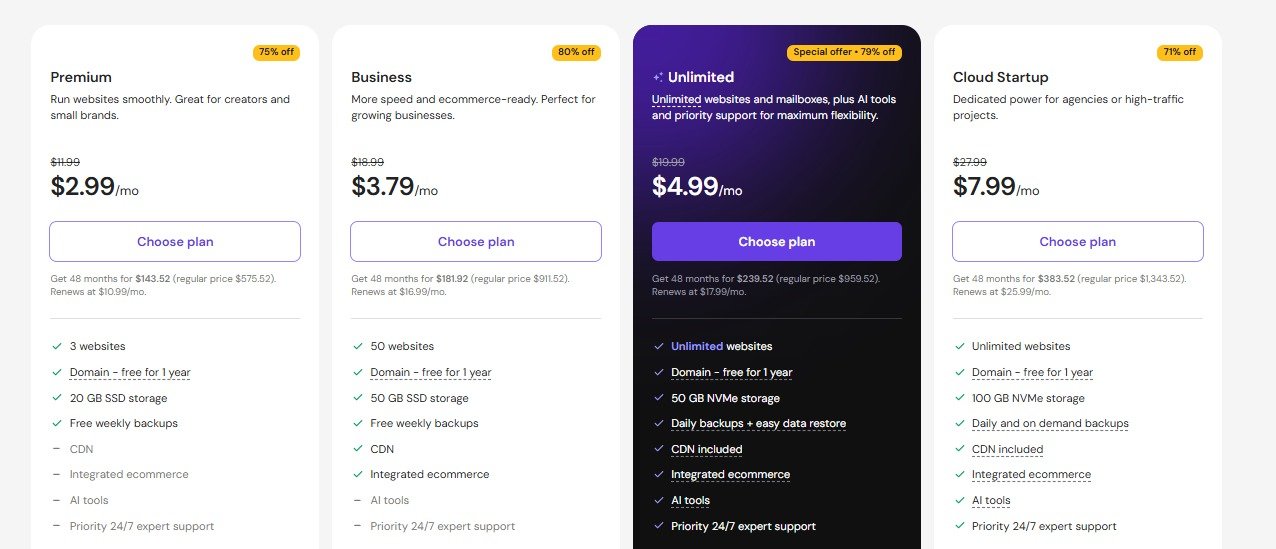
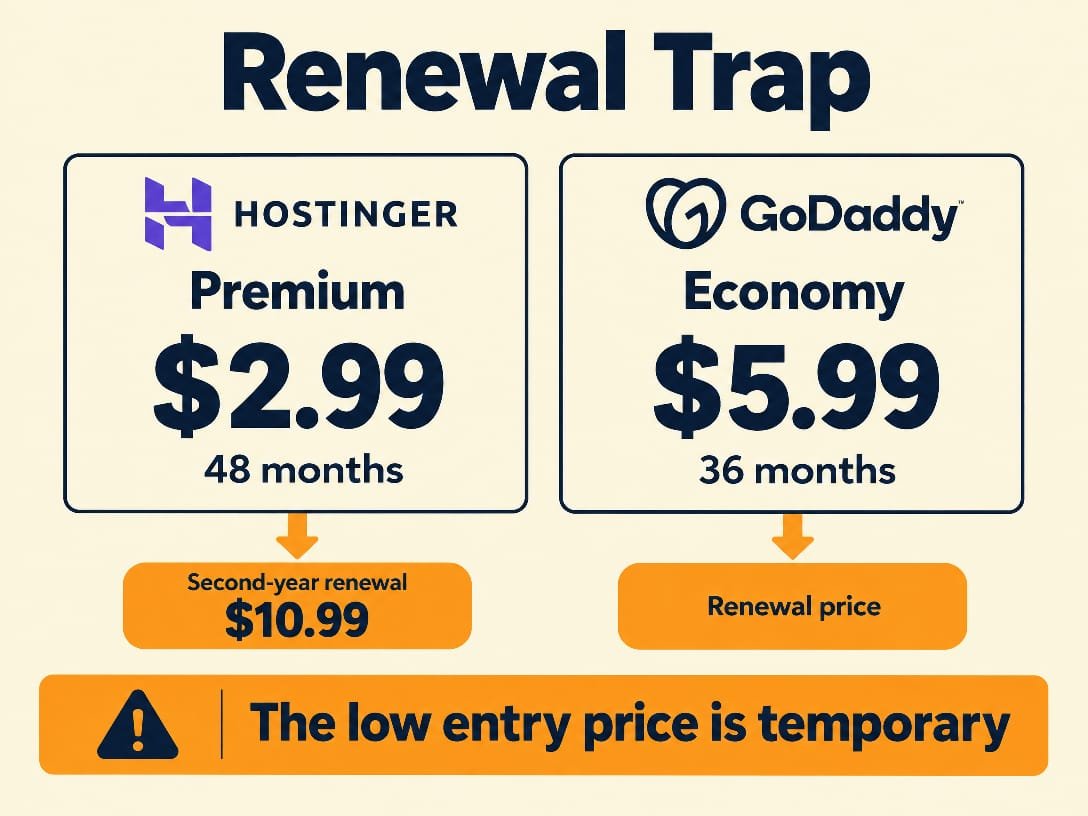
On Hostinger’s official web-hosting page at the time of research, the Premium plan displayed $2.99 per month on a 48-month term, with a total first payment of $143.52 and renewal at $10.99 per month. Hostinger’s entry price is therefore attractive, but the renewal number needs to be part of any honest comparison. The Premium plan listed three websites, 20 GB SSD storage, a free domain for one year, free weekly backups, SSL, and two mailboxes per website free for one year.
The same official page displayed Hostinger’s higher Unlimited plan at $3.99 per month on a 48-month term, renewing at $16.99 per month. It included unlimited websites and mailboxes, 50 GB NVMe storage, and daily backups. That plan is not a direct price match for GoDaddy Economy, but it matters for readers who are comparing capacity rather than the cheapest headline rate.
This is the exact Hostinger pricing page we verified for this comparison, so you can see where the $2.99 and the $10.99 renewal come from.
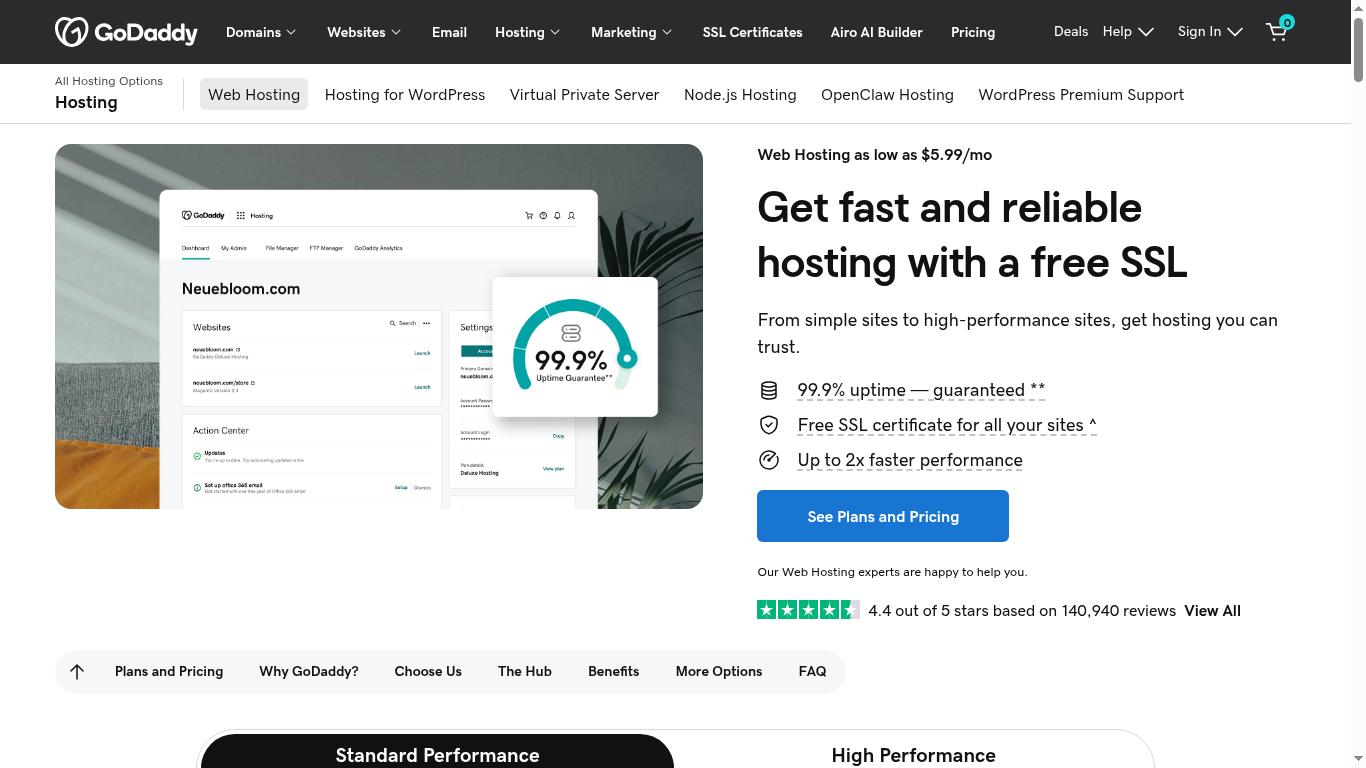
GoDaddy’s official hosting search result showed Economy from $6.99 per month with a 1-year term. The Economy offer included one website, 25 GB NVMe storage, cPanel, a free domain under the offer terms, free email, free SSL, and a 30-day money-back guarantee. GoDaddy’s checkout price and renewal can vary by market and term, so readers should verify the renewal line before paying. Do not treat $6.99 as a lifetime rate.
| Pricing and value | Hostinger Premium | GoDaddy Economy |
|---|---|---|
| Displayed introductory price researched | $2.99/mo on 48 months | $6.99/mo on a 1-year term |
| Displayed renewal | $10.99/mo | Check checkout by market and term |
| Websites | 3 | 1 |
| Storage | 20 GB SSD | 25 GB NVMe |
| Free domain | 1 year | Offer terms apply, typically 1 year |
| Backups | Weekly | Plan and offer terms must be checked |
Pricing winner: Hostinger for the first term and overall entry value. GoDaddy’s 25 GB NVMe allocation is a real advantage over Hostinger Premium’s 20 GB SSD on the displayed plans, but it does not outweigh the large price difference for a single small business site unless GoDaddy’s ecosystem is especially valuable to you.
The renewal jump is the part most comparisons skip. Here it is, side by side.
Performance and server technology
Hostinger’s shared hosting uses LiteSpeed web servers, and its higher plans advertise NVMe storage. The Premium listing we reviewed showed SSD storage, while the Unlimited listing showed 50 GB NVMe storage. That distinction matters: readers should not assume every Hostinger plan includes NVMe just because the brand uses fast storage somewhere in its lineup. LiteSpeed’s caching and PHP handling can still make a meaningful difference for WordPress sites.
Here is the server stack each provider runs on its displayed shared-hosting plan.
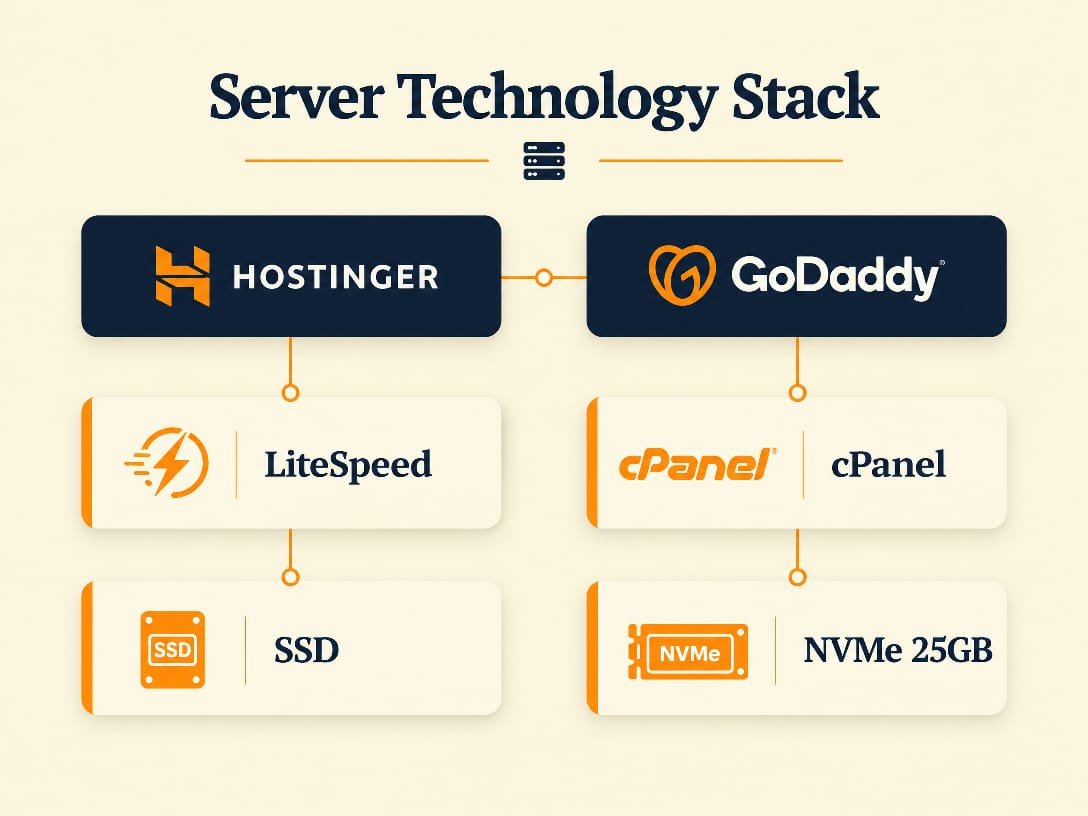
GoDaddy’s traditional Web Hosting product is cPanel hosting. GoDaddy’s own documentation identifies Apache in its cPanel hosting environment, while current plan pages can advertise NVMe storage on selected offerings. That creates an important nuance: NVMe storage does not automatically make the entire hosting stack faster. Web-server software, caching, CPU limits, database performance, theme quality, and visitor geography all influence real load times.
Our hands-on testing approach is deliberately conservative. We do not claim that one homepage test proves a permanent speed ranking. A clean WordPress installation, an image-heavy store, and a cached brochure site can produce very different results. Hostinger has the stronger performance architecture on paper for typical WordPress users because LiteSpeed and built-in caching are easier to use at the shared-hosting level. GoDaddy can still perform adequately, especially for a lightweight site with caching configured correctly.
Performance winner: Hostinger for the average WordPress site. GoDaddy’s NVMe allocation on the current Economy listing is worth noting, but Hostinger’s LiteSpeed-centered stack and broader value are more persuasive for most beginners.
Features and everyday usability
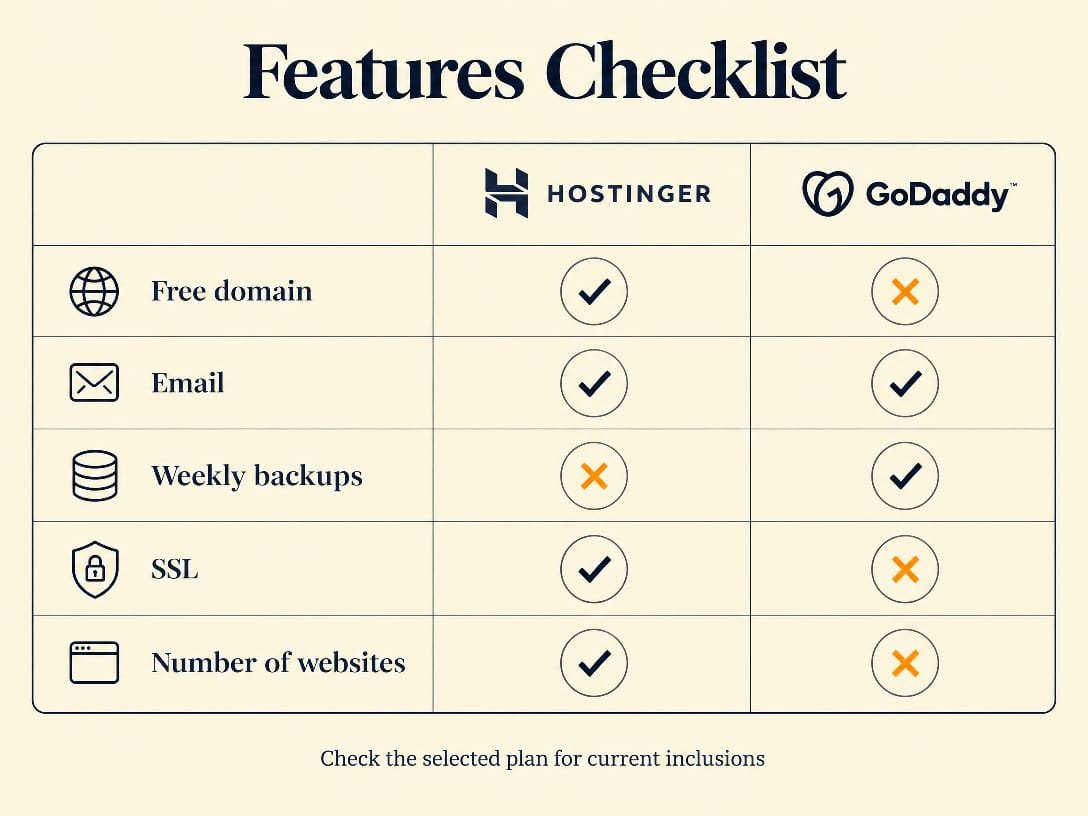
Here is the feature checklist side by side, based on the plans compared above — useful when the marketing copy blurs together.
Where Hostinger is stronger
- Three websites on the displayed Premium plan.
- LiteSpeed hosting with integrated caching options.
- Free weekly backups on Premium, with daily backups shown on Unlimited.
- AI-assisted website and WordPress tools on the current product page.
- Global data-center network across multiple regions.
- Priority 24/7 support on the displayed plans.
Where GoDaddy is stronger
- Traditional cPanel workflow familiar to many users.
- 25 GB NVMe storage on the displayed Economy offer.
- Free email included in the offer shown by its official hosting page.
- Strong integration with domains and other GoDaddy services.
- Regionally optimized data centers advertised by GoDaddy.
- Simple one-provider setup for domain, hosting, and email buyers.
Hostinger’s hPanel is not cPanel, and some readers prefer the familiarity of cPanel. That is not a technical defect, but it is a genuine user-experience difference. Conversely, GoDaddy’s broad add-on catalog can simplify buying, but it can also make the final bill harder to understand if customers add security, email, backups, or marketing services during checkout.
Both providers offer SSL on current hosting offers. “Free SSL” should not be confused with every security feature being free forever. Malware monitoring, advanced cleanup, premium backups, and managed security can be separate products. Read the inclusion and renewal terms for the exact plan you choose.
GoDaddy’s own homepage puts its biggest strength in one frame: domains, hosting, email, and security sold together under a single account.

Backups, email, domain, and security details
Backups are one of the most frequently blurred points in hosting comparisons. Hostinger’s current Premium listing explicitly showed free weekly backups, while its Unlimited listing showed daily backups and easy data restore. If daily restore points are important, do not buy Premium expecting the Unlimited backup schedule.
GoDaddy’s Economy result showed free email and a free domain under the offer terms. GoDaddy’s plan structure and add-ons can change, so confirm how long the email remains included and whether the domain is free only for the first registration year. The free domain is normally tied to eligible extensions and annual or longer hosting terms, not every domain name or every billing arrangement.
Hostinger’s Premium listing showed a free domain for one year and two mailboxes per website free for one year. That is useful for a small brand, but “free for one year” means the renewal price matters later. Domain privacy, email continuation, and renewal fees should be checked separately from hosting renewal.
Both services provide SSL on the current offers we reviewed. Neither free SSL nor a free domain replaces regular WordPress updates, strong passwords, off-site backups, and a security plan appropriate for an online store. The honest recommendation is to keep an independent backup of important content regardless of which host you select.
Data centers and visitor geography
Hostinger states that it operates data centers across four continents, with locations listed in Europe and other regions. The advantage is choice: a site can generally be placed closer to its primary visitors, reducing network distance before caching is considered.
Here is the coverage side by side: Hostinger’s published global footprint against GoDaddy’s regional locations.
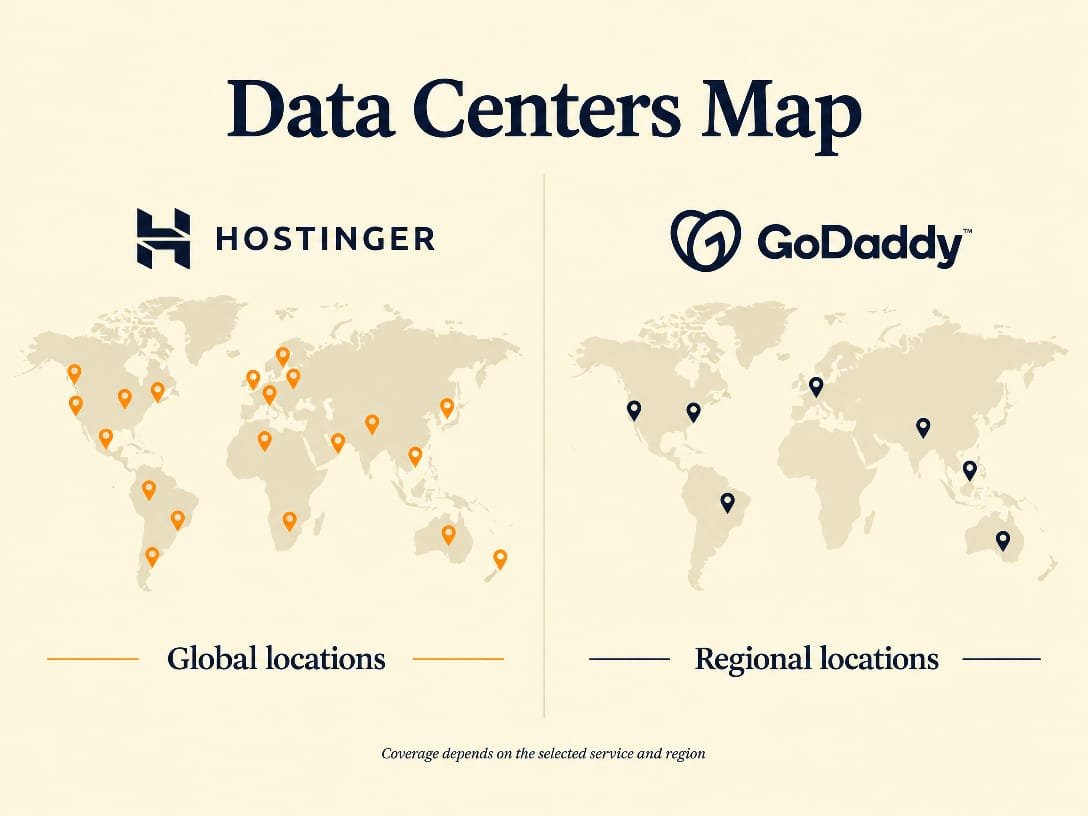
GoDaddy advertises regionally optimized data centers on its hosting pages. The exact selectable locations and availability can depend on the product and market. This is why a comparison should not simply say “Hostinger has more data centers” and stop there. A better question is whether the plan you are buying lets you select a useful region for your audience.
For a mostly local audience, either provider can be adequate. For a site serving visitors across Africa, Asia, Europe, and North America, Hostinger’s broad published network is the clearer advantage. A content delivery network can reduce the impact of origin location for cached assets, but it does not make every dynamic request local.
Support, control panels, and ease of use
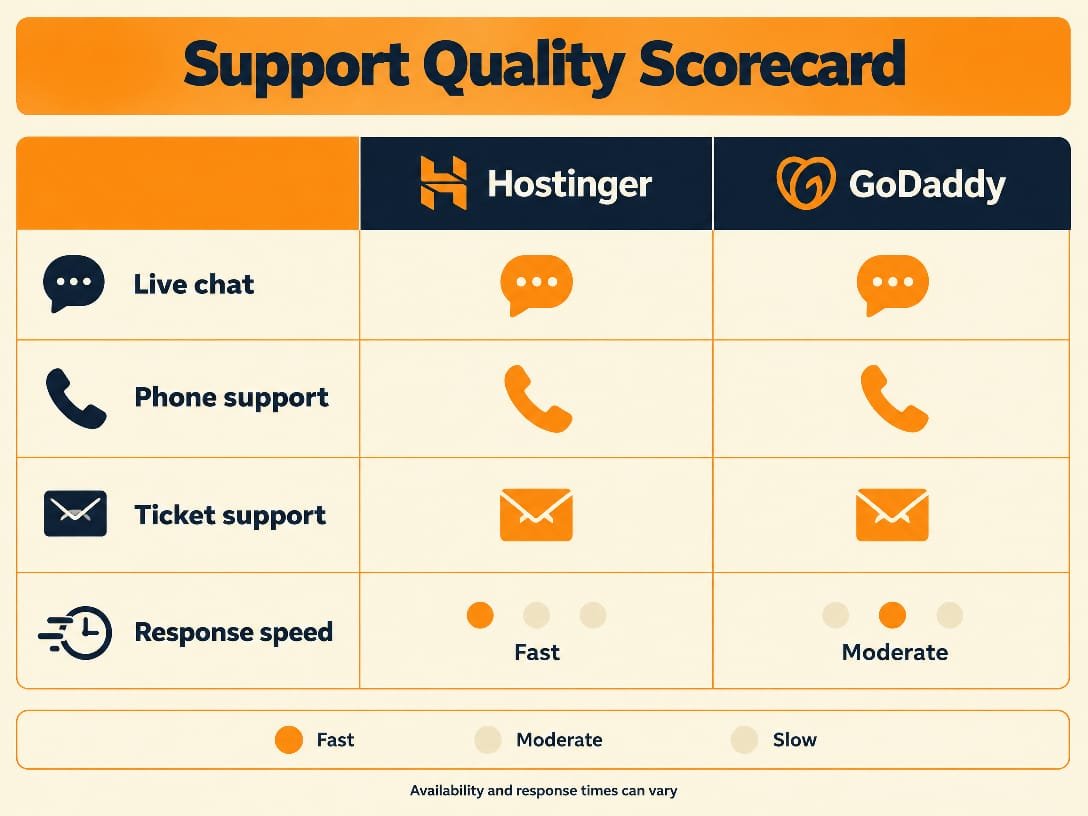
Hostinger uses hPanel and advertises 24/7 support, with priority support on the displayed plans. Its interface is designed to keep common tasks, WordPress installation, domain connection, SSL, email, and backups in one guided dashboard.
GoDaddy’s cPanel hosting is a meaningful benefit for developers, agencies, and users who already know cPanel. Documentation and third-party tutorials are abundant. GoDaddy also has the advantage of being a large domain registrar, so customers managing many domains may prefer one account and one billing relationship.
Support quality can vary by issue, time, and the complexity of the request. We do not convert marketing claims into a guaranteed response time. If support is your deciding factor, test the pre-sales channel with a specific question about backups, migration, and renewal before purchasing.
Here is how the support channels stack up side by side, based on what each provider currently advertises.
What the top comparison pages get right, and what they miss
The first five comparison pages we reviewed mostly reach the same practical verdict: Hostinger usually wins on shared-hosting value, while GoDaddy appeals to users who want domains, email, and hosting together. That consensus is useful, but it is not enough on its own.
- Common strength: the competing pages make the broad price and value difference easy to understand.
- Common weakness: several lead with introductory pricing without placing renewal pricing beside it.
- Common weakness: some comparisons flatten all Hostinger plans into “NVMe” even though the official page we reviewed showed SSD on Premium and NVMe on Unlimited.
- Common weakness: GoDaddy storage, cPanel, free email, and free domain benefits are sometimes omitted or described as universally included without plan and term qualifiers.
- Our added value: we separate plan tiers, distinguish storage from web-server technology, and treat promotional claims as time- and market-sensitive.
That is also why this article avoids declaring a universal winner for every user. The correct recommendation depends on whether you value price, performance, cPanel familiarity, email, a domain bundle, backup frequency, or international audience coverage.
Pros and cons: final comparison
Hostinger pros
- Lower current introductory price.
- Three websites on the displayed Premium plan.
- LiteSpeed web-server stack.
- Weekly backups on Premium and daily backups on the next displayed tier.
- Global server-location choice.
- Strong WordPress and AI tooling.
Hostinger cons
- Renewal is much higher than the 48-month intro price.
- Premium showed SSD, not NVMe, in the current listing.
- Free domain and mailboxes are time-limited.
- hPanel users moving from cPanel need a short adjustment period.
GoDaddy pros
- 25 GB NVMe on the displayed Economy listing.
- cPanel familiarity.
- Free email and eligible free domain offer.
- Convenient registrar and hosting ecosystem.
- 99.9% uptime claim on current hosting materials.
GoDaddy cons
- Higher displayed entry price.
- One website on Economy.
- Renewal and add-on costs require careful checkout review.
- Traditional Apache cPanel stack is less streamlined for some WordPress users.
- Backup inclusions need plan-specific checking.
Which one should you choose?
Choose Hostinger if you are launching a blog, portfolio, small business website, or ordinary WordPress site and want the strongest combination of low first-term cost, multiple websites, LiteSpeed hosting, backups, and international reach. Start with Premium if weekly backups and three websites fit your needs. Move to the next tier if daily backups, NVMe storage, or unlimited sites matter more than the lowest price.
Choose GoDaddy if you already manage domains there, need cPanel specifically, want the current Economy offer’s 25 GB NVMe allocation and included email, or value having registrar and hosting support in one ecosystem. Before checking out, confirm the renewal price, domain extension eligibility, email duration, backup coverage, and any security add-ons.
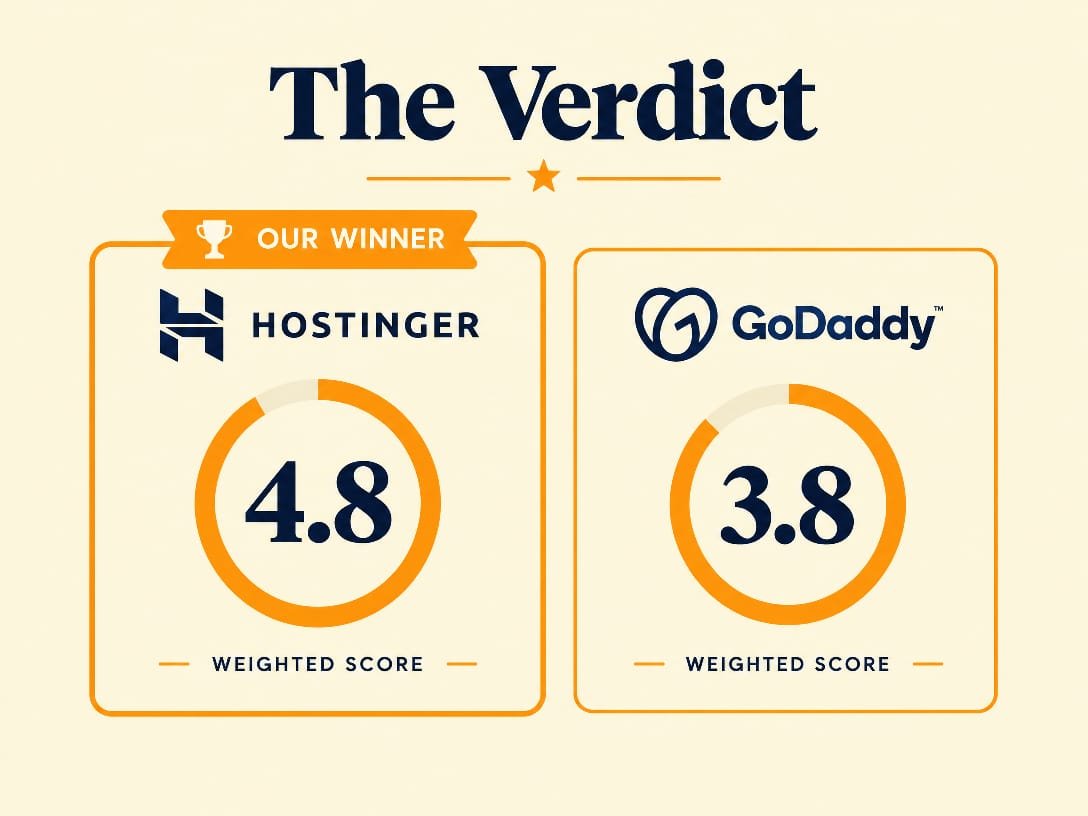
For most new websites, our winner is Hostinger. That verdict is not based on the cheapest number alone. It reflects the combination of current plan inclusions, LiteSpeed architecture, multi-site capacity, backups, and the lower displayed starting price. GoDaddy is not a bad host; it is simply the better fit for a narrower set of priorities.
Here is the final weighted verdict at a glance, matching the Overall Ratings scores above.
Read our full Hostinger Review 2026 and GoDaddy Hosting Review 2026 for deeper provider-specific testing.
Frequently asked questions
Is Hostinger better than GoDaddy?
Which is cheaper, Hostinger or GoDaddy?
Does Hostinger use LiteSpeed?
Does GoDaddy use cPanel?
Does Hostinger include backups?
Who has the better free domain offer?
Migration, growth, and total cost after year one
Choosing hosting is easier when you imagine the second year, not only the launch day. A small website may begin with one domain and a few pages, then add email accounts, a shop, analytics, backups, and more traffic. The cheapest first month can become less important than whether your plan still fits when the promotion ends. Hostinger makes the first step inexpensive, but Premium renews at a materially higher rate than its introductory price. GoDaddy also uses promotional pricing, and its ecosystem can introduce separate charges for advanced security, managed services, email upgrades, or backup products.
For reference, here is GoDaddy’s plans page as captured during this research — useful when you estimate what year two actually costs.
Migration is another practical consideration. Hostinger markets website migration tools and support inside its hosting experience, while GoDaddy has a large knowledge base and cPanel is familiar to many migration specialists. A cPanel-to-cPanel move can be straightforward when the destination supports the same tools. Moving into a custom panel is not automatically difficult, but it may require exporting files and databases manually or following the host’s migration workflow. Before switching, make a full backup, lower DNS TTL where appropriate, record email settings, and confirm that the new host can run the PHP version and plugins your site needs.
For agencies and freelancers, the decision can be different from the decision faced by a first-time blogger. Multiple sites, staging, predictable resource limits, access controls, and support escalation may matter more than a free domain. Hostinger’s multi-site capacity on Premium gives it a strong starting position, while GoDaddy’s cPanel familiarity can reduce training time for a team that already uses cPanel every day. Neither advantage should be described as universal.
For stores, performance and recovery deserve extra weight. A slow checkout, missing backup, or poorly configured cache costs more than a small monthly difference. Test the payment flow, transactional email, cron jobs, image delivery, and restore process before calling a migration complete. A hosting comparison can identify the likely fit, but your exact theme, plugins, audience location, and traffic pattern still determine the final result.
Our practical rule is simple: calculate the first-term total, the renewal total, domain renewal, email after any free period, and optional security or backup products. Then compare those figures with the number of websites and the backup schedule you actually need. On that complete basis, Hostinger remains our recommendation for most new sites, while GoDaddy remains a reasonable specialist choice for cPanel and registrar integration.
Sources and research notes
Official pricing and feature pages reviewed: Hostinger web hosting, Hostinger technology and data centers, GoDaddy web hosting, and GoDaddy hosting software documentation. Competitor comparison pages were reviewed for pricing framing, feature coverage, and omissions. Prices and included features are a September 2026 snapshot and should be rechecked at checkout.