

One of these hosts is officially recommended by WordPress.org and starts at $3.99/mo — the other is the world’s largest domain registrar and charges nearly double for a comparable plan. In this Bluehost vs GoDaddy comparison, the pricing gap at renewal is even more dramatic than at checkout. By the end, you’ll know exactly which host deserves your first website — and which one quietly costs you more in year two.


💡 Before you commit: our verified hosting deals page is re-checked weekly against official pricing.
What we actually compared
Bluehost and GoDaddy are two of the most recognized names in web hosting, but they serve different buyer profiles. Bluehost, owned by Newfold Digital and officially recommended by WordPress.org since 2005, has built its reputation around WordPress-focused hosting with a beginner-friendly custom dashboard. GoDaddy, the world’s largest domain registrar with over 20 million customers and publicly traded on the NYSE under ticker GDDY, bundles hosting with domain registration, email, website building, and marketing tools into one sprawling ecosystem.

This comparison focuses on shared web hosting, the product most readers are deciding between. We checked both providers’ official pricing pages directly (Bluehost.com and GoDaddy.com), reviewed the leading search results for “Bluehost vs GoDaddy,” and applied what we learned from our full-length Bluehost Review 2026 and GoDaddy Hosting Review 2026. Prices can change by country, currency, tax, billing term, promotion, and account status, so treat the figures below as a transparent October 2026 snapshot, not a permanent quote.
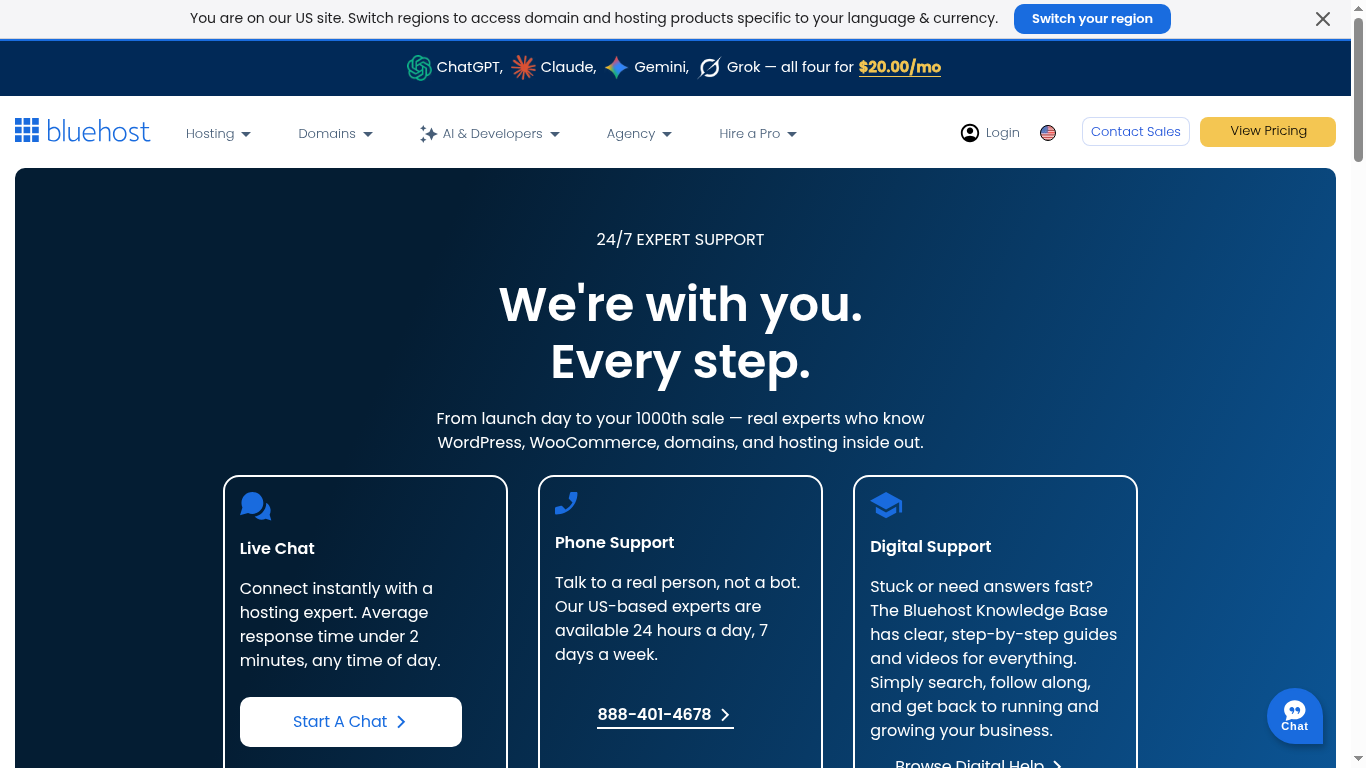
We also reviewed the first five prominent organic comparison results. They generally agree that Bluehost is better for WordPress beginners and GoDaddy is better for its all-in-one ecosystem, but many repeat introductory prices without explaining renewal costs, server technology, or backup policies. We fill those gaps below.
Pricing: the first payment is not the whole story
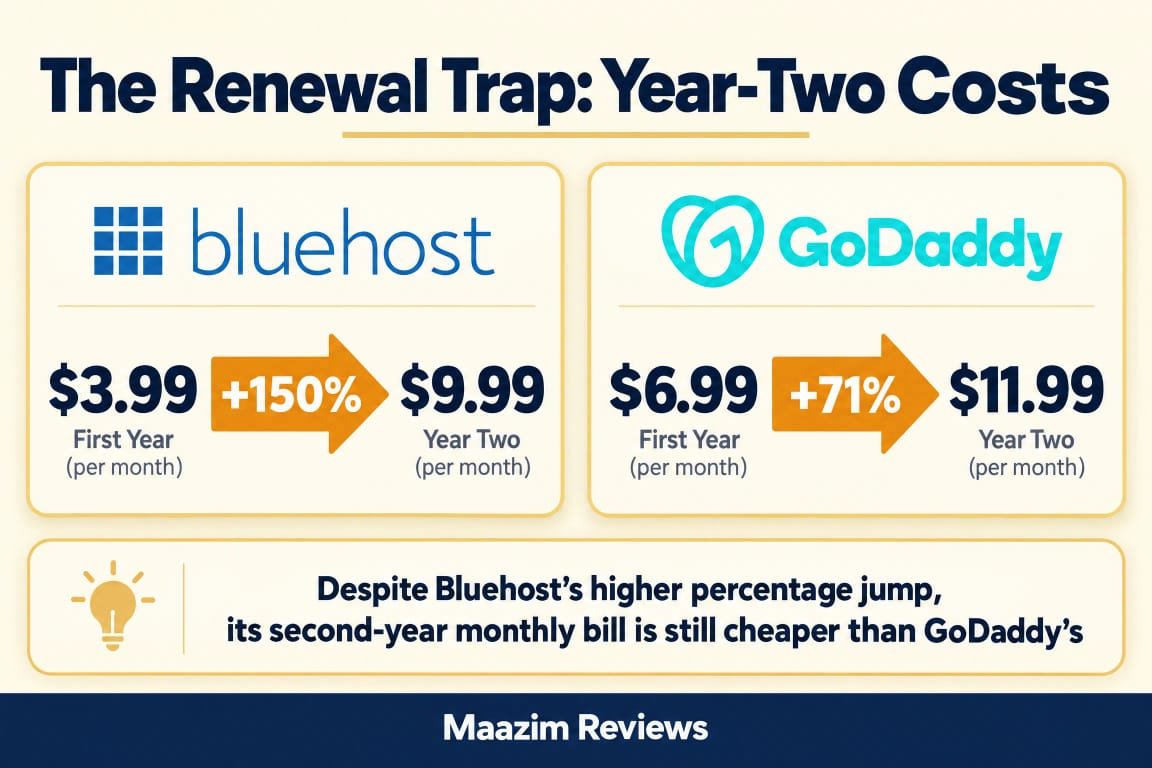
On Bluehost’s official web-hosting page at the time of research (October 2026), the Starter plan displayed $3.99 per month on a 36-month term, renewing at $9.99 per month. The Starter plan includes 10 websites, 10 GB NVMe SSD storage, and is rated for approximately 40,000 visits per month. The Business plan, Bluehost’s most popular tier, showed $6.99 per month on a 36-month term, renewing at $13.99 per month, with 50 websites, 50 GB NVMe SSD storage, and 200,000 visits per month. The eCommerce Essentials plan displayed $14.99 per month on a 36-month term, renewing at $21.99 per month.
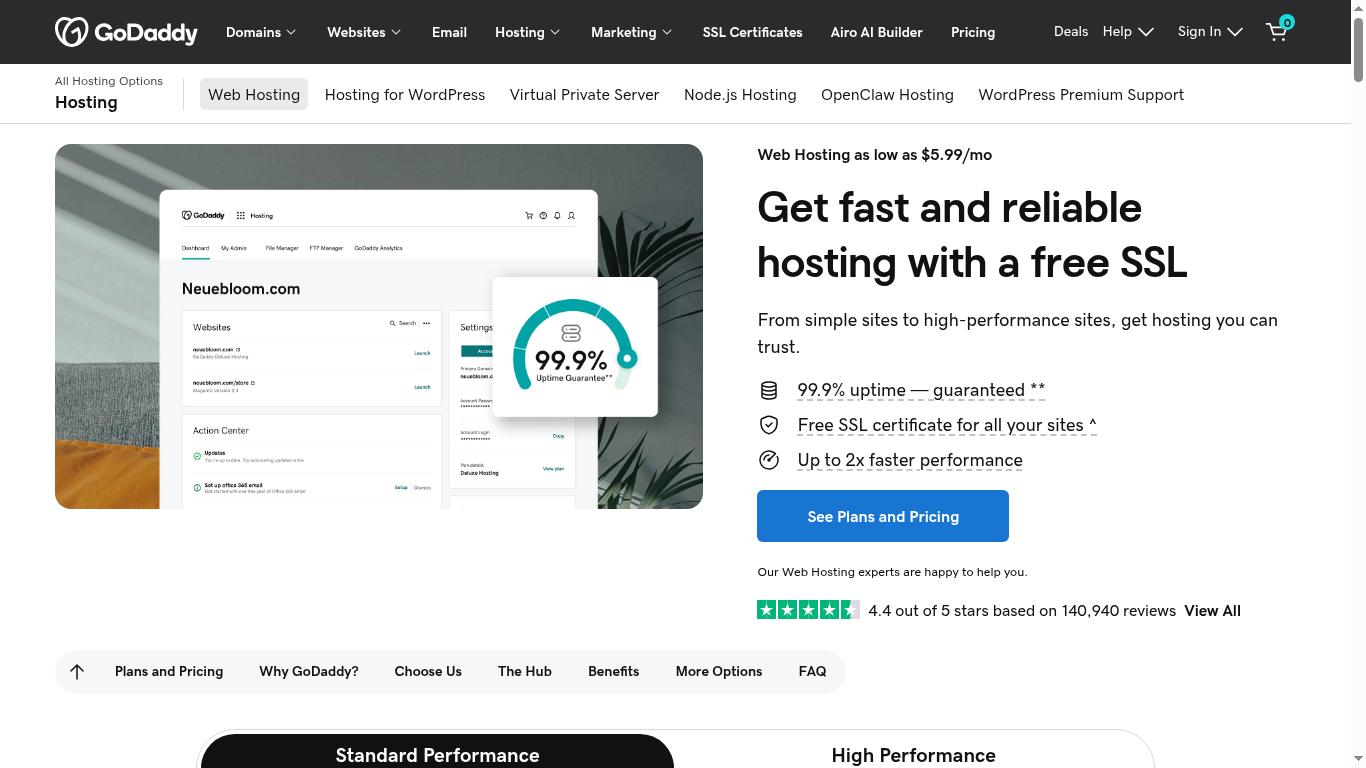
On GoDaddy’s official web-hosting page at the time of research, the Economy plan displayed $6.99 per month on a 1-year term (regularly $11.99/mo), renewing at $11.99 per month. The Economy plan includes 1 website, 25 GB NVMe storage, a free domain, free email, and a free SSL certificate for one year. GoDaddy’s Deluxe plan showed $9.99 per month on a 1-year term (regularly $16.99), renewing at $16.99 per month, with 10 websites and 50 GB NVMe storage. The Ultimate plan showed $14.99 per month (regularly $21.99), renewing at $21.99 per month, with 25 websites and 75 GB NVMe storage. GoDaddy also offers a bare-bones Starter plan at $5.99 per month with no discount, which includes 1 website, 10 GB NVMe storage, but no free domain or free email.
The pricing gap is significant at both stages. Bluehost’s Starter plan costs $3.99/mo for 10 websites versus GoDaddy Economy’s $6.99/mo for just 1 website. Even comparing the mid-tier plans, Bluehost Business ($6.99/mo, 50 sites) matches GoDaddy Economy’s promotional price but includes 50 websites versus GoDaddy’s 1. At renewal, Bluehost Starter renews at $9.99/mo while GoDaddy Economy renews at $11.99/mo, a 20% premium for fewer websites.
| Pricing and value | Bluehost Starter | GoDaddy Economy |
|---|---|---|
| Displayed introductory price | $3.99/mo (36-mo term) | $6.99/mo (1-yr term) |
| Displayed renewal price | $9.99/mo | $11.99/mo |
| Renewal price increase | ~150% | ~71% |
| Websites included | 10 | 1 |
| Storage | 10 GB NVMe SSD | 25 GB NVMe SSD |
| Free domain (1st year) | Yes | Yes |
| Free SSL | Let’s Encrypt, auto-renewing | Free, 1 year (Deluxe+ unlimited) |
| Backups | Weekly | Daily |
| Free CDN | Yes | No (separate Cloudflare add-on) |
| Phone support | No (Business+ only) | Yes (all plans) |
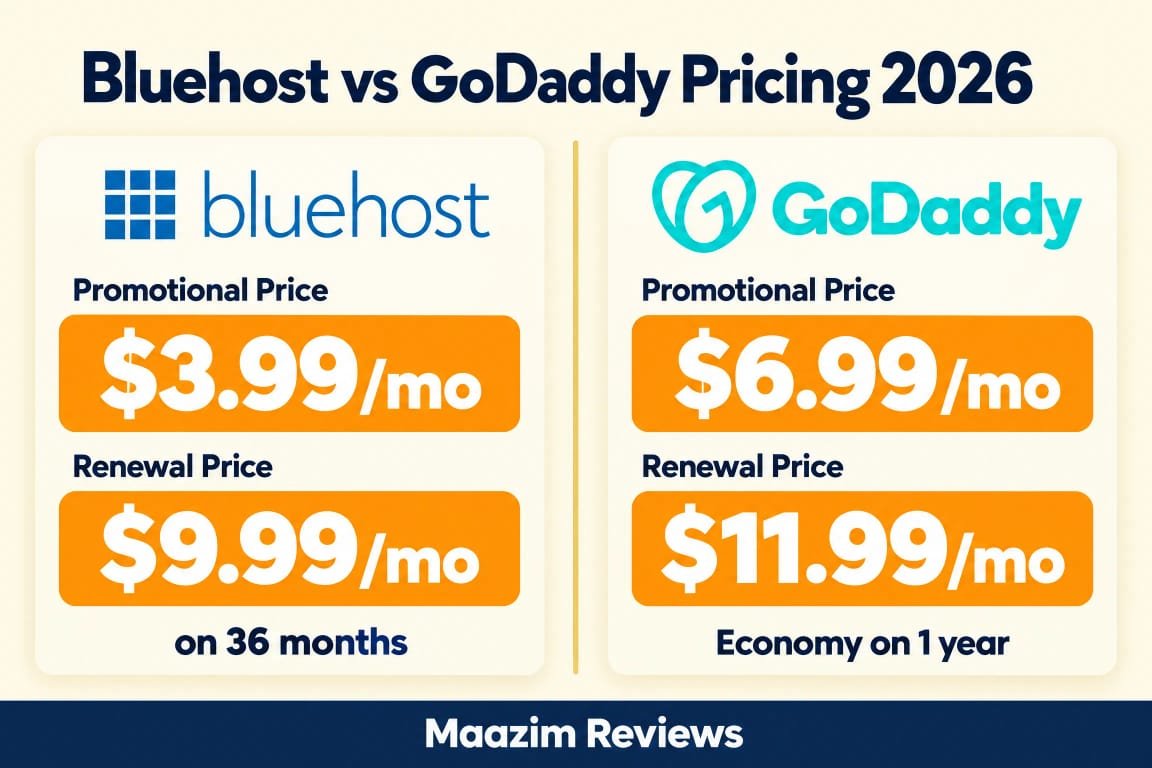
Pricing winner: Bluehost for both introductory and renewal value. Bluehost’s Starter plan costs less at entry, less at renewal, and includes 10 websites versus GoDaddy Economy’s 1. GoDaddy’s advantage is more storage (25 GB vs 10 GB), daily backups, and a broader service ecosystem, but the price-per-website gap is hard to overlook for budget-focused buyers.
Performance and server technology
Both Bluehost and GoDaddy run on Apache web servers for their shared hosting. Neither uses LiteSpeed, which means neither has the built-in LiteSpeed server-level caching that hosts like Hostinger or SiteGround offer. This is an important distinction: if you prioritize server-level caching and PHP optimization, neither Bluehost nor GoDaddy’s shared hosting is the fastest option on the market.
However, both providers have made meaningful upgrades in recent years. Bluehost now uses NVMe SSD storage across all shared plans, includes static content caching and object caching, and offers a free CDN (content delivery network) to distribute content globally. GoDaddy also uses NVMe SSD storage on all plans, claims up to 2x faster performance compared to previous generations, and has data centers in North America and Europe for reduced latency.
Storage performance is comparable. Both advertise NVMe SSD, which delivers significantly faster read-write speeds than traditional SATA SSDs. The practical difference comes down to caching configuration, CPU allocation, and how each provider handles traffic spikes. Bluehost includes a free CDN on all plans, which GoDaddy does not — GoDaddy offers Cloudflare as a separate add-on rather than bundling it.
On uptime, Bluehost advertises a 99.99% uptime SLA, which is marginally stronger than GoDaddy’s 99.9% uptime guarantee. In practice, both should keep your site online the vast majority of the time, but Bluehost’s SLA is technically more stringent.
Independent benchmarks tend to show both providers in the middle of the pack for page load times. Neither is a speed leader, and neither is dangerously slow. If raw performance is your top priority, consider Hostinger vs GoDaddy or our comparison of SiteGround vs Bluehost for LiteSpeed-powered alternatives.
Performance winner: Bluehost, narrowly. Both use Apache and NVMe SSD, but Bluehost includes a free CDN and a 99.99% uptime SLA. GoDaddy’s global data center network helps for international audiences, but the lack of a bundled CDN is a notable gap. Neither host is a speed champion.
Features and everyday usability
Bluehost’s shared hosting is built around WordPress. The platform includes one-click WordPress installation, AI-powered site creation tools (part of the WonderSuite onboarding experience), managed WordPress updates on eligible plans, WordPress staging sites for testing changes before going live, SSH and WP-CLI access for developers, and a free domain for the first year. The custom Bluehost dashboard replaces traditional cPanel with a more visual, guided interface designed for beginners.
GoDaddy’s shared hosting takes a more traditional approach. It includes cPanel, one-click WordPress installation via Softaculous, Node.js support, a free domain on annual plans (Economy and above), free Microsoft 365 email, unmetered bandwidth, and automatic daily backups on every plan. GoDaddy also bundles its website builder, marketing tools, and GoDaddy Payments into the broader ecosystem, which is convenient if you want everything under one account.
The control panel difference is significant. Bluehost’s custom dashboard is more visual and beginner-friendly, with guided setup flows and AI site creation. GoDaddy’s cPanel is more familiar to experienced users and developers who have managed hosting before, but can feel overwhelming for first-timers. If you have never used cPanel, Bluehost’s approach is easier. If you already know cPanel, GoDaddy’s approach is more comfortable.
One feature GoDaddy includes that Bluehost does not is free email. GoDaddy Economy and above plans include free Microsoft 365 email for the first year, which is a genuine cost saving if you need professional email alongside your hosting. Bluehost offers a Pro Email free trial but does not include free email permanently on shared plans.
Bluehost includes a free CDN on all plans, which GoDaddy does not match. A CDN improves page load times for visitors in different geographic regions by caching content at edge locations worldwide. This is a meaningful performance feature that GoDaddy reserves as a paid add-on.
Features winner: Bluehost for WordPress tools, GoDaddy for email and ecosystem. Bluehost includes more WordPress-specific features (AI site creation, staging, managed updates, free CDN) at a lower price. GoDaddy’s advantage is free email, daily backups, and the broader business ecosystem. If WordPress is your focus, Bluehost wins. If you want a one-stop business platform, GoDaddy is more convenient.
Backups, email, domain, and security details
Backups are where GoDaddy has a clear advantage. GoDaddy includes automatic daily backups on every web hosting plan — Starter, Economy, Deluxe, and Ultimate. This means your entire hosting account is backed up daily, and you can recover from the previous day if something goes wrong. Bluehost includes only weekly website backups on its Starter and Business plans, which means you could lose up to a week of changes if you do not maintain your own off-site backups.
Email is another GoDaddy advantage. GoDaddy includes free Microsoft 365 email for the first year on Economy and above plans, giving you professional email at your domain. After the first year, Microsoft 365 email renews at GoDaddy’s standard rate. Bluehost does not include free email on shared plans — it offers a Pro Email free trial, then paid email as an add-on.
On domain inclusion, both providers offer a free domain for the first year on qualifying plans. Bluehost includes this on all shared hosting plans. GoDaddy includes it on Economy and above plans, but not on the bare-bones Starter plan. Both providers offer free domain privacy protection for eligible TLDs.
Security features are comparable but differ in tier structure. Bluehost includes free SSL (Let’s Encrypt, auto-renewing), free malware scanning, and malware detection and removal on all plans. The Business plan adds a web application firewall and DDoS protection. GoDaddy includes a free SSL certificate on all plans (1 year on Economy, unlimited on Deluxe and above), plus automatic DDoS protection and network monitoring on every plan.
Bluehost’s SSL is auto-renewing through Let’s Encrypt, which means it stays free indefinitely. GoDaddy’s free SSL on Economy is valid for one year — after that, you may need to pay for renewal or use the free AutoSSL option through cPanel. On Deluxe and above, GoDaddy includes free unlimited SSL for all your websites, which is more generous.
Backups and email winner: GoDaddy. Daily backups on all plans and free Microsoft 365 email for the first year are genuine advantages. Bluehost’s weekly backups and lack of included email are notable gaps. However, Bluehost’s auto-renewing Let’s Encrypt SSL is more transparent than GoDaddy’s tiered SSL structure.
Data centers and visitor geography
GoDaddy has a broader data center network for shared hosting. Its web hosting plans include data centers in North America and Europe, which means visitors on both continents can experience lower latency. GoDaddy also advertises regionally optimized data centers designed to scale with your business.
Bluehost’s shared hosting infrastructure is primarily based in the United States, with its main data center in Provo, Utah. Bluehost also has a data center in Mumbai, India, and offers nine data center regions for its Managed VPS product (Ashburn, Phoenix, Toronto, London, Amsterdam, Frankfurt, Singapore, and Sydney). However, for shared hosting, the options are more limited than GoDaddy’s multi-region footprint.
For most readers in Africa, the Middle East, or Europe, the data center difference matters. If your audience is primarily in Europe, GoDaddy’s European data centers may deliver lower latency than Bluehost’s US-based shared hosting. If your audience is in North America, both providers perform comparably. Bluehost’s free CDN partially compensates by caching static content at edge locations worldwide, but it does not address dynamic content latency the way a local data center would.
Data center winner: GoDaddy. GoDaddy’s multi-region data center network provides better international coverage for shared hosting. Bluehost’s free CDN helps with static content, but for dynamic content and database queries, server location still matters. If your audience is outside North America, GoDaddy has an infrastructure advantage.
Support, control panels, and ease of use
GoDaddy has a clear support advantage. Every GoDaddy web hosting plan includes 24/7 phone, chat, and email support. With over 3,500 support experts in more than 20 countries and seven Stevie Awards for customer service, GoDaddy’s phone support is a genuine differentiator. Many modern hosts — including Bluehost’s Starter tier — do not offer phone support at all.
Bluehost offers 24/7 chat support on all plans, but phone support is only included on the Business plan and above. The Starter plan explicitly states “Phone Support Not Included.” This is a significant limitation for beginners who prefer to call when they need help. Bluehost does have a large support library and documentation, but if phone support matters to you, GoDaddy is the clear choice.
On ease of use, Bluehost has invested heavily in its WonderSuite onboarding experience. This includes AI-powered site creation tools, guided WordPress setup, and a custom dashboard that walks new users through the process of building a website. For someone who has never built a website before, Bluehost’s guided approach is more approachable than GoDaddy’s cPanel-based interface.
GoDaddy uses cPanel, the industry-standard control panel. cPanel is powerful and familiar to anyone who has managed web hosting before, with one-click application installs, file management, database tools, and email configuration all in one place. However, for a first-time user, cPanel can feel cluttered and technical. GoDaddy also offers “The Hub by GoDaddy Pro,” a separate dashboard for managing multiple client sites, which is useful for agencies and freelancers.
WordPress.org’s official recommendation of Bluehost since 2005 is worth noting. While the recommendation has been controversial in recent years due to Bluehost’s ownership changes and performance variability, it still carries weight with many WordPress users. GoDaddy is not on WordPress.org’s recommended hosting list, though it does offer managed WordPress hosting as a separate product.
Support winner: GoDaddy. Ease of use winner: Bluehost. GoDaddy’s 24/7 phone support on all plans is unmatched. Bluehost’s WonderSuite and custom dashboard are more beginner-friendly. If you value phone support, GoDaddy wins. If you value a guided, visual setup experience, Bluehost wins.
What the top comparison pages get right, and what they miss
The top search results for “Bluehost vs GoDaddy” generally agree that Bluehost is better for WordPress beginners and GoDaddy is better for its ecosystem. Most comparisons correctly highlight the pricing difference and the WordPress.org recommendation. However, several common gaps appear across competitor articles:
Gap 1: Renewal prices are often buried. Many comparison pages show the introductory price prominently but mention renewal costs only in fine print. We verified both providers’ renewal prices directly: Bluehost Starter renews at $9.99/mo (from $3.99/mo), and GoDaddy Economy renews at $11.99/mo (from $6.99/mo). The renewal gap is smaller in percentage terms for GoDaddy (71% increase) than Bluehost (150% increase), but GoDaddy’s absolute renewal price is still higher.
Gap 2: Server technology is rarely discussed. Most comparisons do not mention that both providers use Apache servers, not LiteSpeed. This matters because LiteSpeed offers built-in server-level caching that can significantly improve WordPress performance without additional plugins. Neither Bluehost nor GoDaddy offers this on shared hosting.
Gap 3: Backup frequency is glossed over. GoDaddy includes daily backups on all plans, while Bluehost includes only weekly backups on Starter and Business. This difference is rarely highlighted in competitor comparisons but can be critical if your site changes frequently and you need to recover quickly.
Gap 4: Phone support tier differences. Many comparisons mention that both providers offer phone support, but Bluehost restricts phone support to Business and above plans. GoDaddy includes phone support on every plan, including the cheapest Starter tier.
Gap 5: The CDN difference. Bluehost includes a free CDN on all plans. GoDaddy does not bundle a CDN with shared hosting. This performance feature is often overlooked in competitor comparisons but can meaningfully affect page load times for international visitors.
Pros and cons: final comparison
Where Bluehost is stronger
- WordPress.org officially recommended since 2005.
- Lower entry price: $3.99/mo vs GoDaddy’s $6.99/mo Economy.
- 10 websites on the Starter plan vs GoDaddy Economy’s 1.
- AI-powered WonderSuite site creation and guided onboarding.
- Free CDN included on all shared hosting plans.
- WordPress staging sites on all plans for safe testing.
- Free Let’s Encrypt SSL that auto-renews indefinitely.
- 99.99% uptime SLA, slightly stronger than GoDaddy’s 99.9%.
- SSH and WP-CLI access for developers.
- Custom beginner-friendly dashboard instead of cPanel.
Where GoDaddy is stronger
- 24/7 phone support on every plan, including the cheapest.
- Daily automatic backups on all plans, not just weekly.
- Free Microsoft 365 email for the first year (Economy+).
- More storage on comparable tiers (25 GB vs 10 GB on entry).
- Multi-region data centers in North America and Europe.
- cPanel for users who prefer the traditional control panel.
- Node.js support for developers running JavaScript apps.
- Broader ecosystem: website builder, marketing tools, payments.
- 20+ million customers and public company stability (NYSE: GDDY).
- Smaller renewal price increase percentage (71% vs 150%).
Both providers use Apache servers with cPanel or a custom panel, so the underlying hosting experience is fundamentally traditional shared hosting. The real differences are price, WordPress tools, support options, backups, and ecosystem. Bluehost wins on cost, WordPress features, and beginner experience. GoDaddy wins on support, backups, email, and the convenience of an all-in-one business platform.
Which one should you choose?
Choose Bluehost if: you are building a WordPress website for the first time, you want the lowest entry price, you need multiple websites on one plan, you value AI-powered site creation and a guided dashboard, you want a free CDN included, and you do not need phone support on the cheapest plan. Bluehost is the clear winner for WordPress beginners who prioritize cost and a simple setup experience.
Choose GoDaddy if: you want 24/7 phone support on every plan, you prefer traditional cPanel, you need daily backups included on all tiers, you want free professional email, your audience is international and benefits from European data centers, or you already use GoDaddy for domains and want everything in one ecosystem. GoDaddy is the better choice for buyers who want a full-service business platform and are willing to pay more for it.
Choose neither if: you want the fastest hosting experience. Both use Apache, not LiteSpeed, and neither offers server-level caching on shared plans. If performance is your top priority, consider Hostinger vs Bluehost for a LiteSpeed-powered alternative, or see our Hostinger vs GoDaddy comparison. For managed WordPress with premium support, SiteGround vs Bluehost is also worth reading.
Frequently asked questions
Is Bluehost better than GoDaddy for web hosting?
Which is cheaper, Bluehost or GoDaddy?
Does Bluehost or GoDaddy offer phone support?
Do both providers use cPanel?
Does GoDaddy or Bluehost include daily backups?
Is Bluehost really recommended by WordPress.org?
Which provider has a free CDN?
Can I host Node.js apps on Bluehost or GoDaddy?
Migration, growth, and total cost after year one
The total cost of ownership after the first term is where the two providers diverge. A buyer on Bluehost’s Starter plan pays $143.64 for the first three years ($3.99 x 36 months), then $119.88 per year on renewal ($9.99 x 12). A buyer on GoDaddy Economy pays $83.88 for the first year ($6.99 x 12 months), then $143.88 per year on renewal ($11.99 x 12). Over a three-year horizon plus one renewal year, Bluehost costs approximately $383, while GoDaddy costs approximately $371 — remarkably close once you account for the different billing terms.
The key difference is not the total dollar amount but what you get for it. Bluehost’s Starter includes 10 websites, a free CDN, WordPress staging, and AI site creation. GoDaddy Economy includes 1 website, daily backups, free email, and 25 GB of storage. If you only need one website and value backups and email, GoDaddy’s value proposition is stronger than the headline price comparison suggests. If you need multiple websites and WordPress-specific tools, Bluehost delivers more for less.
For migration, Bluehost includes a free site migration tool on all plans. GoDaddy also offers migration services, though terms vary by plan and whether you are migrating a WordPress site or a custom build. Both providers support WordPress migration reasonably well.
For growth, both providers offer VPS and dedicated server options. Bluehost’s VPS plans include both self-managed (root access, lower price) and managed options, with nine data center locations for its Managed VPS product. GoDaddy’s VPS plans are more expensive but include managed options and tighter integration with its domain and email ecosystem. If you expect to scale beyond shared hosting, compare VPS pricing at both providers before committing.
The honest summary: Bluehost is the better hosting value for WordPress users, GoDaddy is the better business platform for ecosystem buyers. Choose based on which problem you are solving.
Sources and research notes
Official pricing and feature pages reviewed: Bluehost web hosting and GoDaddy web hosting. Competitor comparison pages reviewed include Elementor’s GoDaddy vs Bluehost comparison, BettrList’s Bluehost Review 2026, WebHostWatch, and Reddit r/webhosting discussions. Data center information sourced from Bluehost’s official help documentation and GoDaddy’s official hosting page. Prices and included features are an October 2026 snapshot and should be rechecked at checkout.