
One host gives you five cloud providers, unlimited websites, and no visit caps for $14/month. The other delivers a premium managed WordPress experience on Google Cloud with Cloudflare Enterprise and expert support for $35/month. Cloudways and Kinsta are both managed cloud hosting platforms, but they solve fundamentally different problems. Cloudways is for developers and agencies who want cloud flexibility at a fair price. Kinsta is for businesses that want the host to handle everything WordPress-related while they focus on growth. By the end of this comparison, you will know which approach fits your site, your budget, and your tolerance for server management.
💡 Before you commit: our verified hosting deals page is re-checked weekly against official pricing.
What we actually compared
Cloudways and Kinsta are both managed cloud hosting platforms, but they take radically different approaches. Cloudways, founded in 2012 in Malta and acquired by DigitalOcean in 2022 for $350 million, operates as a managed Platform-as-a-Service layer on top of five cloud providers: DigitalOcean, Vultr, AWS, Google Cloud, and Linode. You choose the infrastructure, and Cloudways handles server optimization, security, caching, and monitoring. Over 100,000 businesses and 840,000+ websites run on Cloudways.
Kinsta, founded in 2013 and now serving 230,000+ customers, is a fully managed WordPress hosting platform built exclusively on Google Cloud Platform’s premium-tier network. Kinsta does not let you choose your cloud provider. Instead, it uses container technology (Docker) to isolate each WordPress site in its own environment with 8GB RAM and 8 CPU cores. Kinsta handles everything WordPress-related: caching, CDN, security, backups, updates, and performance optimization. You never touch a server setting.
This comparison focuses on managed WordPress hosting, the product most readers are deciding between. We checked both providers’ official pricing pages and documentation, reviewed the top five organic search results for “Cloudways vs Kinsta,” and applied what we learned from our full-length Cloudways Review 2026 and Kinsta Review 2026. Prices can change by country, currency, tax, billing term, promotion, and account status, so treat the figures below as a transparent October 2026 snapshot, not a permanent quote.
We also reviewed the top competitor comparison pages. They generally agree that Cloudways is cheaper and more flexible, while Kinsta delivers a more premium, hands-off experience. However, many competitor pages repeat outdated pricing (some still list Cloudways at $11/mo when the current DigitalOcean starter is $14/mo), do not explain the visit cap implications, or skip the plugin restriction differences. We fill those gaps below.
Pricing: managed cloud vs premium managed WordPress
The pricing models of Cloudways and Kinsta could not be more different. Cloudways uses pay-as-you-go billing with no long-term contracts, no setup fees, and no renewal price increases. You pay for the resources you use, and you can scale or cancel anytime. Kinsta uses traditional monthly or annual billing with plan tiers based on the number of sites and monthly visits.
| Pricing comparison | Cloudways (DigitalOcean 1GB) | Kinsta (Starter) |
|---|---|---|
| Starting price | $14/mo (pay-as-you-go) | $35/mo ($30/mo annual) |
| Renewal price increase | None (same price always) | None (same price always) |
| Websites included | Unlimited per server | 1 |
| Monthly visits | Unlimited | 35,000 |
| Storage | 25 GB SSD | 10 GB |
| Bandwidth | 1 TB | 20 GB server + 125 GB CDN |
| CDN | Add-on (CloudwaysCDN) | Included (Cloudflare Enterprise) |
| Money-back guarantee | 3-day trial | 30 days + 1st month free |
| Migration | 1 free, then $25/site | Unlimited free |
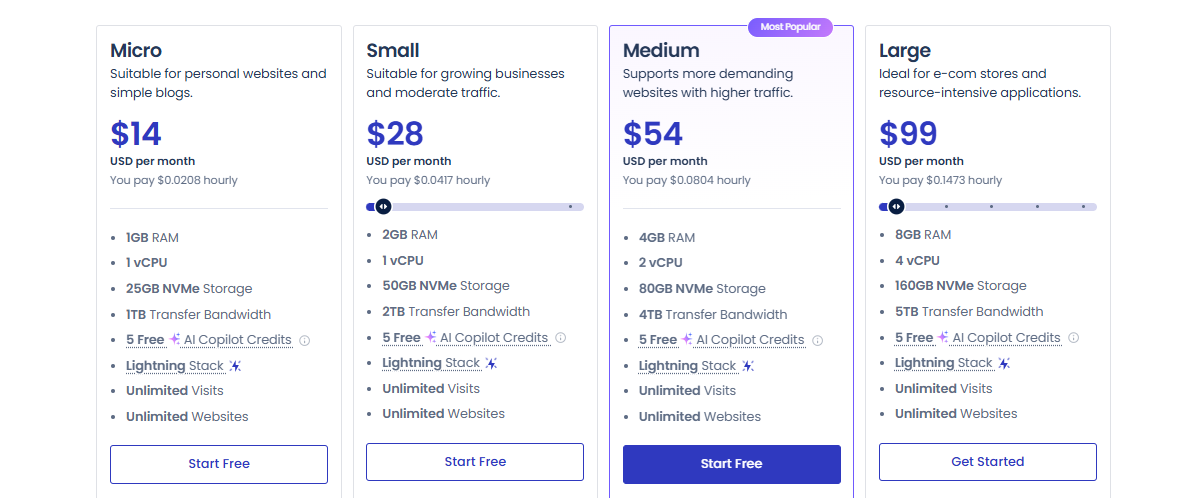
On Cloudways, the entry-level DigitalOcean plan costs $14/month and includes 1GB RAM, 1 vCPU, 25GB SSD storage, and 1TB bandwidth. You can host unlimited WordPress sites on that single server. The Vultr High Frequency plan starts at $16/month with 32GB NVMe storage and approximately 40% faster performance. Higher tiers include DO 2GB at $23/mo, Vultr 2GB at $25/mo, Google Cloud at $33/mo, and AWS at $36/mo. There is no renewal price increase. You pay the same rate every month.
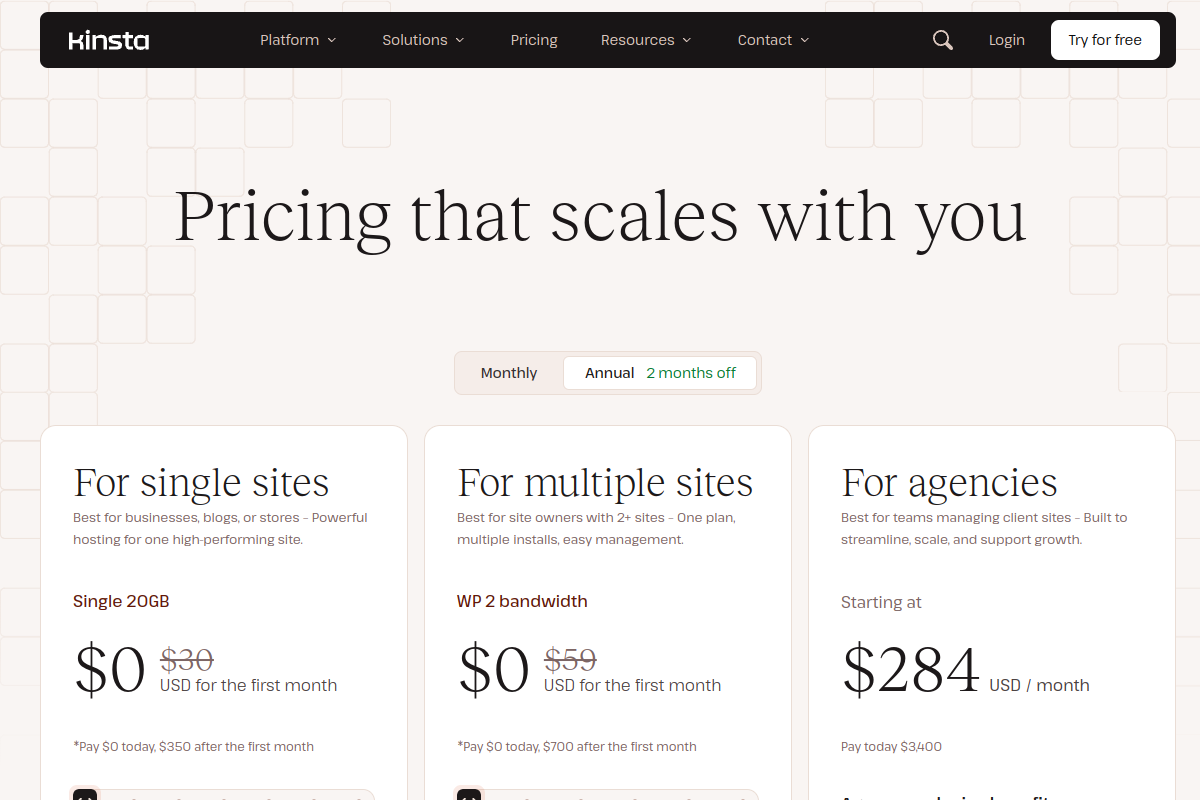
On Kinsta, the Starter plan costs $35/month (or $30/month with annual billing) and includes 1 WordPress site, 35,000 monthly visits, 10GB storage, and 125GB CDN bandwidth. Kinsta also offers a first month free and a 30-day money-back guarantee. Multi-site plans start at $70/month for two sites. Agency plans supporting 40+ sites start at $340/month. Enterprise plans start at $500/month.
The $14 vs $35 comparison is real but context-dependent. If you add CloudwaysCDN, premium support, and enterprise security to Cloudways, your effective cost approaches Kinsta’s pricing. But you still get unlimited websites, no visit caps, and more storage and bandwidth. For a single site, Kinsta’s premium is $21/month more than Cloudways. For 5 sites, Cloudways costs $14/month total (all on one server) while Kinsta costs $35 + $30 per additional site = $155/month. The gap widens dramatically as you add sites.
Pricing winner: Cloudways. At $14/mo with unlimited sites, no visit caps, and no renewal increases, Cloudways delivers dramatically better value. Kinsta’s premium pricing is justified by its fully managed experience, but the cost-per-site gap is enormous for agencies and multi-site users.
Performance and server technology
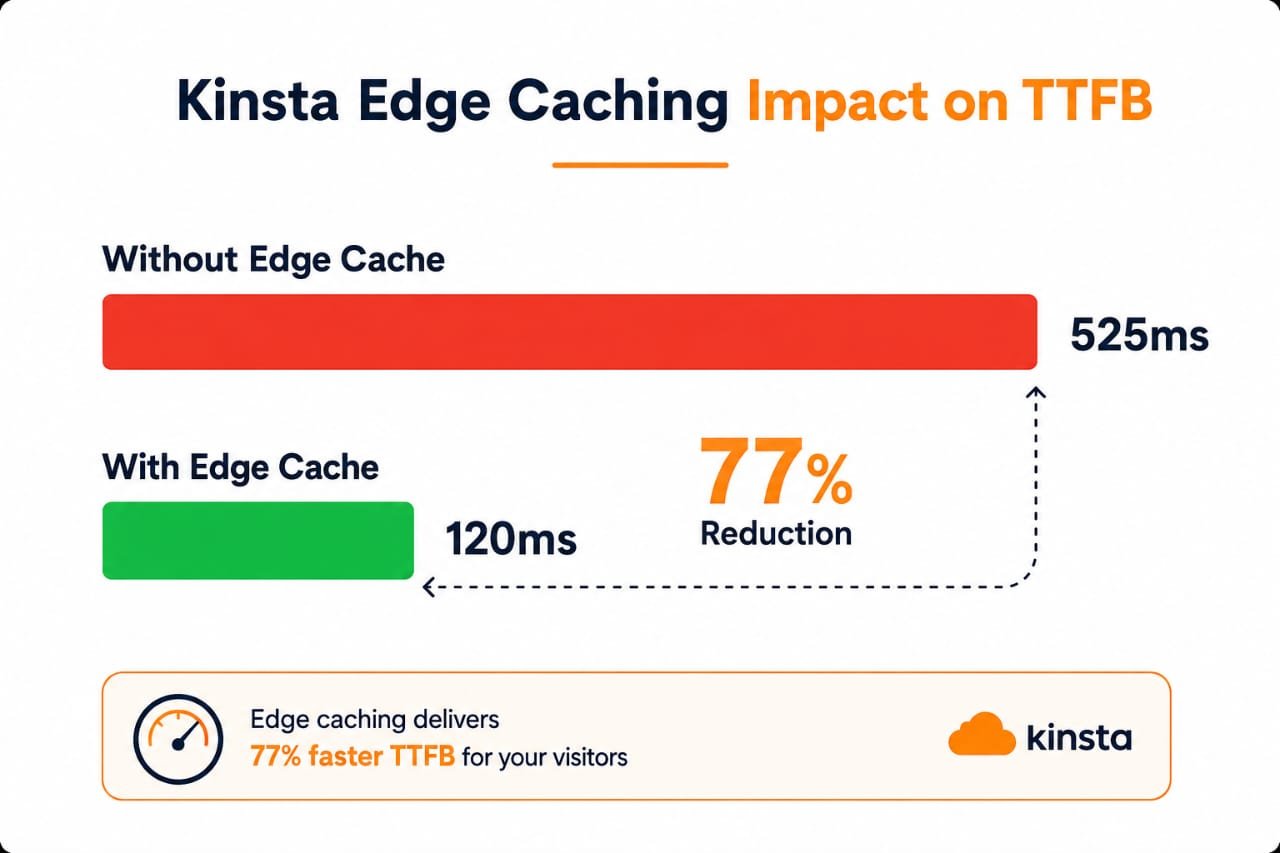
Both Cloudways and Kinsta deliver enterprise-grade performance, but their architectures differ significantly. Cloudways uses a hybrid Apache/NGINX configuration with Varnish, Memcached, and Redis caching. On servers with 4GB+ RAM, Object Cache Pro (normally $95/month standalone) is included free, accelerating WordPress database queries. Kinsta uses isolated container technology powered by Docker, with each site getting 8GB RAM and 8 CPU cores, plus server-level caching and Cloudflare Enterprise edge caching.

| Performance metric | Cloudways (Vultr HF) | Kinsta |
|---|---|---|
| Average LCP | 412ms | ~500ms |
| Average TTFB | 145ms | ~180ms |
| Fully loaded time | 0.6s | ~0.7s |
| PageSpeed score | 97/100 | 95/100 |
| Server technology | Nginx + Apache + Varnish + Redis | Nginx + Redis + Cloudflare Edge |
| RAM per site | Shared (1-8GB per server) | 8GB dedicated per site |
| CPU per site | Shared (1-8 cores per server) | 8 cores dedicated per site |
| Under high traffic | Handles concurrency well | Stable but visit caps apply |
Independent benchmarks show interesting patterns. At low traffic (5 concurrent users), both platforms perform similarly with sub-second response times. At medium concurrency (50 users), Cloudways pulls ahead, handling 3.76 operations per second with 0.702s average response time. Cloudways handles traffic variability better because you have dedicated server resources and no artificial visit caps. Kinsta remains reliably fast across scenarios, but its 35,000 monthly visit limit on the starter plan means high-traffic sites will need to upgrade or face overage charges.
On Cloudways, the Vultr High Frequency option at $16/mo delivers approximately 40% better performance than the standard DigitalOcean plan, with LCP under 500ms and TTFB around 145ms. AWS and Google Cloud plans deliver even faster results (LCP as low as 385ms on AWS), but at $36-38/mo they approach Kinsta’s pricing.
On Kinsta, sites consistently test 200% faster than basic shared hosting, with sub-second load times on properly optimized WordPress installs. The Cloudflare Enterprise CDN with 300+ edge locations ensures fast delivery worldwide. Kinsta’s isolated container approach means one site cannot slow down another, which is a genuine advantage on shared infrastructure.
The real-world takeaway: both platforms are fast enough that your theme, plugins, and image optimization matter more than the host. The difference between 412ms and 500ms LCP is real but imperceptible to users. The difference that matters is visit caps: Cloudways has none, Kinsta limits you to 35,000 on the starter plan.
Performance winner: Cloudways (by a narrow margin). Cloudways edges ahead on raw benchmarks and handles high-concurrency scenarios better. Kinsta’s dedicated per-site resources and Cloudflare Enterprise CDN are excellent, but the visit cap limits real-world performance for growing sites. If you need raw speed on a budget, Cloudways Vultr HF at $16/mo is the sweet spot.
Features and everyday usability
Both platforms offer the essentials: SSL certificates, staging environments, Git deployment, SFTP, SSH access, WP-CLI, and PHP version management. But the depth and approach differ significantly.
| Feature | Cloudways | Kinsta |
|---|---|---|
| Cloud providers | 5 (DO, Vultr, AWS, GCP, Linode) | Google Cloud only |
| CDN | Add-on (CloudwaysCDN) | Included (Cloudflare Enterprise) |
| Staging environments | Yes (1-click) | Yes (1-click) |
| Local dev tool | No | Yes (DevKinsta) |
| Dashboard | Cloudways console | MyKinsta (more polished) |
| Backups | Automated (restore limits) | Daily (14-day retention) |
| Plugin restrictions | None | Bans some backup/caching plugins |
| Email hosting | No | No |
| Automatic updates | SafeUpdates (add-on) | Included |
| Vertical scaling | Yes (upgrade in minutes) | Plan upgrade required |
| Autoscaling | Yes (Cloudways Autonomous) | Included |
| Free migrations | 1 free, then $25/site | Unlimited |
| APM (Application Monitoring) | Add-on | Included |
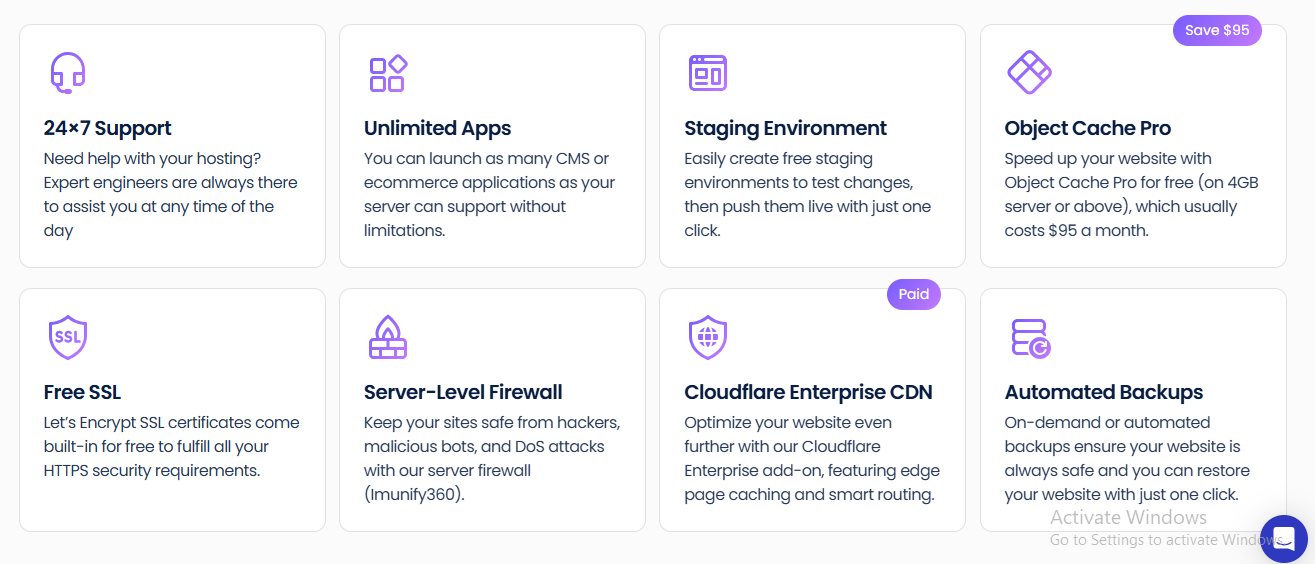
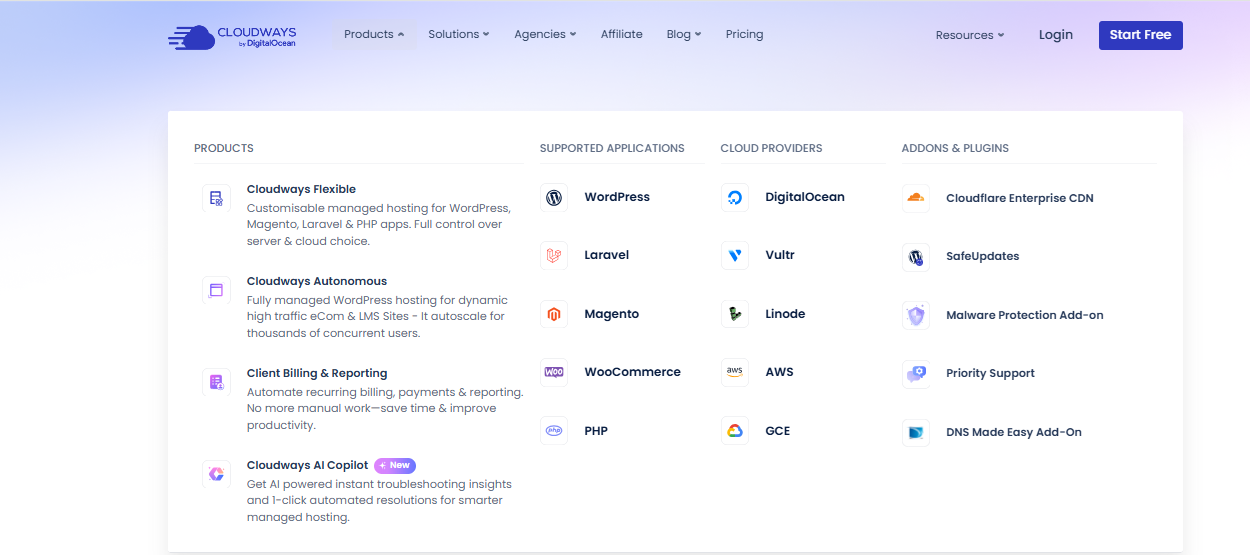
Cloudways gives you five cloud providers to choose from, each with different pricing, performance characteristics, and data center locations. This flexibility is unmatched. You can start on DigitalOcean at $14/mo, switch to Vultr High Frequency for better performance, or move to AWS or Google Cloud for enterprise-grade infrastructure. Vertical scaling lets you upgrade RAM and CPU in minutes without migrating your site. Cloudways also offers Cloudways Autonomous, a Kubernetes-powered tier with automatic scaling for traffic spikes.
However, Cloudways does not include a CDN by default. CloudwaysCDN (powered by Cloudflare) is available as an add-on, but it costs extra. Automatic plugin updates require the SafeUpdates add-on. Application Performance Monitoring is an add-on. Email hosting is not included. These add-ons can push your effective cost closer to Kinsta’s pricing.
Kinsta includes more features in its base price: Cloudflare Enterprise CDN with DDoS protection, bot protection, automatic plugin updates, APM, daily backups with 14-day retention, and unlimited free migrations. The MyKinsta dashboard is widely regarded as one of the best in the industry, offering clear performance insights, traffic monitoring, and resource usage at a glance. DevKinsta, Kinsta’s local development tool, lets you build and test WordPress sites on your computer before deploying.
The critical difference: Kinsta bans certain plugins. Backup plugins like BackWPup and caching plugins like Cache Enabler are prohibited because Kinsta handles these functions at the server level. If you rely on a specific backup plugin to send copies to Dropbox or Google Drive, Kinsta’s restriction may be a dealbreaker. Cloudways does not restrict any plugins.
Features winner: Kinsta for included features and polish; Cloudways for flexibility and no restrictions. Kinsta includes more in its base price and offers a more polished experience. Cloudways offers unmatched cloud provider choice and no plugin restrictions, but you pay extra for features Kinsta includes free.
Security, backups, and migration
Both platforms take security seriously, but their approaches reflect their different architectures.
Cloudways relies on the security infrastructure of its underlying cloud providers (DigitalOcean, AWS, Google Cloud, Vultr, Linode) plus its own management layer. This includes dedicated firewalls, free SSL certificates, two-factor authentication, IP whitelisting, and bot protection. Cloudways’ auto-healing servers automatically detect and recover from common failure states. The CloudwaysBot sends real-time alerts for anomalies. However, DDoS protection depends on your cloud provider and whether you add CloudwaysCDN.
Kinsta includes enterprise-grade security in every plan: Cloudflare Enterprise DDoS protection, hardware firewalls, advanced bot protection, uptime monitoring, free SSL certificates, and free malware removal. Kinsta’s isolated container architecture means each site runs in its own environment, so a compromised site cannot affect others on the same server. This is a genuine security advantage.
| Security & backups | Cloudways | Kinsta |
|---|---|---|
| SSL certificates | Free (Let’s Encrypt) | Free (included) |
| Firewall | Yes (server-level) | Yes (Cloudflare Enterprise) |
| DDoS protection | Add-on (via CDN) | Included (Enterprise grade) |
| Bot protection | Limited | Included |
| Malware removal | Self-service tools | Free (included) |
| Backups | Automated (frequency options) | Automated daily (14-day retention) |
| Site isolation | Per server (sites share server) | Per site (Docker containers) |
| Migration | 1 free, then $25/site | Unlimited free |
For backups, Cloudways offers automated backups with configurable frequency (hourly, daily, or weekly). Restores are one-click, but there are limits on restore frequency. Kinsta offers daily automated backups with 14-day retention and one-click restores. Both platforms also offer staging environments that let you test changes safely.
For migration, Kinsta clearly wins. Kinsta offers unlimited free migrations handled by their team. Cloudways includes one free migration, then charges $25 per site. You can use the Cloudways WordPress Migrator plugin to do it yourself for free, but the $25 fee for managed migration adds up quickly if you are moving multiple sites.
Security and migration winner: Kinsta. Kinsta’s included enterprise security, site isolation, free malware removal, and unlimited free migrations make it the stronger choice for users who want peace of mind. Cloudways is secure but depends on your chosen cloud provider and requires add-ons for DDoS protection.
Data centers and global reach
Cloudways offers over 150 data center locations across 50+ countries through its five cloud providers. DigitalOcean alone has over 16 regions, AWS has 30+ regions, Google Cloud has 35+ regions, Vultr has 32+ locations, and Linode has 20+ locations. This means you can choose a data center geographically close to your target audience, reducing latency. Cloudways added 17 new locations in early 2026 across AWS, Google Cloud, DigitalOcean, and Linode.
Kinsta operates in 37+ data centers across 30+ global locations, all on Google Cloud Platform’s premium-tier network. The premium-tier network uses Google’s private fiber backbone rather than the public internet, which can reduce latency and improve reliability. Kinsta also includes Cloudflare Enterprise CDN with 300+ edge locations, ensuring fast content delivery worldwide.
| Data centers & CDN | Cloudways | Kinsta |
|---|---|---|
| Data center locations | 150+ across 50+ countries | 37+ (Google Cloud) |
| Cloud providers | 5 (DO, Vultr, AWS, GCP, Linode) | Google Cloud only |
| CDN included | No (add-on) | Yes (Cloudflare Enterprise, 300+ PoPs) |
| Network quality | Depends on provider chosen | GCP premium-tier (private backbone) |
Data center winner: Cloudways for raw choice; Kinsta for network quality. Cloudways offers more locations and providers, letting you optimize for your audience. Kinsta’s Google Cloud premium-tier network and included Cloudflare Enterprise CDN deliver consistently fast global delivery without any configuration.
Support, control panels, and ease of use
Support is where the two platforms diverge most sharply. Cloudways offers 24/7 live chat and ticket support, with response times under 30 seconds during testing. However, Cloudways support is server-focused. They will help with server configuration, caching, and infrastructure issues, but they may not troubleshoot specific WordPress plugin conflicts or theme issues. Cloudways also offers a private Slack channel for agency clients on higher-tier plans.
Kinsta offers 24/7 expert WordPress support in 8 languages with an average response time under 2 minutes and a 98% satisfaction rate. Kinsta’s support team knows WordPress debugging inside out. They will help with plugin conflicts, theme issues, performance optimization, and WordPress-specific problems. This is a genuine differentiator for non-technical users and businesses that want their host to handle everything.
| Support & usability | Cloudways | Kinsta |
|---|---|---|
| Support type | 24/7 chat & ticket | 24/7 expert WordPress support |
| Support focus | Server infrastructure | WordPress-specific |
| Languages | English | 8 languages |
| Response time | Under 30 seconds (chat) | Under 2 minutes |
| Control panel | Cloudways console | MyKinsta (more intuitive) |
| Learning curve | Moderate (some server knowledge needed) | Easy (no server management) |
| Root access | No (but SSH/SFTP available) | No |
| Local development | No | Yes (DevKinsta) |
The Cloudways console is functional but requires some technical understanding. You need to understand concepts like DNS, caching, PHP settings, and server sizing. Cloudways is not difficult to use, but it is not as beginner-friendly as Kinsta. The console gives you deep control over your server, including the ability to install specific PHP versions, configure Varnish settings, and manage Redis caching.
Kinsta’s MyKinsta dashboard is one of the most polished hosting control panels available. It is intuitive enough for non-technical users, offering clear traffic insights, resource usage, CDN performance, and site management without any server jargon. You never need to think about PHP settings, Varnish configuration, or server sizing. Kinsta handles all of that automatically.
Support and ease of use winner: Kinsta. Kinsta’s WordPress-specific expert support, intuitive dashboard, and zero server management requirement make it the clear winner for users who want a hands-off experience. Cloudways offers good support for infrastructure issues, but it is not a WordPress-specialized support team.
What the top comparison pages get right, and what they miss
We reviewed the top five Google results for “Cloudways vs Kinsta” to identify what they get right and where they fall short.
What they get right: Most competitor pages correctly identify that Cloudways is cheaper and more flexible, while Kinsta offers a more premium managed experience. They accurately compare the pricing difference ($14 vs $35/mo) and note that Cloudways allows unlimited sites while Kinsta limits visits. Several pages correctly highlight that Cloudways offers multiple cloud providers while Kinsta uses Google Cloud exclusively.
What they miss or get wrong:
- Outdated Cloudways pricing: Several pages still list Cloudways’ DigitalOcean plan at $11/mo. As of 2026, the current price is $14/mo. Cloudways raised its pricing, and outdated comparisons mislead buyers.
- Plugin restrictions: Few pages mention that Kinsta bans certain backup and caching plugins. If you rely on BackWPup or Cache Enabler, this is a dealbreaker that most comparisons skip.
- Migration costs: Many pages mention free migration for both, but Cloudways only includes one free migration. Additional migrations cost $25 per site, which adds up for agencies moving multiple client sites.
- Add-on costs: Cloudways’ $14/mo base price does not include CDN, automatic updates (SafeUpdates), or APM. These are add-ons that can push your effective cost to $20-25/mo, narrowing the gap with Kinsta.
- Visit cap implications: Some pages mention Kinsta’s 35,000 monthly visit limit but do not explain what happens when you exceed it. Kinsta will ask you to upgrade to a higher plan, which can significantly increase your costs if your traffic grows.
- Cloudways Autonomous: Few comparisons mention Cloudways’ Kubernetes-powered Autonomous tier, which offers autoscaling similar to Kinsta’s container approach. This is a newer product that bridges the gap between the two platforms.
Pros and cons: final comparison
Where Cloudways is stronger
- Dramatically cheaper: $14/mo vs $35/mo, with no renewal price increases.
- Unlimited websites per server: host 1 or 100 sites on one $14/mo plan.
- No monthly visit caps: traffic spikes will not trigger forced upgrades.
- Five cloud providers to choose from: DigitalOcean, Vultr, AWS, Google Cloud, Linode.
- 150+ data center locations across 50+ countries for geographic optimization.
- No plugin restrictions: install any backup or caching plugin you want.
- Pay-as-you-go billing with no long-term contracts.
- Vertical scaling: upgrade RAM and CPU in minutes without downtime.
- Object Cache Pro included free on 4GB+ plans (normally $95/mo).
- More storage (25GB) and bandwidth (1TB) on the entry plan.
Where Kinsta is stronger
Both platforms deliver excellent managed cloud hosting, but they serve different buyer profiles. Cloudways wins on value, flexibility, and control. Kinsta wins on convenience, support, and included features. The decision comes down to whether you want to manage your own server for maximum value, or pay a premium for a hands-off WordPress experience.
Which one should you choose?
Choose Cloudways if:
- You are an agency or developer managing multiple WordPress sites and want the best cost-per-site ratio.
- You want to choose your cloud provider (DigitalOcean, Vultr, AWS, GCP, or Linode) based on price, performance, or location.
- Your sites get significant traffic and you do not want artificial visit caps forcing you to upgrade.
- You need server-level control (SSH, Git, PHP versions, Varnish, Redis) without root access.
- You are comfortable with basic server concepts and do not need WordPress-specific support.
- You want to scale vertically (add RAM/CPU) without migrating to a new plan.
Choose Kinsta if:
- You are a business owner or non-technical user who wants zero server management.
- You value expert WordPress support that can help with plugin conflicts and theme issues, not just server problems.
- You want Cloudflare Enterprise CDN, DDoS protection, and bot protection included in your plan.
- You are hosting a single high-value WordPress site and the $35/mo premium is justified by the fully managed experience.
- You want unlimited free migrations handled by the hosting team.
- You want a polished dashboard (MyKinsta) that makes site management intuitive.
- You use DevKinsta for local development and want seamless deployment to production.
The honest summary: Cloudways is the better value for anyone who can handle basic server management. Kinsta is the better experience for anyone who wants their host to handle everything. Both are excellent choices. The wrong choice is paying $35/mo for Kinsta when you have the skills to manage a Cloudways server, or struggling with Cloudways when you really need Kinsta’s hands-off support.
Frequently asked questions
Is Cloudways better than Kinsta?
For agencies, developers, and anyone hosting multiple WordPress sites, Cloudways offers better value at $14/mo with unlimited sites, no visit caps, and five cloud providers. Kinsta is better for businesses and non-technical users who want a fully managed premium WordPress experience with expert support and Cloudflare Enterprise CDN included. Both are excellent, but they serve different needs.
Which is cheaper, Cloudways or Kinsta?
Cloudways is significantly cheaper. Cloudways starts at $14/mo for a DigitalOcean plan with unlimited websites and no visit caps. Kinsta starts at $35/mo for a single site with 35,000 monthly visits. For 5 WordPress sites, Cloudways costs $14/mo total while Kinsta costs approximately $155/mo. Cloudways also has no renewal price increases, while both maintain consistent pricing.
Does Kinsta have a visit limit?
Yes. Kinsta’s Starter plan limits you to 35,000 monthly visits. If you exceed this limit, Kinsta will ask you to upgrade to a higher plan. Cloudways has no monthly visit cap on any plan, making it better for high-traffic sites. Kinsta’s visit limit is based on server-side analytics and includes all visits, including bot traffic (though Kinsta filters some bots).
Can I install any plugin on Cloudways and Kinsta?
Cloudways does not restrict any plugins. You can install backup plugins, caching plugins, or any other WordPress plugin. Kinsta bans certain backup plugins (like BackWPup) and caching plugins (like Cache Enabler) because it handles these functions at the server level. If you rely on a specific backup or caching plugin, check Kinsta’s banned plugin list before signing up.
Does Cloudways or Kinsta offer better support?
Kinsta offers better support for WordPress-specific issues. Kinsta’s support team are WordPress engineers available 24/7 in 8 languages with under 2-minute response times. Cloudways offers 24/7 live chat and ticket support focused on server infrastructure. Cloudways support is fast (under 30 seconds on chat) but may not troubleshoot WordPress plugin conflicts or theme issues.
Which host is faster, Cloudways or Kinsta?
Both are fast. In independent benchmarks, Cloudways’ Vultr High Frequency plan ($16/mo) delivered a 412ms LCP and 145ms TTFB, while Kinsta typically delivers sub-500ms LCP. Cloudways handles high-concurrency traffic better due to dedicated server resources and no visit caps. Kinsta’s isolated containers (8GB RAM, 8 CPU cores per site) ensure consistent performance regardless of other sites. Both deliver sub-second load times on properly optimized WordPress installs.
Do Cloudways and Kinsta offer free migrations?
Kinsta offers unlimited free migrations handled by their team. Cloudways includes one free migration, then charges $25 per additional site. You can use the Cloudways WordPress Migrator plugin to migrate sites yourself for free, but managed migration beyond the first site costs extra.
Can I switch from Kinsta to Cloudways later?
Yes. Cloudways offers a WordPress Migrator plugin for self-service migration, and you can request one free managed migration. You can also use a WordPress migration plugin like Duplicator or All-in-One WP Migration. The process typically takes 24-48 hours per site and does not require downtime.
Migration, growth, and total cost after year one
For migration, Kinsta offers unlimited free migrations handled by their team, while Cloudways includes one free migration and charges $25 per additional site. If you are moving 10 client sites, Kinsta saves you $225 in migration fees. However, Cloudways’ monthly cost is $21/mo cheaper for a single site and hundreds of dollars cheaper for multiple sites, so the migration savings are quickly offset by monthly costs.
For growth, both platforms offer upgrade paths. Cloudways lets you vertically scale (add RAM and CPU) in minutes without migrating to a new plan or experiencing downtime. You can also switch cloud providers if you need different infrastructure. Cloudways Autonomous offers Kubernetes-powered autoscaling for traffic spikes. Kinsta requires you to upgrade to a higher plan tier when you need more sites, visits, or storage. Plan upgrades are seamless but more expensive.
For total cost after year one, a single WordPress site on Cloudways costs $168/year ($14/mo x 12). The same site on Kinsta costs $360/year ($30/mo x 12 with annual billing) or $420/year ($35/mo monthly). For 5 sites, Cloudways costs $168/year total (all on one server), while Kinsta costs approximately $1,860/year ($35 base + 4 x $30 additional sites, monthly). The cost gap grows with every site you add.
The honest summary: Cloudways is the better hosting value with unmatched flexibility. Kinsta is the better managed experience with premium support and included features. Choose based on which problem you are solving: cost and control, or convenience and support.
Sources and research notes
Official pricing and feature pages reviewed: Kinsta WordPress hosting, Kinsta pricing, and Cloudways pricing documentation via verified third-party sources (Cloudways.com returned 403 during research). Competitor comparison pages reviewed include The Cloud Standard, UtilizeWP, BestWebHosting.ai, VirtualServersVPS, and DigitalLab247. G2 ratings sourced from the G2 Fall 2026 report. Performance benchmarks sourced from independent third-party testing across multiple providers. Prices and included features are an October 2026 snapshot and should be rechecked at checkout.