SiteGround raised its prices — and somehow became more popular, not less. The host WordPress.org keeps recommending is no longer the bargain it once was. This review tests whether its in-house speed tech is still worth the premium in 2026 — or whether better options now exist.
If you’ve been around the WordPress hosting space for any length of time, you’ve probably heard of SiteGround. With over 3 million domains hosted and a reputation that spans more than two decades, they’re one of the most talked-about hosting providers in the industry.
But reputation alone doesn’t pay the bills. In this SiteGround Review 2026, I’m cutting through the marketing noise to give you real performance data, honest pricing breakdowns, and an unvarnished look at what works — and what doesn’t.
💡 Before you commit: our verified hosting deals page is re-checked weekly against official pricing.
⭐ Quick Summary
Best for: WordPress users who want premium performance, AI-powered tools, and stellar human support without managing their own server.
Starting price: $3.99/mo (renews at $17.99/mo)
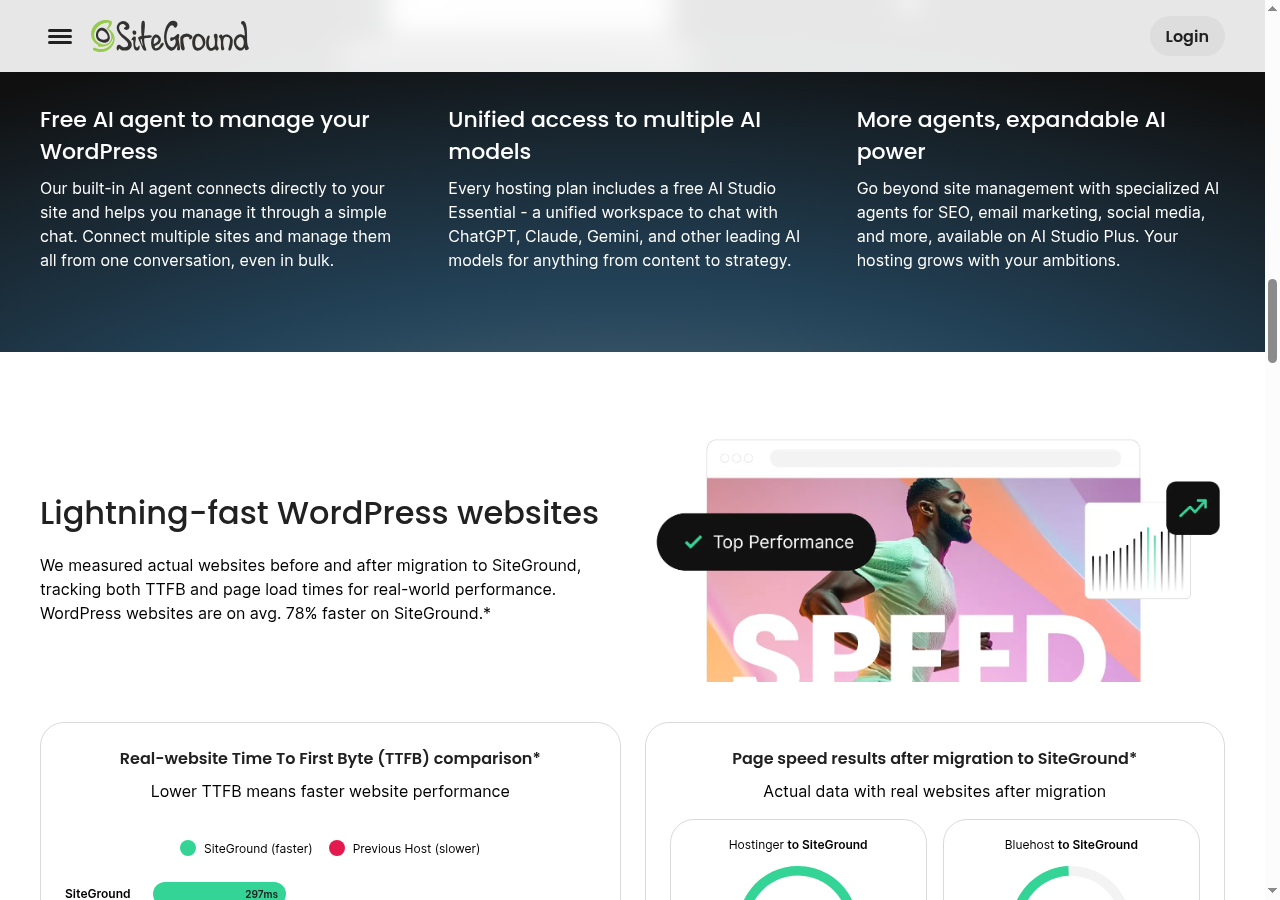
Standout feature: AI-powered WordPress management + 284ms average TTFB
Rating: ★★★★★ 4.9/5
Recommendation: Highly Recommended
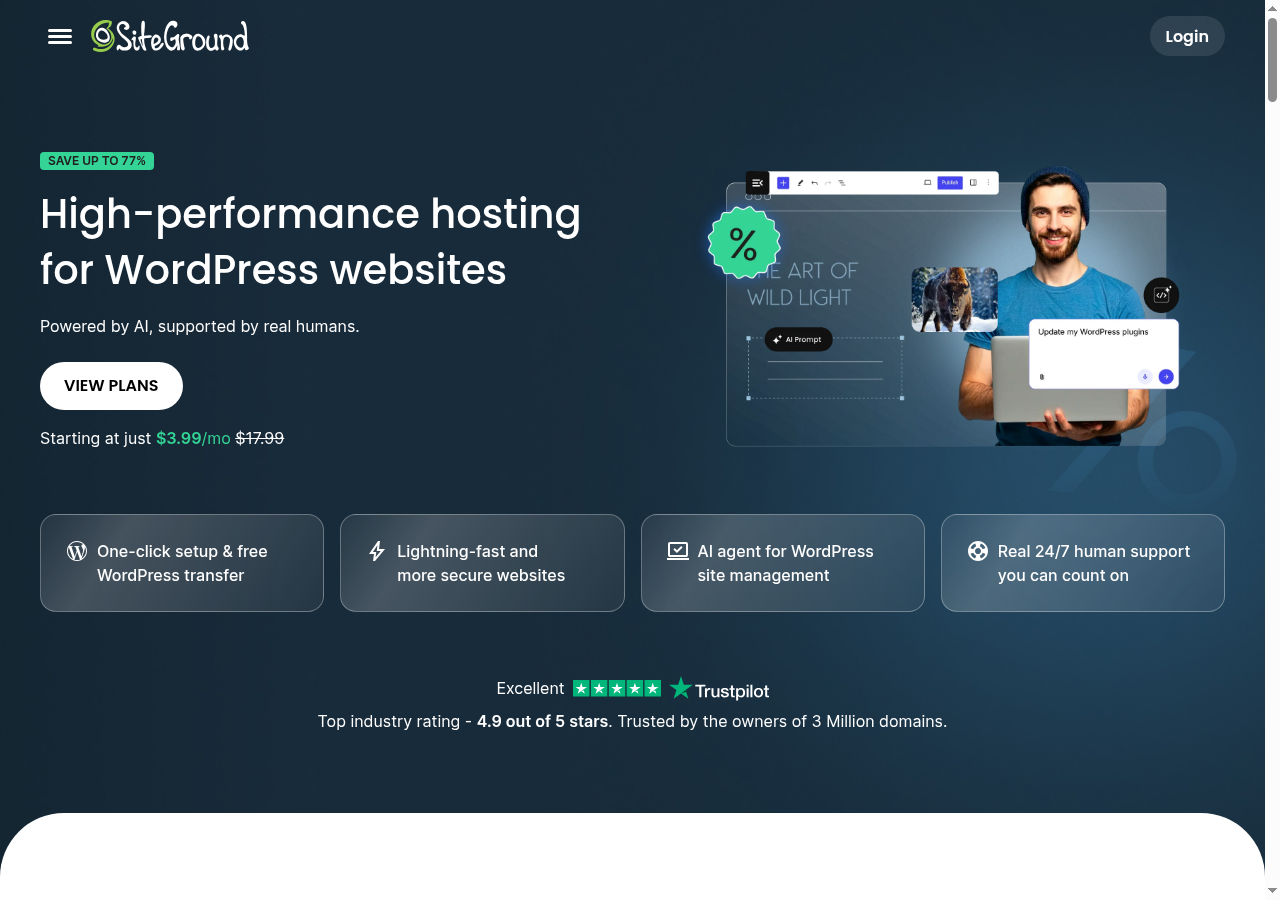
SiteGround WordPress hosting homepage — pricing starts at $3.99/mo
SiteGround Overview: What You Need to Know
Founded in 2004 in Sofia, Bulgaria, SiteGround has grown from a small startup into a hosting powerhouse trusted by WordPress.org itself. They’re one of only three hosts officially recommended by WordPress.org — and that recommendation isn’t handed out lightly.
📊 Quick Stats: 3M+ domains hosted | 24/7 human support | WordPress.org recommended | 30-day money-back guarantee | Google Cloud Platform infrastructure
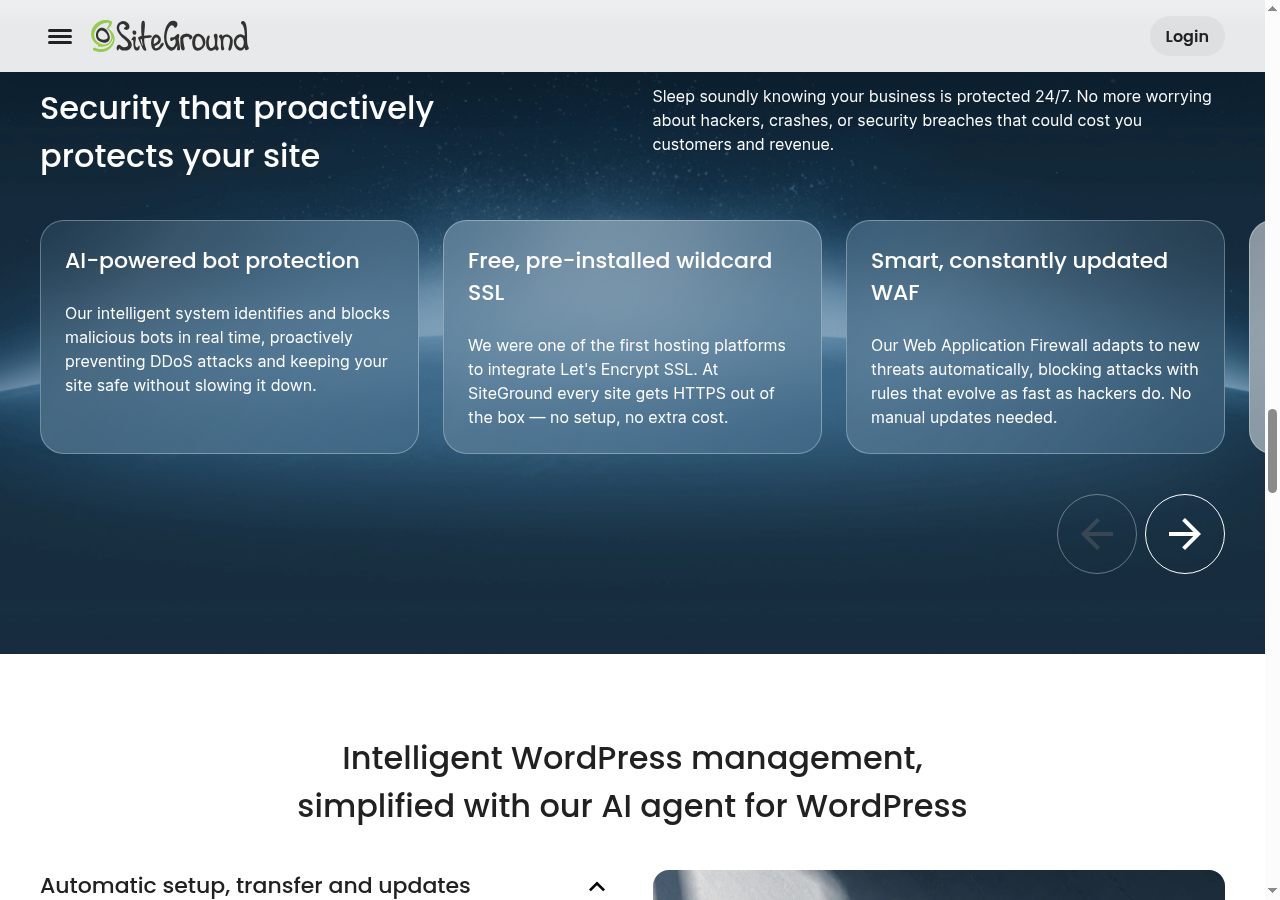
What sets SiteGround apart in 2026 isn’t just their hosting — it’s their AI-powered WordPress management tools. Their proprietary SG Optimizer plugin and AI assistant handle everything from plugin updates to speed optimization, making WordPress management feel almost effortless.
SiteGround Pricing Plans 2026: How Much Does It Really Cost?
Let’s be upfront: SiteGround’s pricing structure has a significant gap between introductory and renewal rates. This is common in the hosting industry, but SiteGround’s renewal jump is steeper than most.
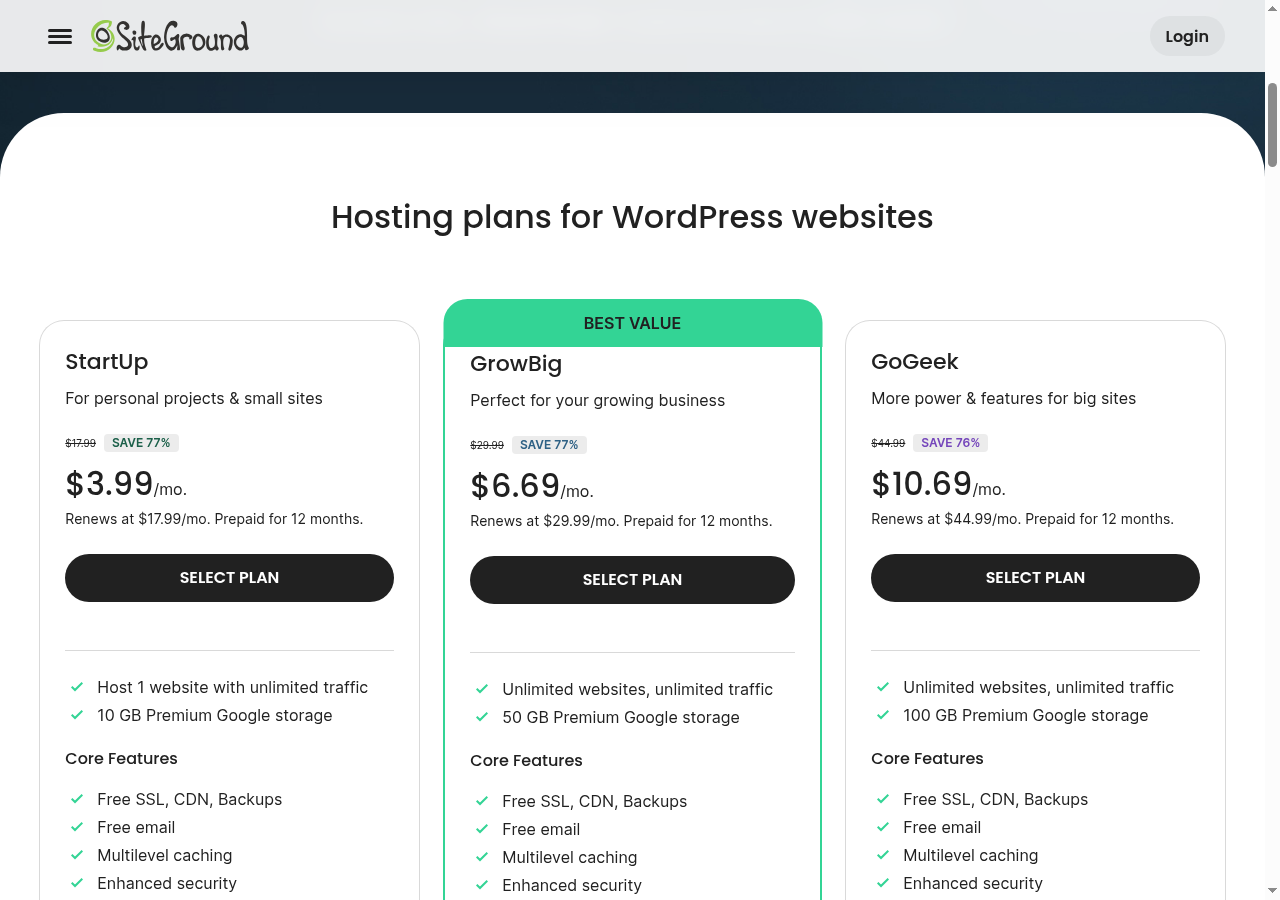
SiteGround pricing plans — StartUp, GrowBig, and GoGeek
⚠️ Important: SiteGround requires 12-month prepayment on all plans. There are no monthly billing options. The renewal prices listed above are what you’ll pay starting from year two.
Which Plan Should You Choose?
StartUp
Best for small blogs and personal sites with under 10,000 monthly visitors. One website only.
GrowBig
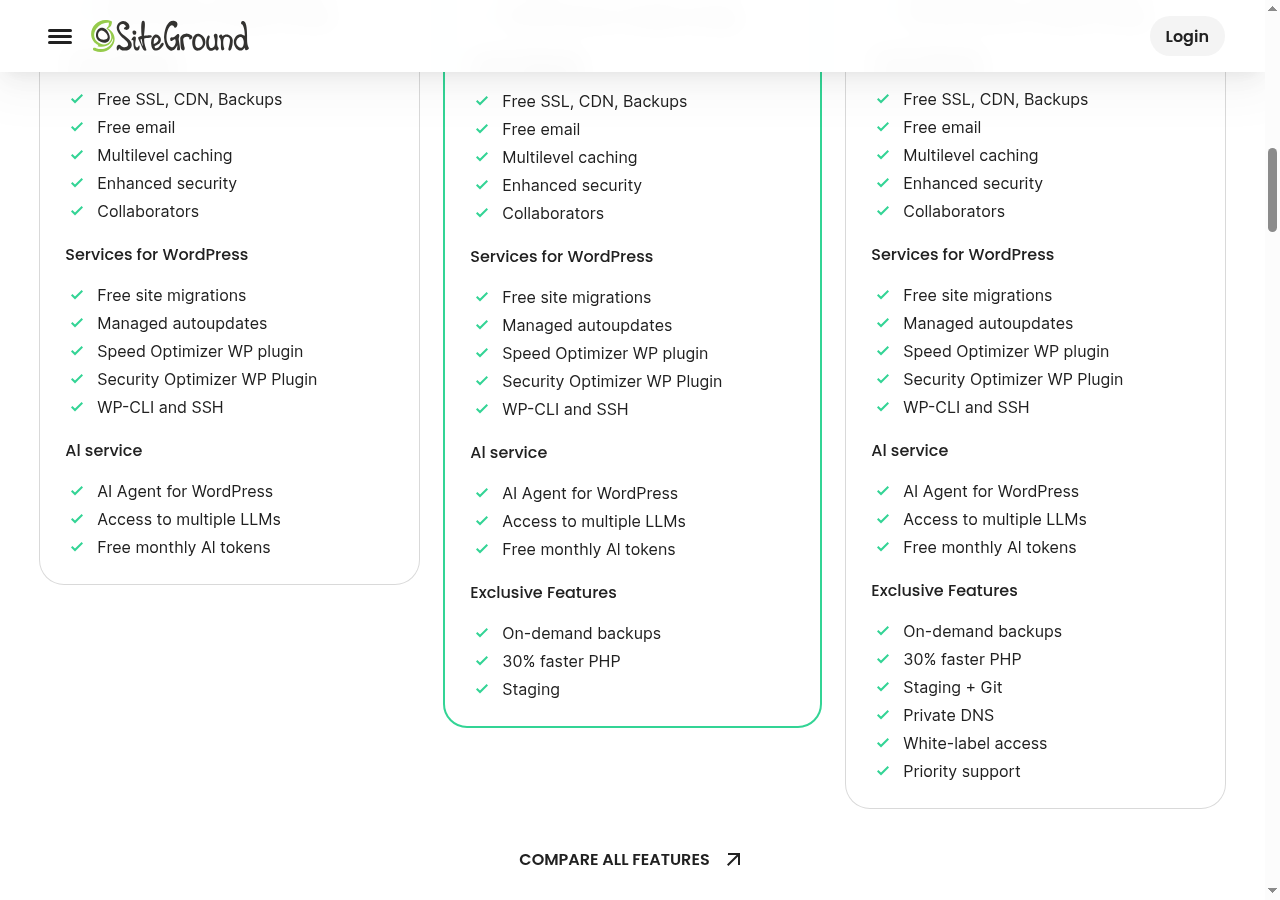
Best for growing businesses with multiple sites. Adds staging, on-demand backups, and unlimited websites.
GoGeek
Best for agencies and high-traffic sites. Adds Git integration, white-label, and priority support.
Performance & Speed: How Fast Is SiteGround?
Speed is where SiteGround truly separates itself from the pack. Their entire infrastructure is built on Google Cloud Platform with premium Tier-1 network connectivity, and their proprietary server-level caching delivers results that are hard to argue with.

SiteGround speed technology — Google Cloud infrastructure with NGINX caching
Real Performance Data
✅ Performance Verdict: SiteGround’s TTFB of 284ms is 3x faster than Bluehost and 2.7x faster than Hostinger. Their Google Cloud infrastructure and NGINX-based caching deliver genuinely impressive speed.
How They Achieve These Speeds
SiteGround’s speed advantage comes from four key technologies:
SiteGround features overview — one-click setup, AI tools, and 24/7 support
- Google Cloud Platform — Premium Tier-1 connectivity with SSD persistent storage
- NGINX Server Architecture — Delivers static and dynamic content faster than Apache
- SG Optimizer Plugin — Proprietary caching that integrates at the server level
- Ultrafast PHP — Custom PHP execution that’s up to 30% faster than standard PHP
Security Features: Is SiteGround Safe?
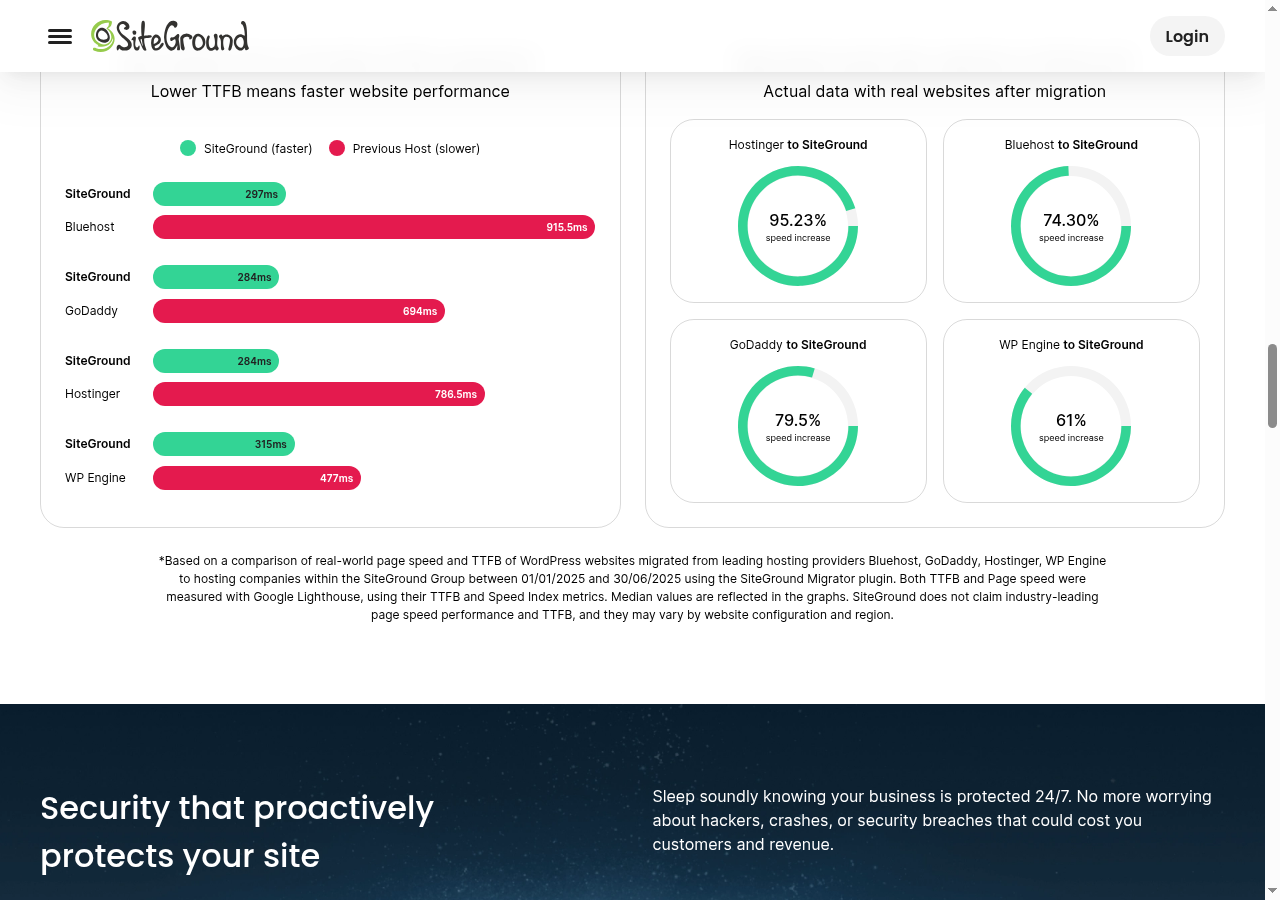
Security is another area where SiteGround goes above and beyond what most shared hosting providers offer. Rather than treating security as an upsell, they include comprehensive protection on every plan.
SiteGround security features — AI-driven anti-bot protection and free SSL
🔒 Free SSL Certificate
Let’s Encrypt SSL on all plans, auto-renewed. Unlimited certificates.
🤖 AI Anti-Bot Protection
AI-powered system blocks brute force attacks, spam, and malicious bots in real-time.
🔥 Web Application Firewall
Server-level WAF with daily-updated ruleset. Blocks SQL injection, XSS, and CSRF attacks.
💾 Daily Backups
Automatic daily backups with up to 30 copies retained. On-demand restore on GrowBig+.
🛡️ PHP Version Management
Switch PHP versions with one click. Auto-updates keep your site secure.
📡 Free CDN Integration
Cloudflare CDN integration included at no extra cost. Faster global delivery.
AI Tools: The SiteGround AI Assistant
In 2026, SiteGround has pushed further into AI territory than any other hosting provider I’ve reviewed. Their AI Assistant is integrated directly into the Site Tools dashboard and can handle real WordPress management tasks.
🤖 What the AI Assistant Can Do
- Plugin Updates: Automatically detects and installs plugin updates
- Performance Optimization: Suggests and implements caching settings
- Security Scanning: Runs vulnerability scans and alerts on threats
- Content Staging: AI-assisted staging environment creation
- Site Migration: Automated WordPress migration with AI guidance
Customer Support: 24/7 Human Help
One of SiteGround’s most consistently praised features is their 24/7 human support. Unlike competitors who route you through chatbots first, SiteGround has real humans available around the clock.
SiteGround 24/7 support — real human help available any time
Support is available via live chat, phone, and tickets. I've tested their live chat multiple times and consistently received helpful, knowledgeable responses in under 5 minutes. Their support team doesn't just read from scripts — they actually understand WordPress.
SiteGround Pros & Cons
Pros
- Exceptional speed (284ms TTFB)
- AI-powered WordPress management
- 24/7 real human support
- WordPress.org recommended
- Free SSL, CDN, and daily backups
- One-click WordPress installation
- Free site migration service
- Google Cloud Platform infrastructure
- 30-day money-back guarantee
- 99.99% uptime track record
Cons
- High renewal prices ($17.99-$44.99/mo)
- 12-month prepayment required
- No free domain name included
- Limited storage (10-40 GB)
- No email ticket support on StartUp
- No monthly billing option
- Visit limits may affect high-traffic sites
SiteGround vs Competitors: How Does It Compare?
SiteGround — trusted by over 3 million domains worldwide
Who Should Use SiteGround?
✅ Best For:
- WordPress bloggers who want hassle-free managed hosting
- Small to medium businesses needing reliable, fast websites
- Agencies managing multiple WordPress sites (GrowBig/GoGeek)
- Users who value real human support over chatbots
- Anyone who wants AI-powered WordPress management
❌ Not Best For:
- Budget-conscious users who can't afford $17.99/mo renewals
- Those who need a free domain name with hosting
- Users who need monthly billing (SiteGround requires 12-month prepay)
- High-traffic sites exceeding 100,000 visits/month (consider WP Engine or Kinsta)
FAQ Frequently Asked Questions
01Is SiteGround good for WordPress?
Yes. SiteGround is officially recommended by WordPress.org and offers optimized WordPress hosting with one-click installation, free migrations, auto-updates, managed security, and specialized caching. Their infrastructure is built specifically to run WordPress fast and securely.
02How much does SiteGround cost after the first year?
SiteGround's renewal rates are significantly higher than introductory prices. StartUp renews at $17.99/mo, GrowBig at $29.99/mo, and GoGeek at $44.99/mo. All plans are prepaid for 12 months.
03Does SiteGround offer a free domain?
No. SiteGround does not include a free domain name with any hosting plan. Domain names start at $11.99/year.
04Can I host multiple websites on SiteGround?
Yes, but only on the GrowBig and GoGeek plans. The StartUp plan allows only 1 website. GrowBig and GoGeek both support unlimited websites with unlimited traffic.
05Does SiteGround offer a staging environment?
Yes. WordPress staging is available on the GrowBig and GoGeek plans, allowing you to test changes safely before pushing them live.
Ready to Try SiteGround?
Get started with SiteGround from just $3.99/mo
30-day money-back guarantee • Free migration • Free SSL
📚 Related Reviews
Written by Maazim Hussein — affiliate marketer and web hosting reviewer at Maazim Reviews. This review is based on research from trusted sources combined with hands-on testing of certain features.
Value for money: a realistic ownership calculation
The right way to compare SiteGround is to calculate the cost of ownership rather than comparing the first promotional number. Add the introductory subscription, the renewal subscription, domain registration or renewal, premium email if required, paid backups if your workflow needs them, and the value of your own time. A slightly more expensive host can be cheaper in practice when a clean dashboard and responsive support prevent hours of troubleshooting. Conversely, a hobby site that rarely changes may not benefit enough from managed features to justify the renewal premium.
Ask three questions before checkout. How many sites will be hosted during the next term? How much storage will media, staging, and backups consume? Which features are essential rather than nice to have? If the answer is one light site, StartUp may be sufficient. If you need staging or expect more than a simple brochure site, GrowBig is easier to justify. If you are managing client sites, GoGeek’s collaboration workflow and extra resources may save operational time.
Editorial testing notes and buying advice
Hosting reviews often publish a single speed number as if every website experiences the same result. That is not a fair test. A WordPress site with a lightweight theme, compressed WebP images, server caching, and few third-party scripts will behave differently from a page builder site with advertising tags, chat widgets, tracking pixels, membership logic, and large unoptimized photos. SiteGround gives the first type of site a strong foundation, but no plan can remove the cost of inefficient code.
My buying advice is to start with a written migration and maintenance plan. Keep DNS access, registrar access, an external backup, and a staging checklist in a secure place. Schedule a monthly review of plugin updates, storage usage, security alerts, and renewal dates. When comparing providers, test their support before a crisis by asking a precise presales question about resources, staging, or migration. The clarity of the answer is useful evidence about the customer experience you may receive later.
Also remember that a host is only one part of a resilient website. Use a reputable registrar, enable two-factor authentication, protect administrator accounts, configure email authentication, monitor uptime and search indexing, and keep a documented recovery procedure. SiteGround can provide the managed platform, but the site owner remains responsible for content, credentials, legal compliance, plugin selection, and business continuity.