One platform takes up to 20% of every dollar you earn; the other takes 10% — and that gap quietly decides where your freelance career belongs. Fiverr and Upwork look similar from the outside but reward completely different strategies. By the end of this guide, you’ll know which one matches your skills, your clients — and your income goals.
Fiverr vs Upwork: Choosing the right freelance platform can make or break your career or business. After years of using both platforms as a freelancer and a client, this complete guide covers everything you need — whether you are a beginner, graphic designer, writer, or video editor.
What Is Fiverr?
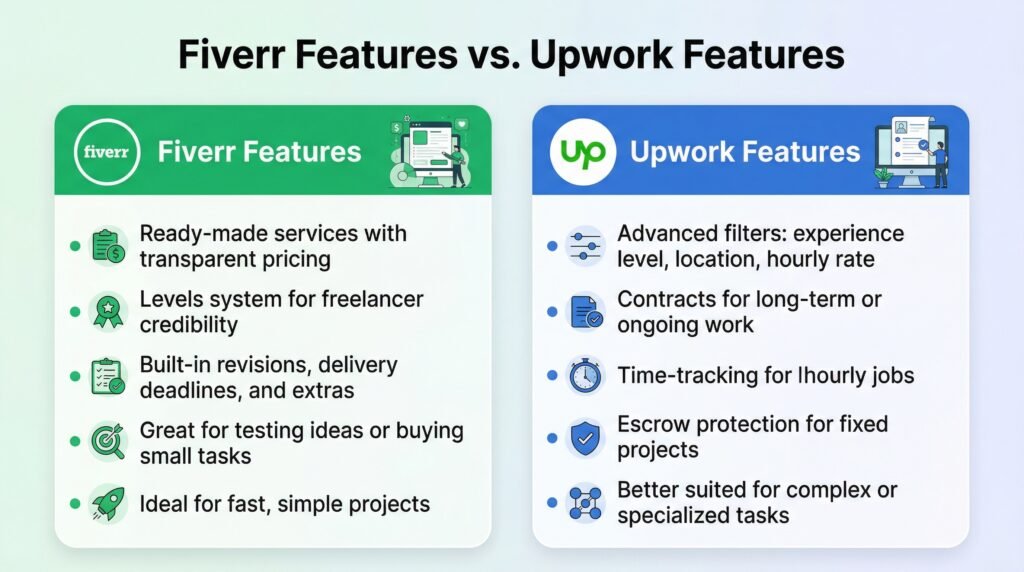
Fiverr is a freelance marketplace where sellers create predefined services called “gigs.” Clients browse, compare, and purchase these gigs with clear prices and deliverables. It works best for quick, small-to-medium tasks such as logo design, WordPress setup, video editing, SEO, and marketing content.
What Is Upwork?
Upwork is a more traditional freelancing platform where clients post projects, and freelancers submit proposals. It is widely used for long-term work, ongoing jobs, and professional services like development, project management, branding, consulting, and writing.
Head-to-Head Comparison Table
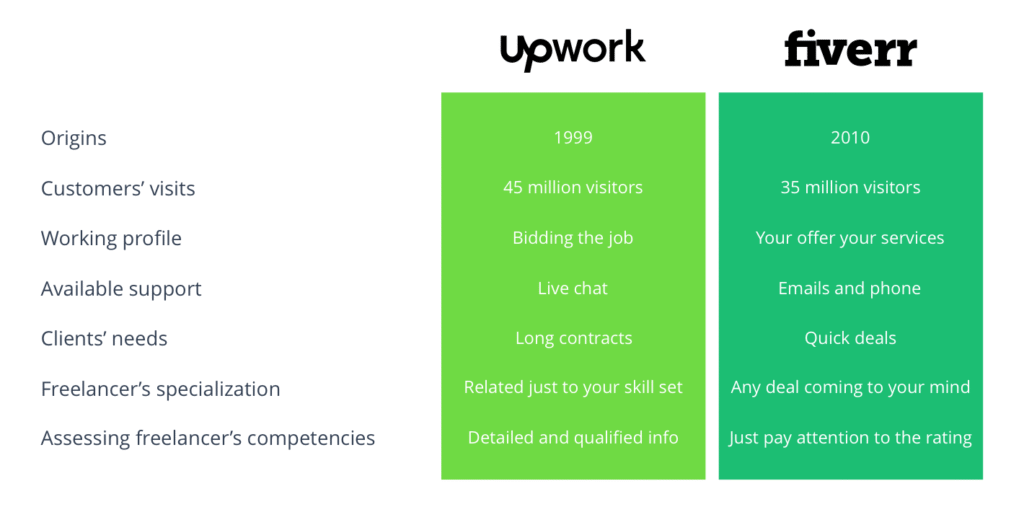
| Feature | Fiverr | Upwork |
|---|---|---|
| How it works | Buy fixed-price gigs | Submit proposals for client jobs |
| Best for | Quick tasks, smaller budgets | Long-term or complex projects |
| Skill level | Beginner to Expert | Mid to high-level professionals |
| Payment model | Fixed packages ($5 and up) | Hourly or fixed contracts |
| Client control | Browse and buy instantly | Review proposals, interview |
| Speed | Faster (instant purchase) | More detailed hiring process |
| AI Assistant | Fiverr Neo (AI recruiter) | Upwork Uma (AI proposal helper) |
| Client fee | 5.5% service fee | 5% client fee |
| Freelancer fee | 20% (sliding scale) | 10% (sliding scale) |
Fiverr vs Upwork for Beginners
For beginners, choosing the right platform is critical. You do not want to waste months on a platform that does not fit your style. Here is how each platform works for someone just starting out:
Fiverr for Beginners
- Setup: Create gigs with clear pricing and deliverables. Your gig image is your storefront.
- Getting first client: Requires excellent gig SEO. Use the right keywords in your title so clients can find you. It can take weeks to get your first order.
- Growth: Once you get a few five-star reviews, the algorithm pushes you to the top automatically.
- Best for: Beginners who want to create a product and let clients come to them.
Upwork for Beginners
- Setup: Build a detailed profile with portfolio items and skill tags.
- Getting first client: You actively apply to jobs. If you write a personalized, brilliant proposal, a client might hire you over someone with more experience.
- Growth: Your Job Success Score (JSS) builds over time. A high JSS attracts more invitations from clients.
- Best for: Beginners who are proactive and want control over their pipeline.
Winner for beginners: Fiverr — the setup is simpler and you do not need to write proposals every day. But if you are confident in your communication skills, Upwork gives you more control.
Fiverr vs Upwork for Graphic Designers
For visual creatives, the presentation of your work is everything. Your choice between Fiverr and Upwork depends on what kind of design work you do and how you prefer to work.
Fiverr for Graphic Designers
- Your gig image is your main weapon. If you design stunning thumbnails, you can get orders while you sleep.
- Excellent for productized, one-off tasks: single logo, social media post, photo edit, document formatting.
- Clients browse and buy instantly — no proposal writing needed.
- Best for: Logo design, thumbnails, quick edits, social media graphics.
Upwork for Graphic Designers
- Much better for long-term relationships and complex projects.
- If a client needs ongoing brand identity design for months, they will post a job here.
- Your success relies on how well you write your proposal and communicate your value.
- Best for: Full brand identity, multi-month design contracts, UI/UX projects.
Winner for graphic designers: Fiverr for one-off tasks and passive income. Upwork for serious design careers and long-term client relationships. Many successful designers use both platforms simultaneously.
Fiverr vs Upwork for Writers
Writing is one of the most competitive freelance categories. Here is how each platform serves writers:
Fiverr for Writers
- Best for one-off content: a single blog post, article, product description, or email copy.
- Create tiered packages: Basic (500 words), Standard (1000 words), Premium (2000 words with SEO).
- Clients buy instantly without interviewing you.
- Challenge: Lots of competition from low-cost writers. You need strong gig descriptions and samples.
Upwork for Writers
- Best for ongoing content contracts: weekly blog posts, content strategy, ghostwriting books.
- Hourly contracts work perfectly for writing — you get paid for every hour spent researching and writing.
- Milestone payments let you break large projects into paid stages.
- Challenge: Writing proposals takes time. You may submit 20 proposals before landing a client.
Winner for writers: Upwork — writing is inherently an ongoing service. Hourly contracts and milestone payments make Upwork the better choice for serious freelance writers. Use Fiverr as a supplementary income source for quick articles.
Fiverr vs Upwork for Video Editors
Video editing is a booming category in 2026, especially with the rise of short-form content. Here is how each platform compares:
Fiverr for Video Editors
- Perfect for short, defined edits: YouTube intros, TikTok clips, social media reels, wedding video highlights.
- Clients know exactly what they want and buy your package instantly.
- Easy to scale: offer add-ons for extra revisions, faster delivery, or additional clips.
- Best for: YouTubers, social media managers, small businesses needing quick edits.
Upwork for Video Editors
- Best for complex video production: documentary editing, course creation, multi-camera projects.
- Hourly contracts handle scope changes naturally — common in video production.
- Collaboration tools and time tracking make long-term editing contracts transparent.
- Best for: Production companies, agencies, content creators with ongoing needs.
Winner for video editors: Fiverr for short-form content and one-off projects. Upwork for long-form, complex productions. Many video editors start on Fiverr for quick cash, then move to Upwork for bigger contracts.
The AI Revolution: Fiverr Neo vs Upwork Uma in 2026
In 2026, both platforms have integrated AI to make hiring and working much faster:
- Fiverr Neo: An AI-powered co-pilot that acts as a personalized recruiter. Instead of browsing for hours, you tell Neo what you need, and it finds the perfect gigs for you. It can even help freelancers write better gig descriptions.
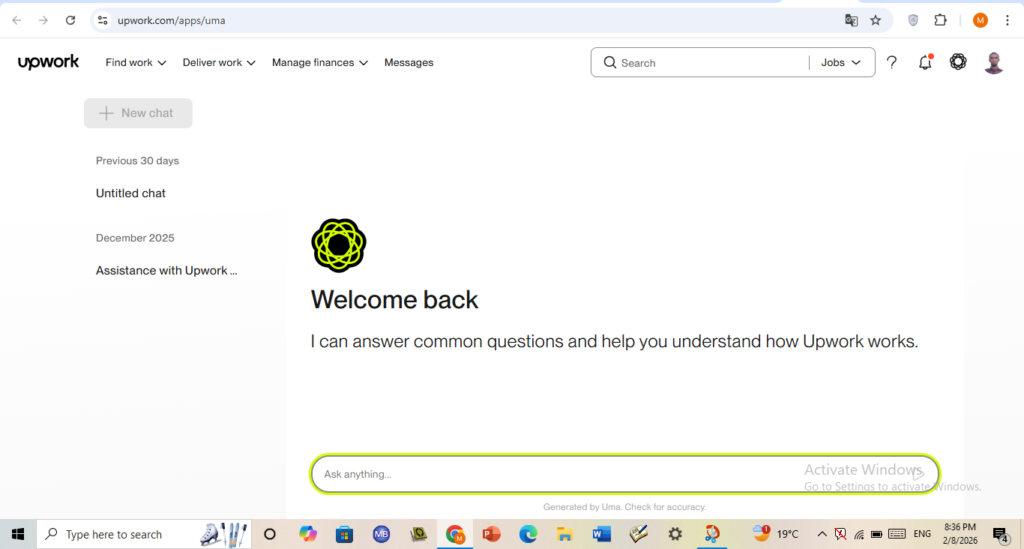
- Upwork Uma: Upwork’s AI companion helps clients draft job posts in seconds and analyzes freelancer proposals to highlight the best matches. For freelancers, AI-powered insights help improve bids and productivity.
Key Takeaway: If you want AI to help you find a service instantly, Fiverr wins. If you want AI to help you manage long-term projects and find the right talent, Upwork wins.
Pricing and Fees: What You Actually Pay in 2026
| Cost Type | Fiverr | Upwork |
|---|---|---|
| Starting price | $5 per gig | Freelancer sets rate |
| Client fee | 5.5% service fee | 5% client fee |
| Freelancer fee | 20% (sliding scale) | 10% (sliding scale) |
| Withdrawal | After 14-day clearing | After 5-day security |
Pro Tip: On Fiverr, you see the price upfront. On Upwork, the final cost depends on negotiations. For small budgets, Fiverr is more transparent. For large projects, Upwork’s flexibility saves money.
Pros and Cons
Fiverr Pros
- Instant purchasing — no proposal writing
- Transparent, fixed pricing
- Great for quick, one-off tasks
- AI-powered Neo helps clients find gigs faster
- Beginner-friendly setup
Fiverr Cons
- 20% freelancer fee is high
- Hard to stand out among millions of gigs
- Not ideal for long-term or complex projects
- 14-day waiting period for withdrawals
Upwork Pros
- Lower freelancer fees (10% sliding scale)
- Hourly contracts with time tracking
- Escrow protection for both parties
- Better for long-term client relationships
- AI-powered Uma helps match clients and freelancers
Upwork Cons
- Writing proposals takes time and effort
- High competition for every job posting
- Connects (proposal credits) cost money
- Complex for beginners to navigate
FAQ Frequently Asked Questions
01Is Fiverr or Upwork better for beginners?
Fiverr is generally better for beginners because you create gigs and wait for clients to find you. Upwork requires you to actively write proposals and compete for jobs, which needs more experience and communication skills.
02Which platform is cheaper for clients?
For small tasks, Fiverr is cheaper because prices start at $5 and are fixed. For large ongoing projects, Upwork is more cost-effective because you can negotiate hourly rates and avoid markups on expensive gigs.
03Can I use both Fiverr and Upwork at the same time?
Yes. Many successful freelancers use both platforms simultaneously. Use Fiverr for quick, one-off tasks that bring in passive income, and Upwork for long-term contracts that build lasting client relationships.
Verdict: Which One Should You Choose?
| If you are… | Choose | Why |
|---|---|---|
| A complete beginner | Fiverr | Simple setup, no proposals needed |
| A graphic designer | Both | Fiverr for one-off, Upwork for retainer |
| A freelance writer | Upwork | Hourly contracts, ongoing content work |
| A video editor | Both | Fiverr for shorts, Upwork for long-form |
| A client with a small budget | Fiverr | Fixed prices, instant purchase |
| A client with a big project | Upwork | Interview, negotiate, long-term |
Starting a freelance career or hiring a freelancer is an exciting step. Do not overthink it — pick the platform that matches your needs, and you can always switch later. Many top freelancers use both platforms to maximize their income and client base.
For more freelance tips and platform reviews, check out our other guides on best web hosting services and Hostinger Review 2026.