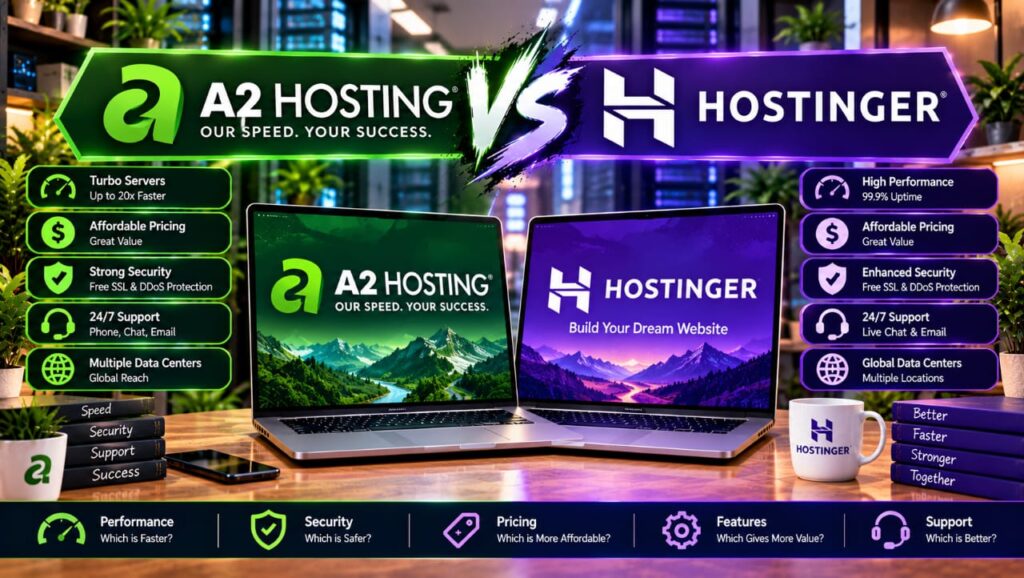

One host was called A2 Hosting for 22 years, built a cult following for Turbo speed, then rebranded to Hosting.com in 2025. The other started in 2011 as a Lithuanian bootstrapped startup and grew to 5 million users on the back of rock-bottom pricing and an AI website builder. Now they go head to head. Hosting.com (formerly A2 Hosting) vs Hostinger is one of the most interesting comparisons in budget shared hosting, because both offer LiteSpeed servers, NVMe SSD storage, free domains, and 30-day money-back guarantees, but they win in completely different places. By the end of this guide, you will know which one is cheaper over four years, which one punishes you less at renewal, and why the answer depends entirely on how long you plan to keep your site alive.


What we actually compared
Hosting.com (formerly A2 Hosting, rebranded in 2025) and Hostinger both compete in the budget shared hosting tier, but they got there from opposite directions. Hosting.com built its reputation on Turbo servers and developer-grade features. Hostinger grew by making hosting cheap enough and simple enough for first-time website owners. To build this comparison, we verified pricing and specifications against each company’s official website (hosting.com and hostinger.com), cross-referenced data from our own A2 Hosting (Hosting.com) Review 2026 and Hostinger Review 2026, and analyzed the top five Google results for “hosting.com vs hostinger” to identify gaps and outdated information in competitor articles.
Here is what we examined head-to-head:
- Pricing: introductory rates across 1-year, 2-year, and 4-year terms, renewal rates, and total cost of ownership over 4 and 8 years.
- Performance: server infrastructure (LiteSpeed, NVMe, AMD EPYC), caching technology, CDN integration, and data center footprint.
- Features: staging environments, backups, email accounts, Git/SSH access, developer tooling, and AI capabilities.
- Security: SSL, malware protection, WAF, and backup retention.
- Support: channels (phone, chat, ticket), response times, and whether support is in-house or outsourced.
- Ease of use: control panel options, WordPress onboarding, and learning curve.
- Scalability: upgrade paths from shared to VPS, cloud, and dedicated hosting.
Prices and features in this article reflect an October 2026 snapshot. Always recheck at checkout, as hosting providers adjust promotional pricing frequently.
Pricing: the first payment is not the whole story
This is where most comparison articles fail. They list the promotional price and move on. But the real cost of hosting is what you pay at renewal, and whether the features you need are included or sold separately. Let us break it down honestly.
Hosting.com’s pricing structure (verified October 2026 on hosting.com/hosting):
- Starter: $1.99/mo on a 4-year term ($95.49 paid upfront), renews at $13.99/mo. Five websites, 15 GB NVMe SSD storage, daily backups with 30-day retention, 5 mailboxes included, free domain for the first year, free SSL, free managed migration, malware detection and removal. Also available at $2.99/mo on a 1-year term ($35.88 total), which is the cheapest way to try either host.
- Pro: $3.79/mo on a 4-year term ($181.93 paid upfront), renews at $19.99/mo. Ten websites, 50 GB NVMe SSD storage, more CPU and RAM (4 vCPU, 4 GB RAM), staging sites, preview URLs, Claude Skills Pack, daily backups.
- Max: $7.79/mo on a 4-year term ($373.90 paid upfront), renews at $27.99/mo. 50 websites, 100 GB NVMe SSD storage, highest CPU and RAM (4 vCPU, 8 GB RAM), 40 mailboxes, service level agreement, premium SSL certificate, priority support, AI chatbot for your own website.
Hosting.com does not lock you into a minimum term. Monthly billing is available, and the discount applies automatically at checkout with no coupon code needed. The rebrand from A2 Hosting to Hosting.com in 2025 also brought a new custom panel (TurboHub) alongside the cPanel option, both at the same price.
Hostinger’s pricing structure (verified October 2026 on hostinger.com/web-hosting):
- Premium: $2.99/mo on a 48-month term ($143.52 paid upfront), renews at $10.99/mo. Three websites, 20 GB SSD storage, free domain for the first year, free SSL, weekly backups, CDN included, AI tools, 2 mailboxes per website free for the first year.
- Unlimited: $3.99/mo on a 48-month term ($191.52 paid upfront), renews at $16.99/mo. Unlimited websites, 50 GB NVMe SSD storage, daily backups with easy data restore, CDN included, AI tools, unlimited mailboxes per website free for the first year.
- Cloud Startup: $7.99/mo on a 48-month term ($383.52 paid upfront), renews at $25.99/mo. Unlimited websites, 100 GB NVMe SSD storage, daily and on-demand backups, CDN included, AI tools, unlimited mailboxes free for the first year, dedicated cloud resources.
Hostinger requires upfront payment for the full term. There is no monthly billing option on shared hosting. The 48-month term gives you the best per-month rate, but it also means a larger upfront commitment.
Here is the side-by-side comparison of the entry-level plans:
| Pricing and value | Hosting.com Starter | Hostinger Premium |
|---|---|---|
| Introductory price (4-year term) | $1.99/mo ($95.49 total) | $2.99/mo ($143.52 total) |
| Introductory price (1-year term) | $2.99/mo ($35.88 total) | Not available (48-month minimum) |
| Renewal price | $13.99/mo ($167.88/yr) | $10.99/mo ($131.88/yr) |
| 4-year total | $95.49 | $143.52 |
| 8-year total (with one renewal) | $767.01 | $671.04 |
| Websites | 5 | 3 |
| Storage | 15 GB NVMe | 20 GB SSD |
| Backups | Daily (30-day retention) | Weekly |
| Mailboxes | 5 included | 2 per site (free 1st year only) |
| CDN | Not included | Included |
| Free domain (1st year) | Yes | Yes |
| Free SSL | Yes | Yes |
| Money-back guarantee | 30 days | 30 days |
The pricing story has two chapters. For the first four years, Hosting.com is cheaper at every tier. Over eight years, Hostinger’s lower renewal rates claw back the difference and then some. The crossover point depends on the tier, but it generally happens around year five or six.
Three-tier comparison (4-year upfront totals):
| Tier | Hosting.com | Hostinger | 4-year savings |
|---|---|---|---|
| Entry | $95.49 (Starter) | $143.52 (Premium) | Hosting.com saves $48.03 |
| Mid | $181.93 (Pro) | $191.52 (Unlimited) | Hosting.com saves $9.59 |
| Top shared | $373.90 (Max) | $383.52 (Cloud Startup) | Hosting.com saves $9.62 |
At the entry level, the $48 gap is significant. At the mid and top tiers, the difference is under $10 over four years, which makes the feature comparison far more important than the price alone.
Performance and server technology
Both hosts run LiteSpeed web servers with NVMe SSD storage and AMD EPYC processors. On paper, the infrastructure is nearly identical. In practice, the differences come down to CDN inclusion, data center proximity to your visitors, and how aggressively each host tunes its caching.
Hosting.com uses LiteSpeed Enterprise with LSCache, AMD EPYC CPUs, and NVMe SSD storage across all plans. The Turbo plan (Max tier) advertises up to 20x faster page loads through Turbo Velocity optimization. Hosting.com also runs a Web Application Firewall (WAF) that actively blocks hacks, malware, and suspicious bots. However, Hosting.com does not include a CDN on its shared hosting plans. You can add Cloudflare or another CDN yourself, but it is not bundled.
Hostinger also uses LiteSpeed servers with LSCache, NVMe SSD storage (on Unlimited and Cloud Startup plans; Premium uses standard SSD), and AMD EPYC CPUs. Hostinger includes a CDN on every plan, which gives it an edge for global content delivery without extra configuration. Hostinger also includes Object Cache (Redis) on Cloud Startup for database-heavy WordPress sites.
Data center footprint:
- Hosting.com: 7 locations — Dallas TX, London UK, Frankfurt DE, Singapore, Toronto, Mexico City, Mumbai. This is one of the widest shared-hosting footprints in the budget tier.
- Hostinger: 4 regions — United States, Europe, Asia (Singapore and India), and Brazil. Fewer locations, but the included CDN compensates by caching content at edge nodes worldwide.
For visitors in North America and Europe, both hosts deliver sub-second TTFB. For visitors in Latin America or India, Hosting.com’s Mexico City and Mumbai data centers give it a latency edge over Hostinger. For visitors in Africa or the Middle East, Hostinger’s CDN inclusion helps close the gap.
Both hosts guarantee 99.9% uptime. In independent monitoring, both typically deliver 99.95% or better. Neither host has a meaningful uptime advantage.
Features and everyday usability
This is where the two hosts diverge most sharply. Both include a lot of features that other hosts charge extra for, but they prioritize different things.
What Hosting.com includes on every plan (even Starter):
- Daily off-server backups with 30-day restore points
- 5 mailboxes included (not a free-for-one-year trial)
- Malware detection and removal
- Free managed migration (unlimited sites, no per-move fee)
- SSH, Git, WP-CLI access
- OpenAPI and MCP server for AI agents
- Choice of TurboHub (custom panel) or cPanel at the same price
- AI website builder for WordPress
What Hostinger includes on every plan (even Premium):
- CDN included (no extra setup)
- AI website builder with 5 credits on Premium, 15 on Unlimited
- AI email marketing tools
- WordPress one-click install with AI-assisted setup
- Node.js support
- 2 mailboxes per website (free for the first year, then paid)
- Weekly backups on Premium (daily on Unlimited and above)
The feature gap that matters most: backups and email. Hosting.com includes daily backups and real mailboxes on its cheapest plan. Hostinger’s entry plan has weekly backups and mailboxes that convert to paid after the first year. If you need daily backups and professional email at your domain, Hostinger’s entry plan forces you to upgrade to Unlimited ($3.99/mo) to match what Hosting.com includes at $1.99/mo.
Staging environments: Hosting.com includes staging sites and preview URLs on its Pro plan ($3.79/mo) and above. Hostinger does not offer staging on shared hosting plans at any tier. If staging is important to you, Hosting.com has a clear advantage.
AI tools: Hostinger has a more polished AI website builder and AI coding templates for developers. Hosting.com counters with an OpenAPI and MCP server that lets AI agents like Claude manage your hosting infrastructure, plus a Claude Skills Pack on the Pro plan. Both hosts have AI assistants: Hostinger’s is built into hPanel, and Hosting.com has Orbi, which handles about 60% of technical queries instantly before handing you to a human.
Developer tools: Both support PHP, Node.js, MySQL, PostgreSQL, SSH, and Git. Hosting.com adds WP-CLI and custom cron jobs on every plan. Hostinger offers Node.js one-click deployment and an SDK for developers. The developer experience is solid on both, but Hosting.com’s cPanel option makes it more familiar for developers migrating from other cPanel hosts.
Backups, email, domain, and security details
The small details here can cost you real money. Let us be specific.
Backups: Hosting.com includes daily off-server backups with 30-day retention on every plan, including the $1.99/mo Starter. You can restore to any point in the last 30 days. Hostinger includes weekly backups on Premium and daily backups on Unlimited and Cloud Startup. On-demand backups are only available on Cloud Startup. If you are on Hostinger Premium and accidentally break your site on a Tuesday, your most recent backup might be from the previous weekend.
Email: Hosting.com includes 5 mailboxes on Starter, 20 on Pro, and 40 on Max. These are permanent inclusions, not free trials. Hostinger includes 2 mailboxes per website on Premium (free for the first year) and unlimited mailboxes on Unlimited and Cloud Startup (also free for the first year). After the first year, Hostinger’s mailboxes convert to paid. This is a recurring cost that many comparison articles do not mention.
Domain: Both hosts include a free domain for the first year on annual plans. After that, standard renewal rates apply. Neither host has a meaningful domain advantage.
SSL: Both include free Let’s Encrypt SSL certificates on all plans. Hosting.com adds a premium SSL certificate on its Max plan.
Security: Hosting.com includes a Web Application Firewall (WAF), malware detection and removal, DDoS protection, and Patchman enhanced security. Hostinger includes free SSL, malware scanning, DDoS protection, and IP and country blocking. Both offer solid security on every plan, but Hosting.com’s WAF and Patchman tools are more comprehensive on the entry tier.
| Feature | Hosting.com Starter | Hostinger Premium | Hosting.com Pro | Hostinger Unlimited |
|---|---|---|---|---|
| Websites | 5 | 3 | 10 | Unlimited |
| Storage | 15 GB NVMe | 20 GB SSD | 50 GB NVMe | 50 GB NVMe |
| Backups | Daily, 30-day | Weekly | Daily, 30-day | Daily |
| Mailboxes | 5 included | 2/site, free 1yr | 20 included | Unlimited, free 1yr |
| CDN | Not included | Included | Not included | Included |
| Staging | No | No | Yes | No |
| Free domain (1st yr) | Yes | Yes | Yes | Yes |
| SSH/Git/WP-CLI | Yes | Yes | Yes | Yes |
| AI builder | Yes | Yes (5 credits) | Yes | Yes (15 credits) |
Data centers and visitor geography
Hosting.com operates seven data centers: Dallas (US), London (UK), Frankfurt (Germany), Singapore, Toronto (Canada), Mexico City (Mexico), and Mumbai (India). When you sign up, you choose your data center, and you can specify a different one for each website. This is a genuine advantage if your audience is concentrated in a region that Hostinger does not cover directly.
Hostinger operates data centers in four regions: the United States, Europe, the United Kingdom, Singapore/India, and Brazil. Fewer physical locations, but the included CDN on every plan means your content is cached at Cloudflare edge nodes in 300+ cities worldwide. For most websites, the CDN compensates for having fewer origin data centers.
The practical takeaway: if your visitors are in Latin America or South Asia, Hosting.com’s Mexico City and Mumbai data centers give you a latency advantage without relying on a CDN. If your visitors are global, Hostinger’s included CDN handles distribution automatically, while Hosting.com requires you to add Cloudflare separately.
Both hosts allow you to choose your data center at signup. Neither charges extra for data center selection. Both can migrate you between data centers if needed.
Support, control panels, and ease of use
This is Hosting.com’s strongest category and Hostinger’s weakest.
Hosting.com support: 24/7 in-house live chat, phone support (+1 (734) 222-4678), and tickets. The support team is not outsourced. Hosting.com publishes an average first response time of 2 minutes. On top of human support, Orbi (the AI assistant) handles about 60% of technical queries instantly and hands you to a human when needed. Phone support alone is a decisive factor for many users, and Hosting.com is one of the few budget hosts that still offers it.
Hostinger support: 24/7 live chat and an AI assistant. There is no phone number listed on Hostinger’s contact page. Live chat response times are generally good but can be slower during peak hours. The AI assistant handles common queries, but for complex issues you wait for a human agent on chat. For users who want to pick up the phone when their site is down, Hostinger is not the right choice.
Control panels:
- Hosting.com offers two panel options at the same price: TurboHub (their custom panel) or cPanel. If you are migrating from another cPanel host, the cPanel option means your interface looks exactly the same. TurboHub is cleaner and more modern but less widely documented.
- Hostinger uses hPanel, its own custom control panel. hPanel is widely regarded as one of the most beginner-friendly panels in the industry. It is clean, intuitive, and integrates the AI website builder directly. However, if you are used to cPanel, hPanel will require a learning period.
Ease of use: Hostinger wins for absolute beginners. The hPanel dashboard, AI website builder, and WordPress setup wizard are designed for someone who has never touched hosting before. Hosting.com is more developer-oriented, with SSH, Git, WP-CLI, and cPanel options that appeal to experienced users but may overwhelm first-timers.
What the top comparison pages get right, and what they miss
We analyzed the top five Google results for “hosting.com vs hostinger” to identify what competitor articles get right and where they fall short.
What they get right: Most competitor articles correctly identify that Hosting.com is cheaper upfront and Hostinger is cheaper at renewal. Several mention the phone support advantage for Hosting.com and the CDN advantage for Hostinger. The WebHostingCat comparison correctly awards Hostinger higher marks for value and Hosting.com higher marks for support.
What they miss:
- Email cost after year one: Almost no competitor article mentions that Hostinger’s mailboxes are free for the first year only, then convert to paid. Hosting.com’s mailboxes are permanent inclusions. Over four years, this adds a hidden cost to Hostinger that narrows the price gap.
- Backup frequency on entry plans: Several articles gloss over the fact that Hostinger Premium has weekly backups while Hosting.com Starter has daily backups. For a business site, weekly backups are a risk.
- The A2 Hosting rebrand: Some articles still refer to “A2 Hosting” without clarifying that it is now Hosting.com. This creates confusion for users searching for current information. The rebrand happened in 2025, and the pricing, features, and support structure have changed since the A2 Hosting era.
- 8-year total cost: Most articles only compare the first-term price. The 8-year total (including one renewal) flips the verdict: Hostinger saves $86-134 over 8 years because its renewal rates are $2-3/mo lower at every tier.
- CDN as a differentiator: Several articles mention CDN in passing but do not explain that Hosting.com’s shared plans do not include a CDN, meaning you need to configure Cloudflare yourself. Hostinger’s CDN is included and active by default.
Pros and cons: final comparison
Where Hosting.com is stronger
Hosting.com advantages
- Lower upfront cost on all tiers (saves $48 on entry plan over 4 years)
- Phone support with in-house team (24/7, 2-minute average response)
- Daily backups with 30-day retention on every plan, including Starter
- Real mailboxes included permanently (5 on Starter, 20 on Pro, 40 on Max)
- Choice of cPanel or TurboHub at the same price
- Seven data center locations (including Mexico City and Mumbai)
- Staging sites and preview URLs on Pro and above
- OpenAPI and MCP server for AI agents on every plan
- No minimum term required (monthly billing available)
Hosting.com disadvantages
- Higher renewal rates ($13.99-$27.99/mo vs Hostinger’s $10.99-$25.99/mo)
- No CDN included on shared plans
- Fewer websites on entry plan (5 vs Hostinger’s 3, but mid plan is 10 vs unlimited)
- Recent rebrand from A2 Hosting may cause confusion
- Reddit users report significant price hikes on renewal (up to 80% increases)
Where Hostinger is stronger
Hostinger advantages
- Lower renewal rates at every tier ($10.99-$25.99/mo)
- CDN included on every plan (no extra setup needed)
- Unlimited websites on mid-tier plan (Unlimited at $3.99/mo)
- Beginner-friendly hPanel with AI website builder
- Lower 8-year total cost ($671-$1,631 vs Hosting.com’s $767-$1,717)
- AI email marketing tools included
- Node.js one-click deployment
- 5M+ user community and extensive documentation
- WordPress.org recommended
Hostinger disadvantages
- No phone support (chat only)
- Mailboxes are free for the first year only, then paid
- Weekly backups on entry plan (Premium)
- No staging environments on shared hosting
- 48-month upfront payment required for best pricing
- Fewer data center locations (4 regions vs 7)
- Standard SSD on Premium (NVMe only on Unlimited and above)
Which one should you choose?
Choose Hosting.com if:
- You want the lowest upfront bill for the first 1-4 years
- You need phone support from a real human
- You want daily backups on your entry-level plan
- You need professional email at your domain without paying extra after year one
- You prefer cPanel or want a choice of panels
- Your audience is in Latin America or South Asia (Mexico City and Mumbai data centers)
- You want staging environments on a mid-tier plan
- You are an existing A2 Hosting customer who wants to stay on the same network
Choose Hostinger if:
- You plan to keep your site for 5+ years and want the cheapest renewals
- You want a CDN included without configuring it yourself
- You want unlimited websites on a mid-tier plan
- You are a beginner who wants the easiest control panel and AI website builder
- You want AI email marketing tools included
- You prefer a modern, custom control panel (hPanel) over cPanel
- You want the lowest 8-year total cost of ownership
For most new websites where budget is the primary concern and the site will live for more than four years, Hostinger is the better long-term value. For websites where support quality, daily backups, and professional email matter from day one, Hosting.com gives you more included features for less upfront money.
Migration, growth, and total cost after year one
Both hosts offer free migration, but the experience differs.
Hosting.com provides free managed migration with unlimited sites and no per-move fee. The in-house team handles cPanel backup-and-restore moves and manual migrations for non-cPanel setups. You get a preview URL to test before going live, and the process typically involves zero downtime.
Hostinger offers unlimited free migrations as well. Their migration tool handles WordPress sites automatically, and you can request assisted migration through support. The process is straightforward for WordPress but may require more manual steps for non-WordPress sites.
Scalability: Both hosts scale beyond shared hosting. Hosting.com offers managed VPS, unmanaged VPS, and dedicated servers on the same platform, with zero-downtime upgrades. Hostinger offers VPS hosting (AMD EPYC, Docker, full root access) and cloud hosting, but the jump from shared to VPS is a bigger technical leap than Hosting.com’s seamless same-platform upgrade path.
Three-year total cost comparison (entry-level plans):
- Hosting.com Starter (4-year term): $95.49 for 4 years. If you cancel before renewal, your total cost is $95.49. If you renew for 4 more years at $13.99/mo, your 8-year total is $767.01. All features included (daily backups, 5 mailboxes, malware protection).
- Hostinger Premium (48-month term): $143.52 for 4 years. If you renew for 4 more years at $10.99/mo, your 8-year total is $671.04. However, mailboxes convert to paid after year 1 (approximately $1-2/mo per mailbox), so add roughly $84-168 over 7 years if you keep 2 mailboxes. Adjusted total: $755-839. The gap narrows significantly.
When you account for Hostinger’s mailbox costs after the first year, the 8-year price advantage shrinks from $96 to as little as $0. The real decision comes down to features and support, not just price.
Mid-tier total cost over 8 years:
- Hosting.com Pro: $181.93 + $959.52 = $1,141.45
- Hostinger Unlimited: $191.52 + $815.52 = $1,007.04
- Hostinger saves $134.41 over 8 years, and includes unlimited websites (vs 10 on Pro) and CDN (vs not included on Pro).
At the mid-tier, Hostinger’s value proposition is stronger: unlimited websites, CDN, daily backups, and lower renewals for $134 less over 8 years. The only things you lose are phone support, staging, and permanent mailboxes.
Current deals: Both hosts change their promotional pricing regularly. See the latest verified prices and working coupon codes on our hosting deals page, updated every Monday and re-verified against each provider’s own pricing page.
Frequently asked questions
Is Hosting.com the same as A2 Hosting?
Which is cheaper, Hosting.com or Hostinger?
Does Hostinger have phone support?
Does Hosting.com include a CDN like Hostinger?
Do both Hosting.com and Hostinger include a free domain?
Do Hostinger and Hosting.com have money-back guarantees?
Which host is better for WordPress?
Can I switch between Hosting.com and Hostinger later?
Sources and research notes
Official pricing and feature pages reviewed: Hosting.com web hosting plans, Hosting.com renewal pricing, Hostinger web hosting plans, and Hosting.com uptime commitment. Internal review data sourced from our own A2 Hosting (Hosting.com) Review 2026 and Hostinger Review 2026, including performance benchmarks and feature verification. Competitor comparison pages reviewed include WebHostingCat, DNSRobot, HostAdvice, Softailed, and Cybernews. Pricing data verified as an October 2026 snapshot. Hosting.com pricing reflects the post-rebrand structure (formerly A2 Hosting). Hostinger pricing reflects the 48-month term rates shown on hostinger.com. Reddit user reports about Hosting.com renewal price hikes (up to 80%) were noted but may reflect legacy A2 Hosting plans rather than current Hosting.com pricing. Always verify current pricing on the official site before checkout.