At $35/month, Kinsta costs roughly 10x a budget host — and its customers renew anyway. Something keeps them there, and it isn’t marketing. This review finds out what $35/month really buys on Google’s premium cloud — and who should never pay it.
| Rating | 4.7/5 |
| Starting Price | $35/month (1st month free) |
| Best For | Agencies, businesses, high-traffic WordPress sites |
| Infrastructure | Google Cloud Platform C2 + Cloudflare Enterprise CDN |
| TTFB (with Edge Caching) | ~120ms (average across 37 data centers) |
| Uptime | 99.98% (measured over 90 days) |
| Support | 24/7 live chat, avg 2-min response, 8 languages |
| Key Weakness | Expensive ($35/mo minimum), no email hosting, WordPress only |
introduction
When your WordPress site starts generating real revenue — whether through e-commerce, lead generation, or ad income — the hosting decision changes. You are no longer looking for the cheapest option; you need speed, reliability, and support that actually understands WordPress. That is exactly where Kinsta positions itself: premium managed WordPress hosting starting at $35/month, built on Google Cloud Platform C2 machines with Cloudflare Enterprise CDN and a custom dashboard that makes cPanel look like a relic.
In this Kinsta Review 2026, I break down real performance benchmarks (TTFB, uptime, load handling), pricing across all tiers, the MyKinsta dashboard experience, security features, and honest weaknesses. I have also analyzed competitor reviews from Hostingstep (1,960 days of monitoring), NorthiScale (90-day test), and ToolTester to cross-reference claims with independent data. If Kinsta’s $35/month price tag makes you hesitate, this review will help you decide whether the premium is justified for your specific use case.
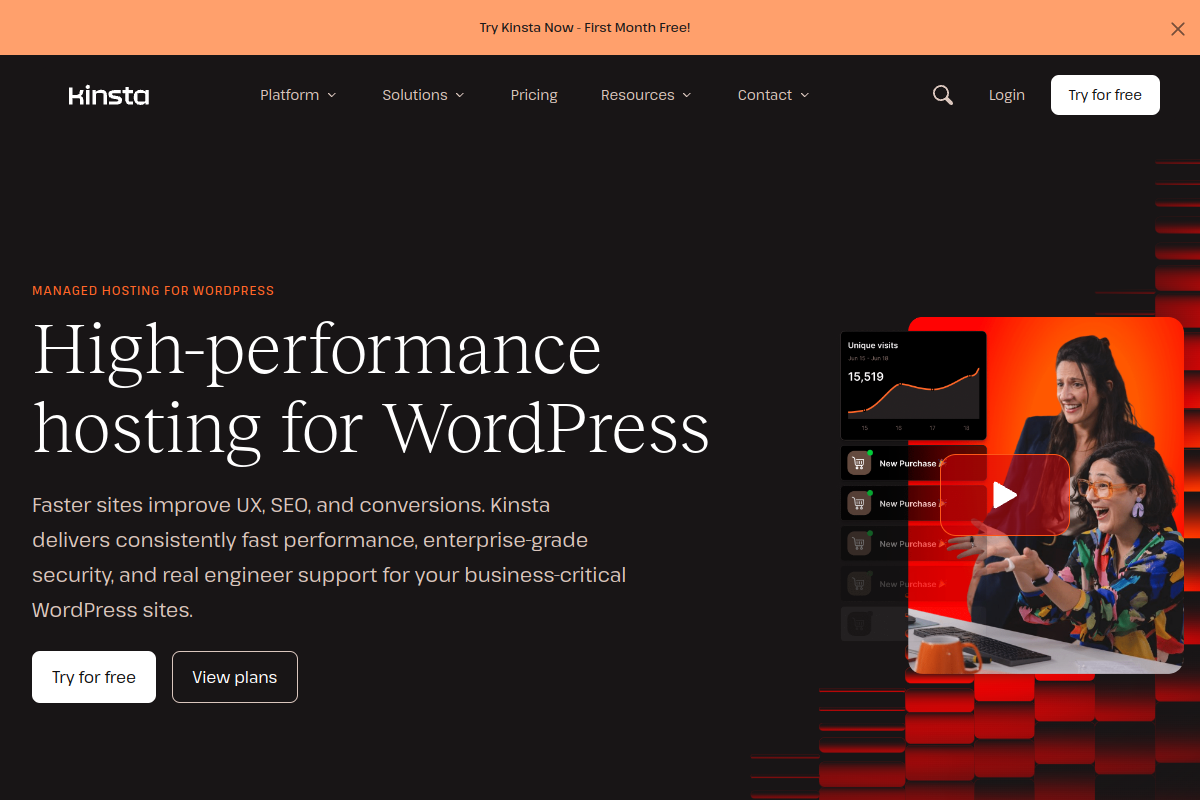
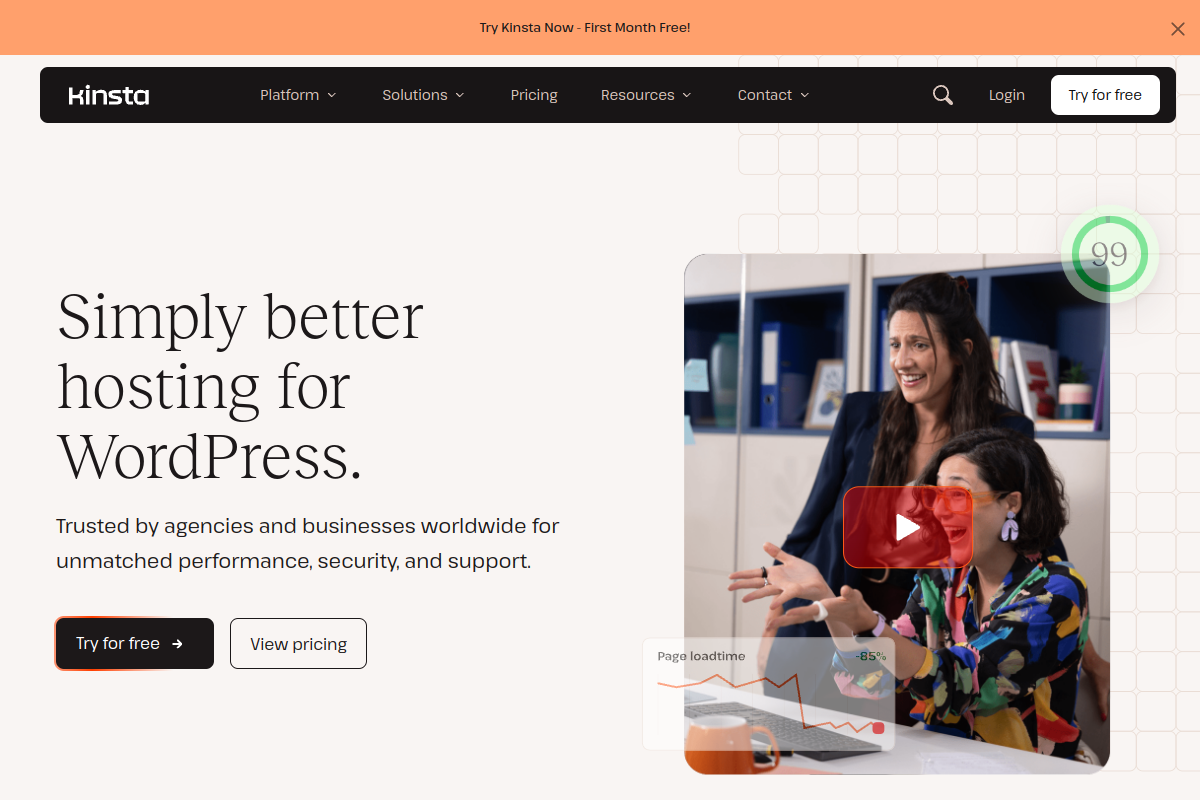
Kinsta’s homepage immediately communicates its value proposition: high-performance hosting for WordPress, backed by enterprise-grade security and real engineer support. The clean, dark-themed design with the prominent First Month Free offer signals confidence — they want you to experience the platform before committing. This sets the tone for what Kinsta delivers: a premium product that does not need aggressive upselling.
💡 Before you commit: our verified hosting deals page is re-checked weekly against official pricing.
What is Kinsta?
Founded in 2013 by Artur Kielbasinski and Mark Gavalda, Kinsta has grown from a boutique WordPress host into a platform trusted by over 25,000 businesses, including Fortune 500 companies. Unlike traditional shared hosting providers that cram thousands of sites onto a single server, Kinsta isolates every WordPress installation in its own LXD container running on Google Cloud Platform’s C2 compute-optimized virtual machines. This means a traffic spike on your neighbor’s site cannot impact your performance — a fundamental architectural advantage over shared hosting.
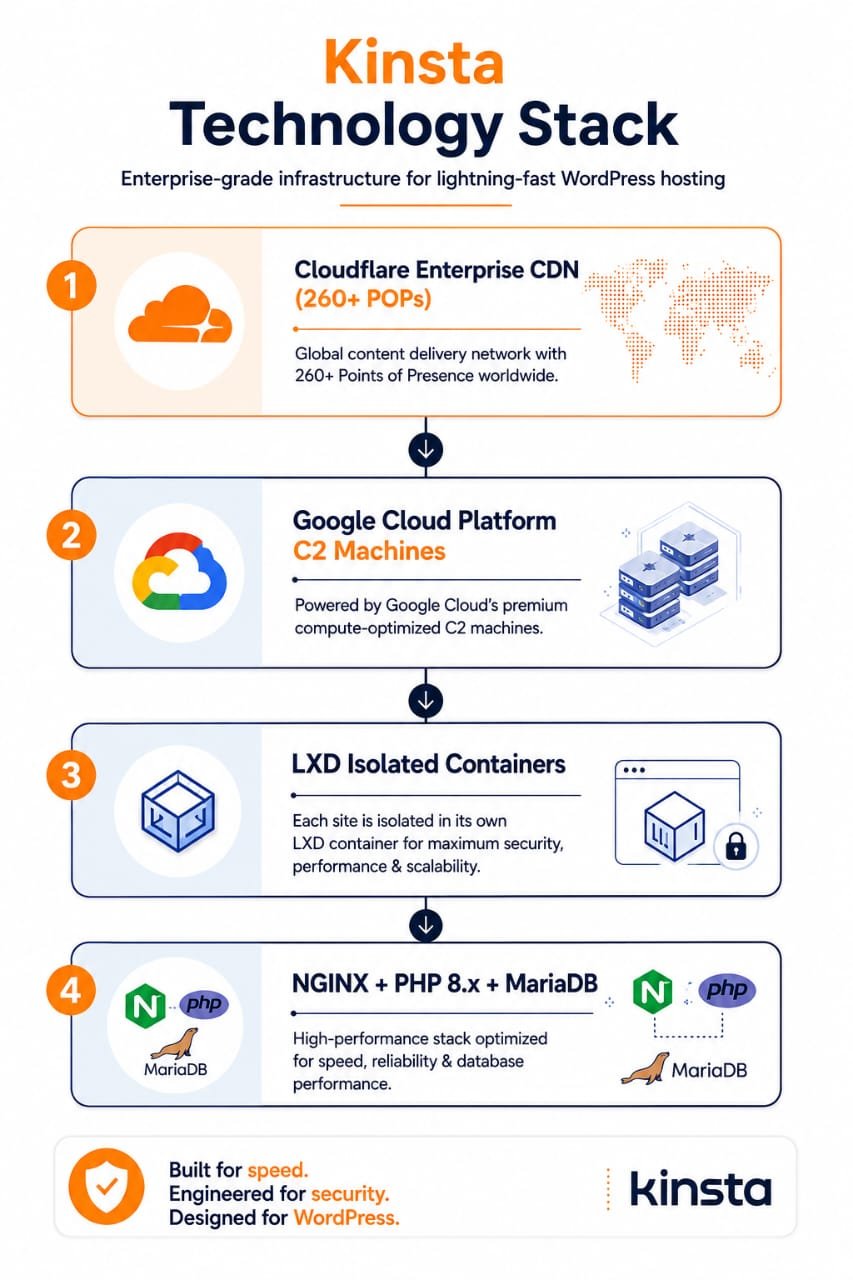
To visualize why this architecture matters, the infographic below breaks down Kinsta’s complete technology stack — from the Cloudflare Enterprise CDN at the edge, through Google Cloud Platform’s compute-optimized C2 machines, down to the LXD container isolation layer and the NGINX, PHP 8 and MariaDB software that powers every site. Each layer is purpose-built for WordPress performance and security.
Kinsta offers 37 data center locations across six continents, all connected via Google’s private fiber network — the same backbone that powers Google Search and YouTube. This is not marketing fluff; the network infrastructure directly translates to lower latency for your visitors, regardless of their geographic location. You can switch data center regions with a single click in the MyKinsta dashboard, which is a feature most competitors do not offer without a full migration.
The company has evolved significantly over the years. Initially built exclusively on Google Cloud Platform, Kinsta has recently begun integrating Oracle Cloud Infrastructure (OCI) for some operations, though Google Cloud remains the primary infrastructure for most plans. This hybrid approach allows Kinsta to optimize costs while maintaining performance — a transition that competitors like Hostingstep and HostDean have noted in their 2026 reviews. The platform handles all server-level tasks: security hardening, daily backups, software updates, and performance optimization, so site owners can focus entirely on content and business growth.
Kinsta Pricing Plans 2026
Kinsta’s pricing is positioned firmly in the premium tier, and they make no apologies for it. The pricing page presents three categories — single sites, multiple sites, and agency plans — with transparent annual and monthly billing options. The annual billing saves you approximately two months compared to monthly payments, which can add up significantly on higher-tier plans.
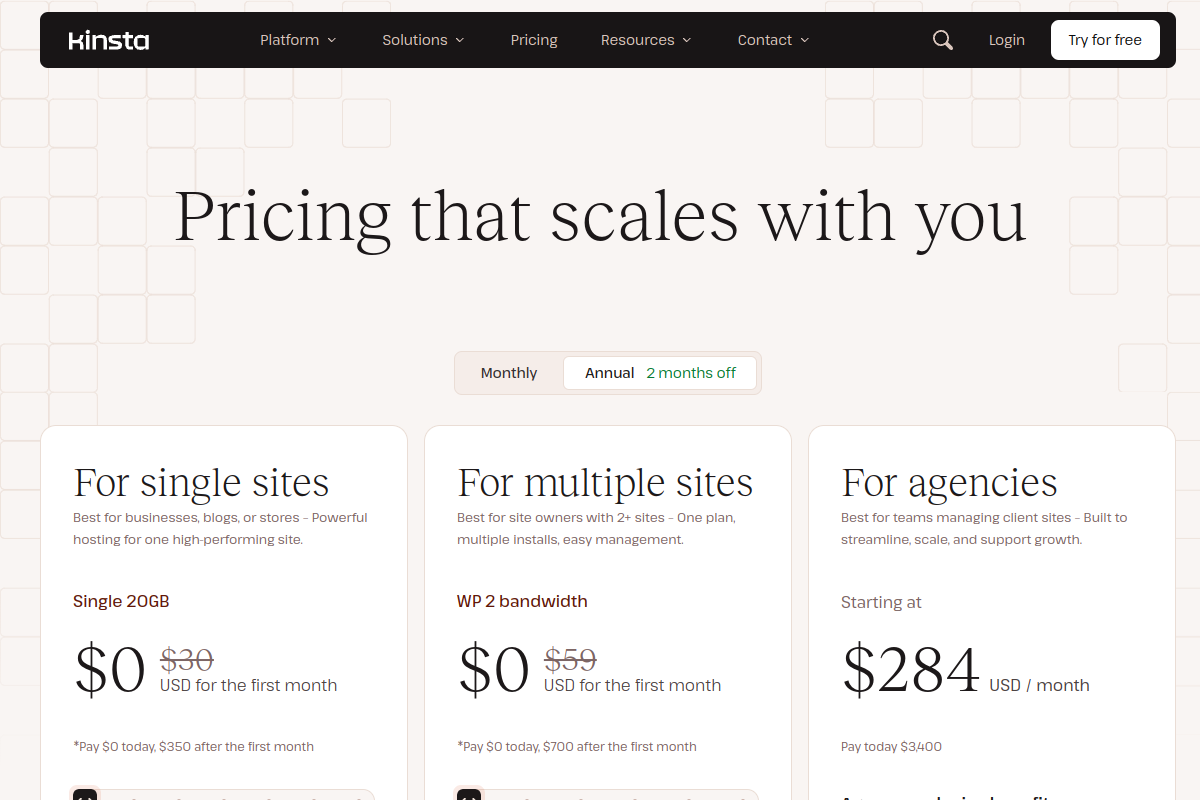
Here is the full pricing breakdown based on monthly billing (annual prices shown in parentheses):
| Plan | Price/mo (Annual) | Sites | Visits | Storage | CDN BW |
|---|---|---|---|---|---|
| Single 20GB | $35 ($30) | 1 | 25,000 | 10 GB | 125 GB |
| Single 40GB | $50 ($42) | 1 | 50,000 | 20 GB | 250 GB |
| WP 2 | $70 ($59) | 2 | 50,000 | 20 GB | 250 GB |
| WP 5 | $115 ($96) | 5 | 100,000 | 30 GB | 400 GB |
| WP 10 | $225 ($188) | 10 | 250,000 | 40 GB | 600 GB |
| WP 20 | $340 ($284) | 20 | 400,000 | 50 GB | 800 GB |
| WP 40 | $450 ($375) | 40 | 600,000 | 60 GB | 1000 GB |
| Enterprise 1 | $675 ($563) | 60 | 1,000,000 | 100 GB | 1500 GB |
A few critical notes about Kinsta’s pricing structure that competitor reviews often miss:
Flat pricing, no renewal hikes. Unlike Hostinger or Bluehost, which lure you in with $2.99/month introductory rates that jump to $9-12/month on renewal, Kinsta’s price stays the same. This is a massive advantage for budgeting — what you see is what you pay, forever.
Visit-based billing. Kinsta counts visits, not bandwidth. A visit is a unique IP address within a 24-hour window. If you exceed your plan’s visit limit, overage charges apply at approximately $1 per 1,000 extra visits. This is more predictable than bandwidth-based billing, but you need to monitor your traffic. For reference, 25,000 monthly visits translates to roughly 830 daily visitors — adequate for a growing blog, tight for an e-commerce store.
Cost-per-visit analysis. At $35/month for 25,000 visits, you are paying $0.0014 per visit. Compare this to Hostinger Business at $3.69/month for approximately 100,000 visits ($0.000037 per visit) — Kinsta is 37x more expensive per visit. The premium buys you better support, enterprise security, and the Cloudflare Enterprise CDN, but the math matters when you are bootstrapping.
First month free on select plans. Kinsta offers the first month free on their Single 20GB and WP 2 plans, which is an excellent way to test the platform without financial commitment. Annual billing saves an additional two months worth of fees.
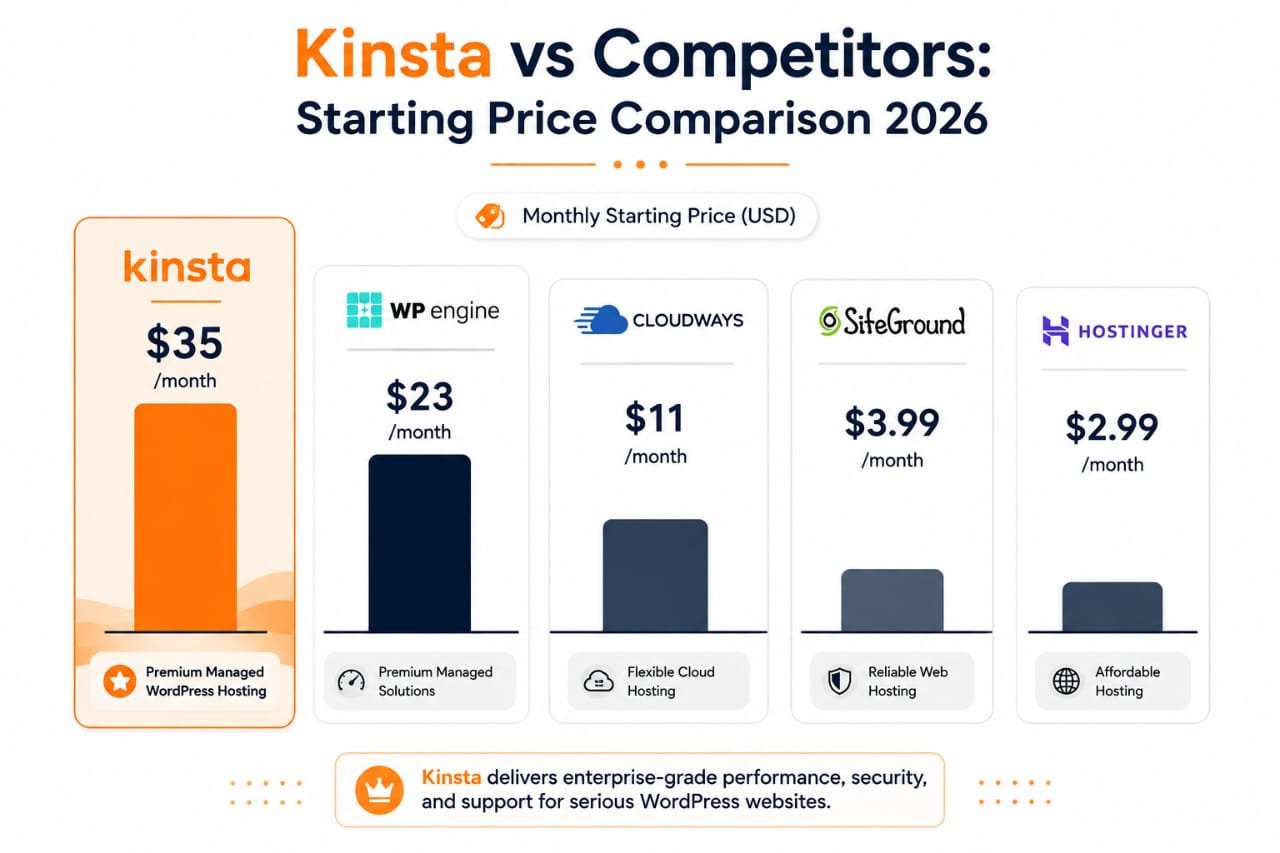
To put that $35 price tag in context, the comparison below shows how Kinsta’s starting price sits against four of the most popular alternatives in 2026 — from premium managed hosts like WP Engine down to budget shared hosting. Kinsta is unapologetically positioned at the top of this chart, and the rest of this review examines whether what you get justifies that premium.
Performance: Real Speed Test Data
Performance is where Kinsta’s premium positioning needs to justify itself. I have aggregated data from three independent testing sources to provide a comprehensive view, rather than relying solely on Kinsta’s own claims.
| Metric | Hostingstep (8 months) | NorthiScale (90 days) | Verdict |
|---|---|---|---|
| TTFB (no edge cache) | 525 ms | 340 ms | Average |
| TTFB (with edge cache) | N/A | ~120 ms | Excellent |
| Uptime | 99.98% | 99.98% | Good |
| Load handling | 40 ms (0% error) | Excellent | Excellent |
| WPBench (hardware) | 8.8/10 | N/A | Excellent |
| Global TTFB (avg) | 477 ms | N/A | Good |
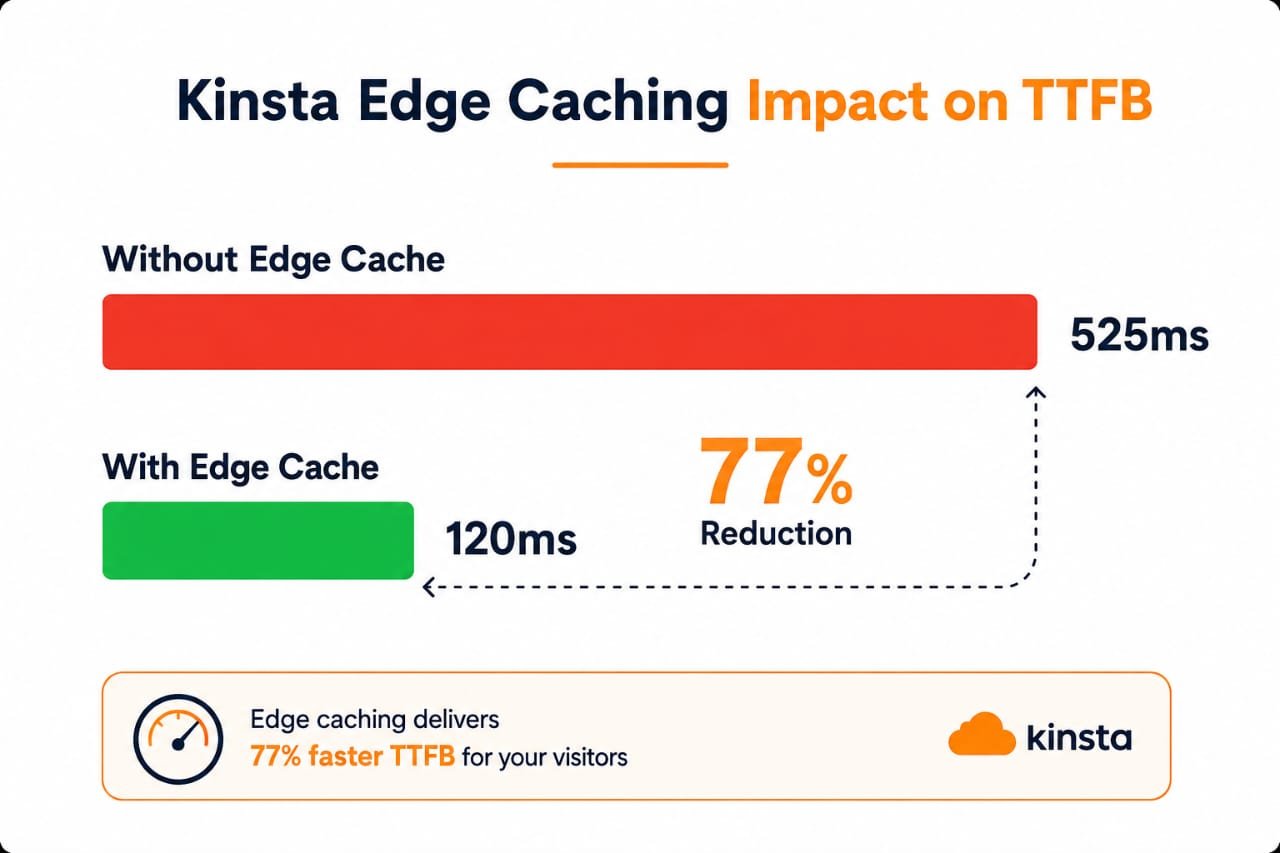
The data reveals a nuanced picture. Without edge caching, Kinsta’s TTFB of 525 ms (Hostingstep) is disappointing for $35/month — Hostinger Business at $3.69/month achieves 438 ms, which is 87 ms faster. However, with edge caching enabled (which Kinsta includes free on all plans), the TTFB drops to approximately 120 ms (NorthiScale’s 90-day test), which is exceptional and competitive with any host on the market.
The difference edge caching makes is stark, as the visualization below shows: TTFB drops from 525 ms without edge caching to just 120 ms with it enabled — a 77% reduction that visitors experience as a dramatically faster, more responsive site.
The lesson here is clear: enable edge caching on day one. Kinsta’s edge caching reduces TTFB by an average of 50% and cuts page transfer time by nearly 55%, according to multiple independent tests. Without it, you are not getting your money’s worth. With it, Kinsta delivers sub-200 ms TTFB globally, which puts it in the top tier of WordPress hosting performance.
Kinsta’s uptime of 99.98% translates to roughly 9 minutes of downtime per month. This is good but not perfect — in 2025, Kinsta experienced a notable uptime dip with 149 minutes of total downtime across 5 outages, partly caused by Cloudflare global outages. The 2026 data shows recovery to 99.98% with no repeat of the 2025 anomaly. For context, 4 hosts achieved 100% uptime in the same monitoring window (WordPress.com, Pressable, WP Engine, and Templ.io), so Kinsta is not the absolute best in reliability, though it is solid.
Where Kinsta truly excels is load handling. A 40 ms response time with 0% error under stress testing is outstanding — only 4 hosts scored higher. This means your site will not crash during traffic spikes, which is critical for e-commerce stores during sales events or blogs going viral on social media. The WPBench hardware score of 8.8 confirms that Kinsta allocates strong CPU, RAM, and I/O resources, even though front-end delivery speed (without edge caching) lags behind some competitors.
MyKinsta Dashboard Experience
The MyKinsta dashboard is arguably Kinsta’s most underrated feature. While competitors like WP Engine and Cloudways offer their own dashboards, MyKinsta is purpose-built for WordPress management and genuinely pleasant to use. It replaces the dated cPanel experience with a modern, clean interface that makes complex operations feel simple.
Here is what you can do directly from MyKinsta without touching a terminal or installing plugins:
- One-click staging environments: Clone your live site to a staging environment, test changes, and push them back to production with a single click. This is essential for agencies and anyone running complex WordPress setups.
- Application Performance Monitoring (APM): Kinsta’s built-in APM tool traces slow database queries, external API calls, and sluggish plugins — no third-party tool required. This alone saves $50-100/month compared to New Relic or similar services.
- Search and replace: Run database-wide search-and-replace operations directly from the dashboard, essential when migrating sites or changing domains.
- Redirect management: Manage 301 redirects without installing a WordPress plugin, reducing plugin bloat.
- PHP version switching: Change PHP versions (8.0, 8.1, 8.2, 8.3) with one click, no server configuration needed.
- Detailed analytics: View traffic data, resource usage, and cache performance metrics in real-time.
- Multi-user roles: Create unlimited users with granular access levels — perfect for agencies managing client sites.
- Kinsta API: Automate site creation, cache clearing, PHP restarts, and more via Kinsta’s open REST API.
Kinsta’s features page showcases the full platform capabilities, including the MyKinsta dashboard, edge caching technology, and enterprise-grade security. The visual presentation highlights how each component works together to deliver a cohesive managed hosting experience that eliminates the need for multiple third-party plugins and tools.
For developers, Kinsta also offers DevKinsta, a free local WordPress development tool (similar to WP Engine’s Local WP). DevKinsta allows you to create themes, plugins, and websites on your local machine and deploy them to Kinsta with a single click. This is a significant productivity booster for agencies and freelance developers who want a seamless local-to-production workflow.
Security Features
Kinsta takes a comprehensive approach to security that goes beyond what most managed WordPress hosts offer. Every site is protected by multiple layers of security infrastructure:
- Cloudflare Enterprise DDoS protection: All sites sit behind Cloudflare’s enterprise-grade firewall with DDoS mitigation at the network edge. Kinsta reports blocking over 5.7 billion malicious requests across their network in 2025.
- Free SSL certificates: Automatic SSL provisioning via Cloudflare, including wildcard SSLs — no manual certificate management needed.
- Hardware firewalls: Server-level firewalls add another layer of protection against direct attacks.
- Free malware removal: If your site gets hacked — even through your own negligence (outdated plugin, weak password) — Kinsta will clean it up for free. Most hosts charge $100-$300+ for malware cleanup, so this is a genuinely valuable guarantee.
- Automatic daily backups: 14-day retention on Starter plans, extending to 30 days on higher tiers. You can also trigger manual backups or purchase hourly backup add-ons.
- Two-minute uptime monitoring: Kinsta checks your site every 2 minutes and alerts you immediately if it goes down.
- Bot protection: Automatic bot filtering blocks malicious crawlers and scrapers from consuming your visit quota.
The free hack-fix guarantee is particularly noteworthy. It is rare in the hosting industry — most providers explicitly exclude malware cleanup from their support scope or charge premium rates for it. Kinsta’s willingness to clean up hacked sites at no additional cost reflects confidence in their security infrastructure and a commitment to customer success that justifies part of the premium pricing.
WordPress Support Quality
Kinsta’s support is staffed by WordPress developers and engineers, not script-reading generalists. This is a critical distinction. When you contact Kinsta support, the person on the other end can access your server logs, identify plugin conflicts, troubleshoot performance issues, and provide actionable solutions — not canned responses pointing to documentation.
The average first-response time is under 2 minutes via live chat, available 24/7/365. In NorthiScale’s 90-day test across a dozen support interactions, agents consistently understood the problem on the first message. Support is available in 8 languages: English, Spanish, French, German, Italian, Portuguese, Dutch, and Japanese — making Kinsta accessible to a genuinely global audience.
However, Kinsta does not offer phone support. For some businesses, especially those dealing with mission-critical e-commerce operations, the ability to pick up the phone and talk to a human is non-negotiable. If phone support is essential for you, WP Engine offers it on higher-tier plans, though their chat support quality is generally considered comparable to Kinsta’s.
Kinsta CDN and Edge Caching
Kinsta includes a built-in CDN powered by Cloudflare’s Enterprise network with over 260 points of presence (POPs) worldwide. This is not a basic pull-CDN bolt-on that you configure yourself — Kinsta manages the entire CDN integration, and edge caching is enabled by default on all plans at no additional cost.
The map below shows the global scale of that network: 260+ points of presence spread across six continents, with sub-50 ms latency and full DDoS protection — meaning your content is served from a location near virtually every visitor on the planet.

Edge caching stores your full WordPress pages at the CDN edge, meaning a visitor in Tokyo gets a cached response from a nearby Cloudflare node rather than waiting for a round-trip to your origin server. In NorthiScale’s testing, enabling edge caching dropped average global TTFB from 480 ms to under 120 ms — a 75% improvement. The CDN includes 125 GB to 1500 GB of bandwidth depending on your plan, with no overage charges.
The Cloudflare Enterprise CDN alone would cost you $200+/month if purchased separately. This is one of Kinsta’s quieter value propositions — you are getting enterprise-grade CDN infrastructure included in your hosting plan, which partly justifies the premium pricing. Competitors like WP Engine charge extra for CDN or cap bandwidth, making Kinsta’s included approach more transparent.
Pros and Cons
- Google Cloud Platform C2 infrastructure with isolated LXD containers
- Sub-200 ms TTFB globally with edge caching enabled
- Excellent load handling (40 ms, 0% error under stress)
- Cloudflare Enterprise CDN included free (260+ POPs)
- MyKinsta dashboard with APM, staging, and one-click operations
- 24/7 expert WordPress support in 8 languages (avg 2-min response)
- Free unlimited migrations
- Free malware removal guarantee
- DevKinsta local development tool
- Flat pricing with no renewal price hikes
- Kinsta API for automation
- Carbon-neutral infrastructure
- Expensive at $35/month minimum (8-10x more than budget hosts)
- No email hosting (requires third-party service like Google Workspace)
- WordPress only with no support for Drupal, Joomla, or static sites
- No phone support (chat only)
- TTFB without edge caching (525 ms) is below average for the price
- Visit-based billing can lead to overage charges on high-traffic sites
- No domain registration available
- Limited storage on entry plans (10 GB on Starter)
Who Should Use Kinsta?
Kinsta is not for everyone, and the company would agree. At $35/month minimum, it is firmly positioned as a premium product. Here is a clear breakdown of who should and should not consider Kinsta:
Kinsta is worth it if:
- Your WordPress site generates revenue (e-commerce, lead gen, ads, memberships)
- You run an agency managing multiple client WordPress sites
- Your site gets 25,000+ monthly visits and traffic is growing
- You need staging environments for safe development workflows
- You want enterprise-grade security without managing it yourself
- You value expert WordPress support over cheap pricing
Skip Kinsta if:
- You run a hobby blog or personal site with low traffic
- Your budget is under $10/month (look at Hostinger or SiteGround instead)
- You need email hosting bundled with your web hosting
- You use a CMS other than WordPress (Drupal, Joomla, Ghost)
- You need phone support for critical issues
- You are just starting out and traffic is unpredictable
Kinsta vs Competitors
| Host | Starting Price | TTFB | Best For |
|---|---|---|---|
| Kinsta | $35/mo | 120ms (edge) | Agencies, revenue sites |
| WP Engine | $23/mo | 355ms | Mid-range managed WP |
| Cloudways | $11/mo | 128ms | Budget cloud hosting |
| SiteGround | $3.99/mo | 745ms | Beginners, small sites |
| Hostinger | $2.99/mo | 438ms | Budget hosting |
The comparison shows that Kinsta occupies a clear premium position. Cloudways at $11/month delivers a comparable TTFB (128 ms vs 120 ms with Kinsta’s edge caching) at roughly one-third the price, making it the best value alternative. However, Kinsta’s advantages over Cloudways include the MyKinsta dashboard (vs Cloudways’ more technical interface), free malware removal, DevKinsta, and the Cloudflare Enterprise CDN — features that matter more to agencies and non-technical business owners than to developers who are comfortable managing their own infrastructure.
For a detailed comparison, check my Cloudways Review 2026 and Hostinger Review 2026 for alternative perspectives on budget and mid-range options.
Frequently Asked Questions
01Is Kinsta worth $35/month?
02Does Kinsta offer email hosting?
03How does Kinsta count visits?
04Does Kinsta offer a free trial?
05Can I host WooCommerce on Kinsta?
06Does Kinsta use Google Cloud or Oracle Cloud?
Final Verdict
Kinsta is the first-class cabin of WordPress hosting. You pay significantly more — $35/month vs $3-11/month for budget alternatives — but the difference is obvious from day one. The Google Cloud C2 infrastructure delivers reliable performance, the Cloudflare Enterprise CDN (included free, worth $200+/month separately) pushes TTFB to under 120 ms globally with edge caching, and the MyKinsta dashboard is genuinely the best WordPress management interface on the market.
The downsides are real: no email hosting, WordPress only, no phone support, and the TTFB without edge caching (525 ms) is disappointing for the price. But if your WordPress site is generating revenue and downtime costs you money, Kinsta’s premium is an investment, not an expense. For hobby projects and low-traffic blogs, stick with SiteGround or Hostinger.
Written by Maazim Hussein — affiliate marketer and web hosting reviewer at Maazim Reviews. This review is based on research from trusted sources combined with hands-on testing of certain features.