mr-author-box2″>
Picking the wrong TYPE of hosting can cost you 10x more than picking the wrong company. Renting shared hosting when you need a VPS is like cramming a family of six into a studio apartment — and paying for a mansion when you only need one room is just as expensive. By the end of this guide, you’ll know exactly which type fits your project, with real 2026 prices for each.
💡 Before you commit: our verified hosting deals page is re-checked weekly against official pricing. And for site security beyond hosting, our NordVPN review covers what a VPN does – and doesn’t – protect.
What is web hosting, in plain language
Every website you visit is a collection of files sitting on a computer somewhere. That computer is called a server, and the company that owns it, keeps it running, and rents you space on it is your web host. Web hosting is simply that rental agreement: you pay a monthly fee, and the host keeps your site online, loads it for your visitors, and handles the technical machinery behind the scenes.
A helpful way to picture it is real estate. Your website is your belongings, and hosting is the property you rent to keep them in. A single room in a shared apartment costs very little, but you share the kitchen with strangers. Renting an entire building gives you total freedom at a much higher price. Every type of hosting on this page is just a different size of that property, with a different trade-off between price, space, and who else is allowed in.
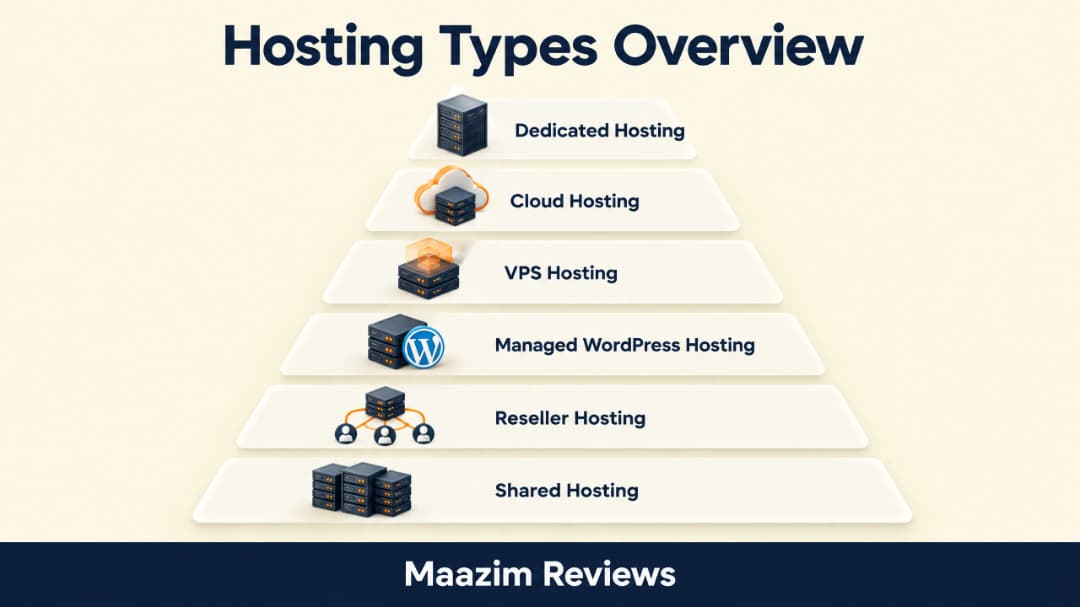
The mistake most beginners make is treating hosting types as a quality ladder, as if shared hosting is “bad” and dedicated hosting is “good.” That is not how it works. A small blog on overpowered dedicated hosting wastes money every month. A high-traffic store on crowded shared hosting will crash. The right type of hosting is the smallest one that comfortably fits your project today, with room to grow tomorrow.
Shared hosting: the apartment building
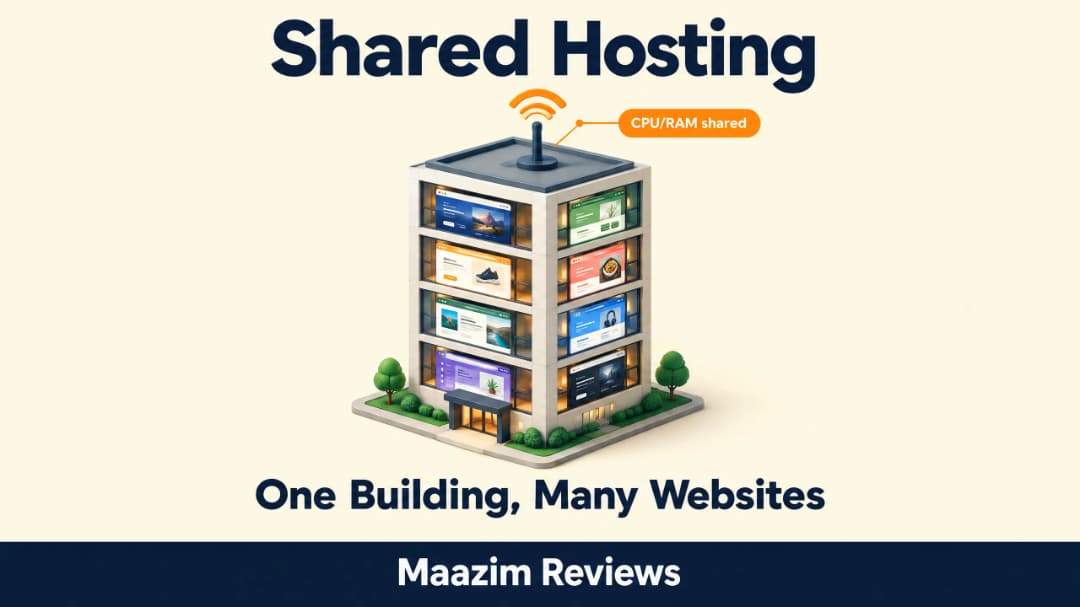
Shared hosting means your website lives on one server alongside dozens, sometimes hundreds, of other websites. Everyone shares the same CPU, RAM, and storage, which is exactly why it can cost so little. Hostinger’s Premium shared plan starts around $2.99 per month on a long term, and Namecheap’s Stellar plan starts at $2.28. That price is not a trick — it is the economics of splitting one machine between many customers.
The apartment analogy holds up well. You have your own locked room (your account and files), but the elevator (server resources) is shared with everyone else. If a neighbor throws a massive party (a website gets a traffic spike), the elevator gets slower for you too.
For all its reputation, modern shared hosting is genuinely good for new sites. The hardware in 2026 is fast, and a well-managed shared server handles thousands of daily visitors without breaking a sweat. Our full Hostinger review covers exactly what you get at this tier, and the same applies to SiteGround, which is the premium option in this category.
One warning specific to shared hosting: the word “unlimited.” Plans advertised with unlimited storage and bandwidth always carry fair-use clauses in the terms of service. In practice that means hundreds of small websites live happily on one plan, but a single site storing massive video archives or pumping constant heavy traffic will be asked to upgrade. “Unlimited” means unlimited for a normal site, not unlimited for Netflix.
What shared hosting is honest about being bad at: sudden viral traffic spikes, heavy plugins that eat CPU, and total control. You cannot install custom server software, and a badly behaved neighbor can occasionally slow you down.
Choose shared hosting if: you are launching your first site, a blog, a portfolio, or a small business site expecting less than roughly 30,000 to 50,000 visits a month. It handles more, but that is where you should start watching performance.
VPS hosting: your own condo in the building
VPS stands for Virtual Private Server. One physical server is split with software into several isolated virtual servers, and you rent one of them. You still share the physical machine, but your slice of CPU and RAM is guaranteed and reserved for you alone.
Back to real estate: a condo. You live in the same building, but your unit is legally separate, with its own walls, its own utilities, and nobody can borrow your space.
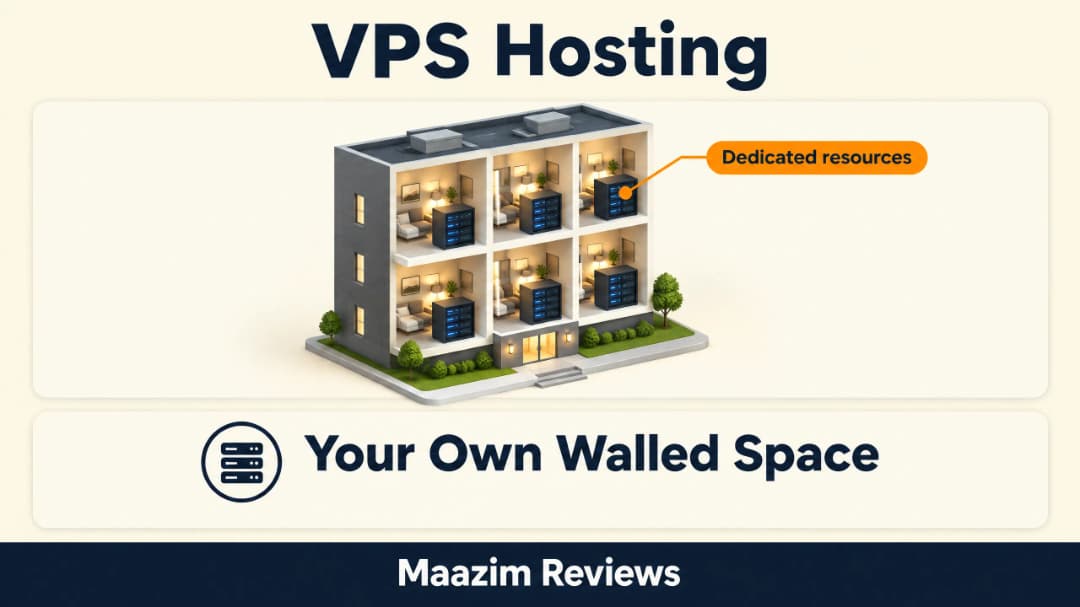
The practical difference shows up under pressure. On shared hosting, a traffic spike on a neighbor’s site can slow yours down. On a VPS, your resources are yours. You also gain root access, meaning you can install whatever software you want, which matters for developers and custom applications.
Prices have dropped dramatically. Contabo, which we reviewed in detail in our Contabo review, sells VPS plans from around $5.28 per month with generous specs, and InterServer offers a similar value angle. Managed VPS from premium brands costs more, typically $12 to $40 per month.
Choose VPS if: your site outgrows shared hosting, you run custom applications, or you need guaranteed resources and server-level control without dedicated-server pricing.
Cloud hosting: rent exactly what you use
Cloud hosting spreads your website across a network of servers instead of pinning it to one machine. If one server in the network fails, another instantly takes over. If you need more power, resources scale up on demand; when traffic drops, they scale back down.
Think of it as renting flexible storage units across the city instead of one fixed warehouse. You use units where and when you need them, and the system reroutes around any unit that goes offline.
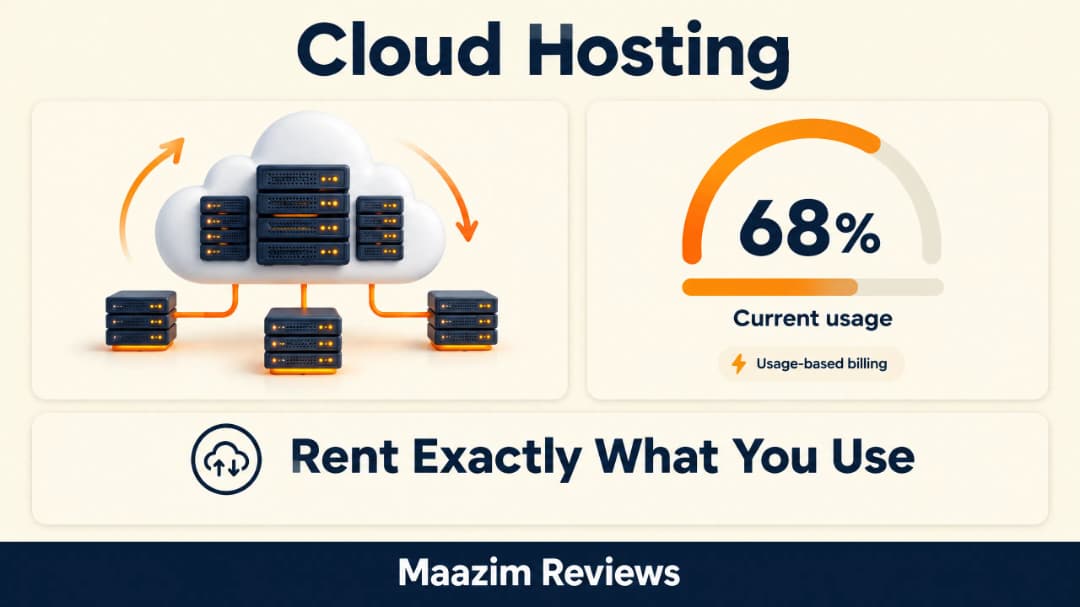
The standout advantages are reliability and scalability. This is the tier where hosts quote 99.99% uptime seriously, because the architecture genuinely delivers it. Our Cloudways review documents real-world performance at this tier, and Cloudways is a good example of the modern managed-cloud model where you pick the underlying provider and the platform handles operations.
Pricing is usage-based, which cuts both ways. Entry plans start around $10 to $14 per month, but a site that scales heavily pays for what it consumes. That is fair, but beginners should know the bill is variable, not fixed.
Choose cloud hosting if: uptime is critical, your traffic is unpredictable, or you want easy scalability without migrating to bigger machines every year.
Dedicated hosting: the whole building is yours
A dedicated server is one physical machine rented entirely to you. Every gigabyte of RAM, every CPU core, every disk is yours. Nothing is shared with anyone, which makes it the most powerful and most expensive mainstream option, typically $80 to several hundred dollars per month.
You get full hardware control: choose the CPU, the RAM, the storage type, the operating system, and every setting on the machine. Providers like the one in our Liquid Web review operate in this space with fully managed dedicated plans aimed at businesses that want power without hiring a sysadmin.

Here is the honest truth most guides skip: dedicated hosting is wasted on the overwhelming majority of websites. A well-configured VPS or cloud plan outperforms what most sites will ever need, at a fraction of the price. Dedicated makes sense when you run a high-traffic store, a busy agency with many client sites, or applications with specific hardware requirements.
Choose dedicated hosting if: you have consistent high traffic, need maximum raw performance and isolation, or run workloads that genuinely need a full machine.
Managed WordPress hosting: hosting with a butler
Managed WordPress hosting is shared or cloud hosting refined for one job: running WordPress sites as fast and as safely as possible. The host handles updates, daily backups, security hardening, caching, and WordPress-specific optimizations that you would otherwise configure yourself.
The value is not raw power; it is expertise on retainer. Your site runs on infrastructure tuned for WordPress by people who think about WordPress all day. Our Kinsta review and our look at WP Engine show what this tier offers, and our WP Engine review covers the most established name in the category.
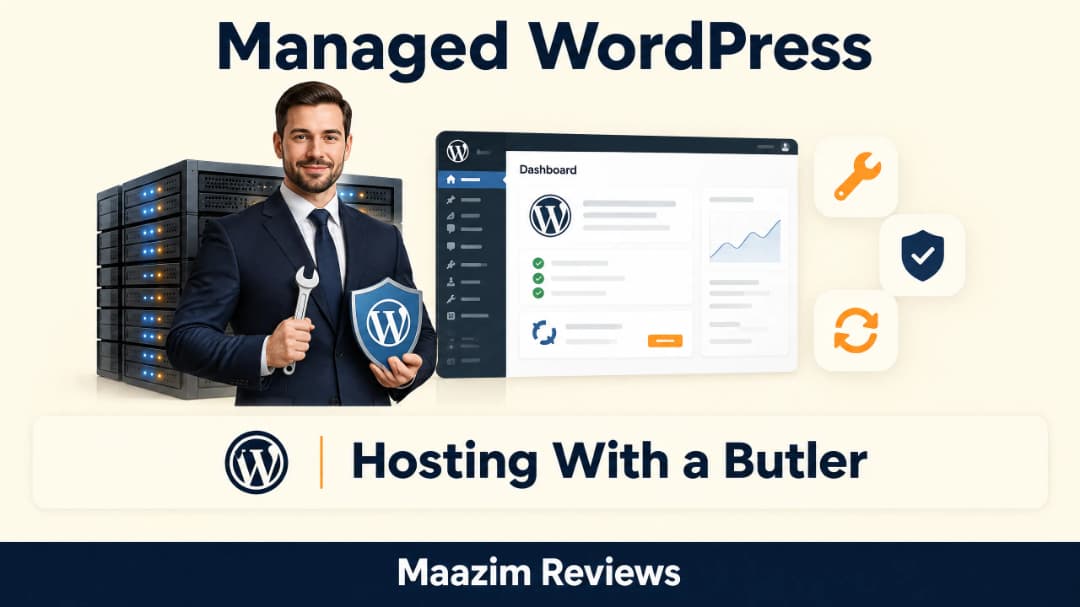
Prices start around $20 to $35 per month and rise with traffic tiers. That is several times the cost of good shared hosting, which brings the honest warning: a brand new blog does not need managed WordPress hosting, no matter how good the marketing sounds. The tier pays for itself when your site earns money, gets real traffic, or when your time is worth more than the monthly fee.
Choose managed WordPress if: your WordPress site is a business asset, you do not want to touch server settings, and you value your time more than the price premium.
Reseller hosting: be the landlord
Reseller hosting lets you buy a large block of hosting resources and sell smaller pieces of it under your own brand. The provider manages the hardware; you manage the customers. Web designers and agencies are the natural customers here: build the site, host it, bill for it monthly, and keep the recurring revenue.

Entry reseller plans start around $15 to $30 per month. If you maintain even five client sites at modest monthly fees, the plan pays for itself and becomes a profit center instead of a cost.
Choose reseller hosting if: you build websites for clients and want recurring hosting income, or you manage sites for several projects and want one unified control panel.
Managed vs unmanaged: the hidden choice inside every VPS
When you buy a VPS or cloud server, the plan description contains one word that changes everything: managed or unmanaged. An unmanaged VPS hands you a bare server with an operating system and nothing else. Installing the web stack, configuring the firewall, applying security updates, and monitoring at 2 a.m. is all yours. It is cheaper, sometimes dramatically so, and it is exactly what experienced system administrators want.
A managed VPS wraps the same hardware in a team of engineers who do that work for you. The host handles updates, security patches, server configuration, and often proactive monitoring. You trade roughly 30 to 50 percent more monthly cost for the freedom to never think about server internals. Our Liquid Web review covers a host that built its entire reputation on this side of the market, while Contabo sits firmly on the value unmanaged side.
Beginners should read this as a rule: if you do not know what SSH is yet, you want either shared hosting or a managed plan. The savings on an unmanaged VPS are real, but they evaporate the first time a misconfigured server gets exploited or a failed update takes your site down for a weekend you spent on forums instead of your business.
Three types you will hear about but rarely need
Colocation is when you buy your own server and pay a data center to house it, power it, and connect it to the internet. You own the hardware; they own the building. It is a business-scale decision, not a beginner topic, but you should know the word exists.
Free hosting exists, and our advice is blunt: do not build anything you care about on it. Free tiers come with forced ads, unreliable uptime, no support, and no serious upgrade path. A personal learning playground is fine; a real project is not.
Website builder hosting is hosting bundled with a site builder like Wix or Squarespace. Convenient for total beginners, but you trade away portability and long-term flexibility. If you go this route, understand that moving away later is painful by design.
Side-by-side comparison: 2026 price reality
Here is every major type in one table, with realistic 2026 starting prices and the renewal warning that most comparison pages leave out. Introductory prices are what you pay in year one; renewal is what hits you afterward, and we track it in every review on this site.
| Type | Intro price/mo | Renewal reality | Best for |
|---|---|---|---|
| Shared | $1.98 – $4.99 | Doubles or triples after intro term | New sites, blogs, small business |
| VPS | $5.28 – $12 | More stable than shared | Growing sites, developers |
| Cloud | $10 – $14 | Usage-based, varies with traffic | Scalable, uptime-critical sites |
| Dedicated | $80+ | High but predictable | High-traffic, mission-critical |
| Managed WordPress | $20 – $35 | Rises with traffic tier | Business WordPress sites |
| Reseller | $15 – $30 | Stable, predictable | Agencies, freelancers |
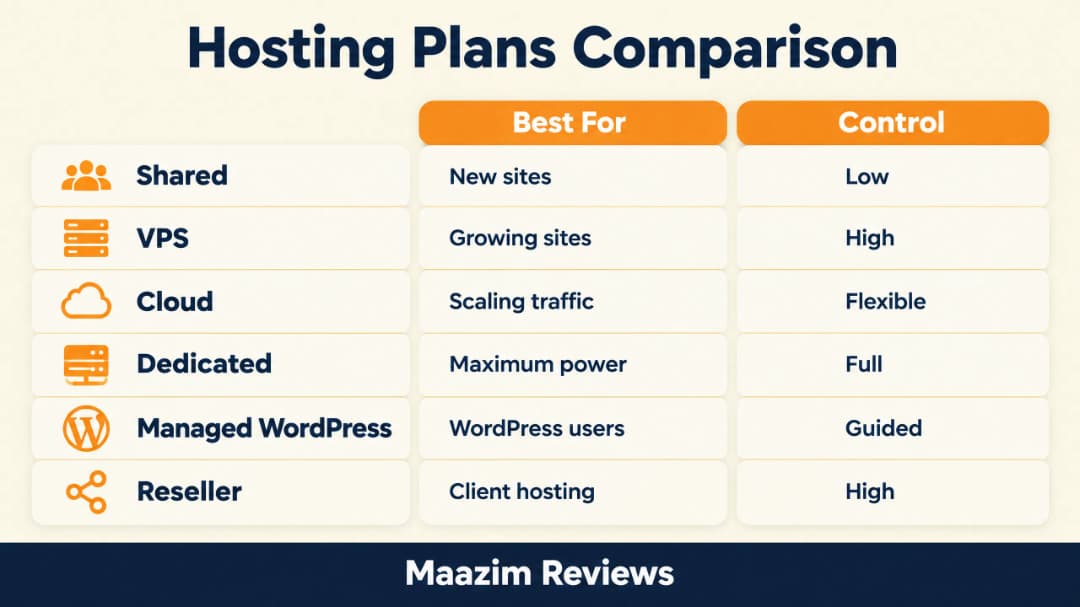
Notice the pattern in the renewal column: the cheapest intro deals penalize you the hardest at renewal. We documented this in detail in our Namecheap vs GoDaddy comparison, where GoDaddy’s Economy plan renews at nearly double its intro price. Cheap year one is a marketing strategy; the renewal line is the real price.
How to choose: a simple decision path
Ignore everything else and answer three questions. First, what is the site for? A hobby blog, a business site, or an online store? Second, how much traffic do you realistically expect in the next year, not in your dreams? Third, how much of the technical work do you want to do yourself?
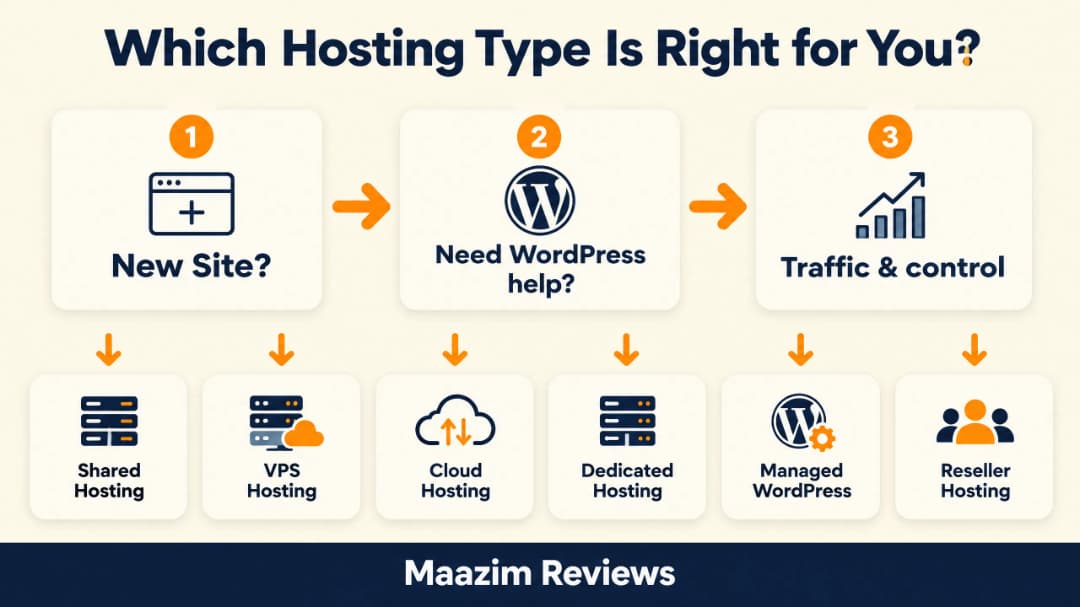
The path for 90% of beginners is identical: start on quality shared hosting from a provider with easy upgrades, like the ones in our best cheap hosting roundup. When your site starts slowing down or hitting resource limits, upgrade to VPS or cloud, which most hosts do with a single click and no migration pain. Reach for managed WordPress when the site becomes a business, and dedicated only when the numbers demand it.
| Your traffic today | Comfortable tier | Typical monthly cost |
|---|---|---|
| 0 – 10,000 visits/mo | Shared hosting | $2 – $6 |
| 10,000 – 50,000 visits/mo | Good shared or small VPS | $5 – $12 |
| 50,000 – 150,000 visits/mo | VPS or cloud | $12 – $40 |
| 150,000+ visits/mo | Cloud, managed WP, or dedicated | $40 – $100+ |
Treat these ranges as gentle guidance rather than law. A lean static site with aggressive caching can serve 100,000 visits a month on a strong shared plan, while one badly built site with 15,000 visits can suffocate a small VPS. The server’s response, not the visitor counter, tells you when to move.
Doing it in this order means you never pay for empty resources, and every upgrade is a response to a real need rather than a guess. The people who lose money on hosting almost always lose it by starting three tiers too high.
Five beginner mistakes to avoid
Mistake 1: buying for the traffic you dream about. Planning 500,000 monthly visitors for a site that has zero readers means paying for a VPS that idles all year. Start on shared hosting; upgrade when real data gives you a reason.
Mistake 2: choosing on price alone. The cheapest host on a comparison site is often cheap because support, backups, and renewal honesty were cut to reach that number. A dollar or two more buys a host that answers chat in minutes instead of days, which is worth infinitely more when your site is down.
Mistake 3: ignoring the renewal price. The intro price is an acquisition cost the host accepts; the renewal price is the real product. We have seen renewal jumps from $2.28 to $4.66 on Namecheap and from $6.99 to $11.99 on GoDaddy’s Economy plan. Both numbers are in our comparison articles because they are the ones that matter in year two.
Mistake 4: paying for managed WordPress before the site earns anything. Managed tiers are excellent, and they are built for sites with revenue or professional stakes. A hobby blog on managed hosting is a monthly donation to the host.
Mistake 5: believing one type is inherently “the best.” Every type on this page is the right answer to a different question. The shared plan that feels limiting today is the same tier that carried millions of sites through their first years. Match the tier to the project, not to a review headline.
Frequently asked questions
What type of web hosting is best for beginners?
Quality shared hosting is the best choice for beginners. It costs between $2 and $5 per month, includes everything a new site needs including a control panel, one-click WordPress installs, and support, and every major provider lets you upgrade later without migrating manually.
Is VPS better than shared hosting?
VPS is not better or worse; it is a different tier. VPS gives you guaranteed resources and more control, which matters for growing or custom sites. A brand new site gains nothing from VPS and simply pays more. Upgrade when your shared host shows performance limits, not before.
Do I need cloud hosting for a small website?
No. A small website runs perfectly on shared hosting. Cloud hosting earns its higher price through uptime guarantees and scalability, which only matter once your site has real traffic or makes real money.
What is the difference between WordPress hosting and managed WordPress hosting?
Any shared host can run WordPress with a one-click install. Managed WordPress hosting surrounds the same software with expert maintenance: automatic updates, daily backups, WordPress-specific caching, and security tuned to the platform. You are paying for expertise and time saved, not just servers.
How much does web hosting cost per year?
Realistic first-year costs: shared hosting $25 to $60, VPS $65 to $150, cloud $120 to $170, managed WordPress $240 to $420, dedicated $960 and up. Always check the renewal price before buying, because that is the number you will pay from year two onward.
Can I switch hosting types later without losing my site?
Yes. Moving from shared to VPS or cloud within the same provider is usually a one-click upgrade with no downtime. Moving between providers is also routine; every serious host offers free migration, and we cover the process in our hosting migration guide.
The bottom line
Hosting types are sizes, not grades. Shared for starting out, VPS and cloud for growing projects, managed WordPress when your site becomes a business, and dedicated when the numbers truly demand it. Start one tier above your needs instead of three, keep an eye on the renewal line, and let your traffic make the upgrade decision for you. Every review on this site exists so that when that moment comes, you already know exactly which door to walk through.